Paramount ME User’s Guide
74
Count
Enter the number of times to slew the mount between limits.
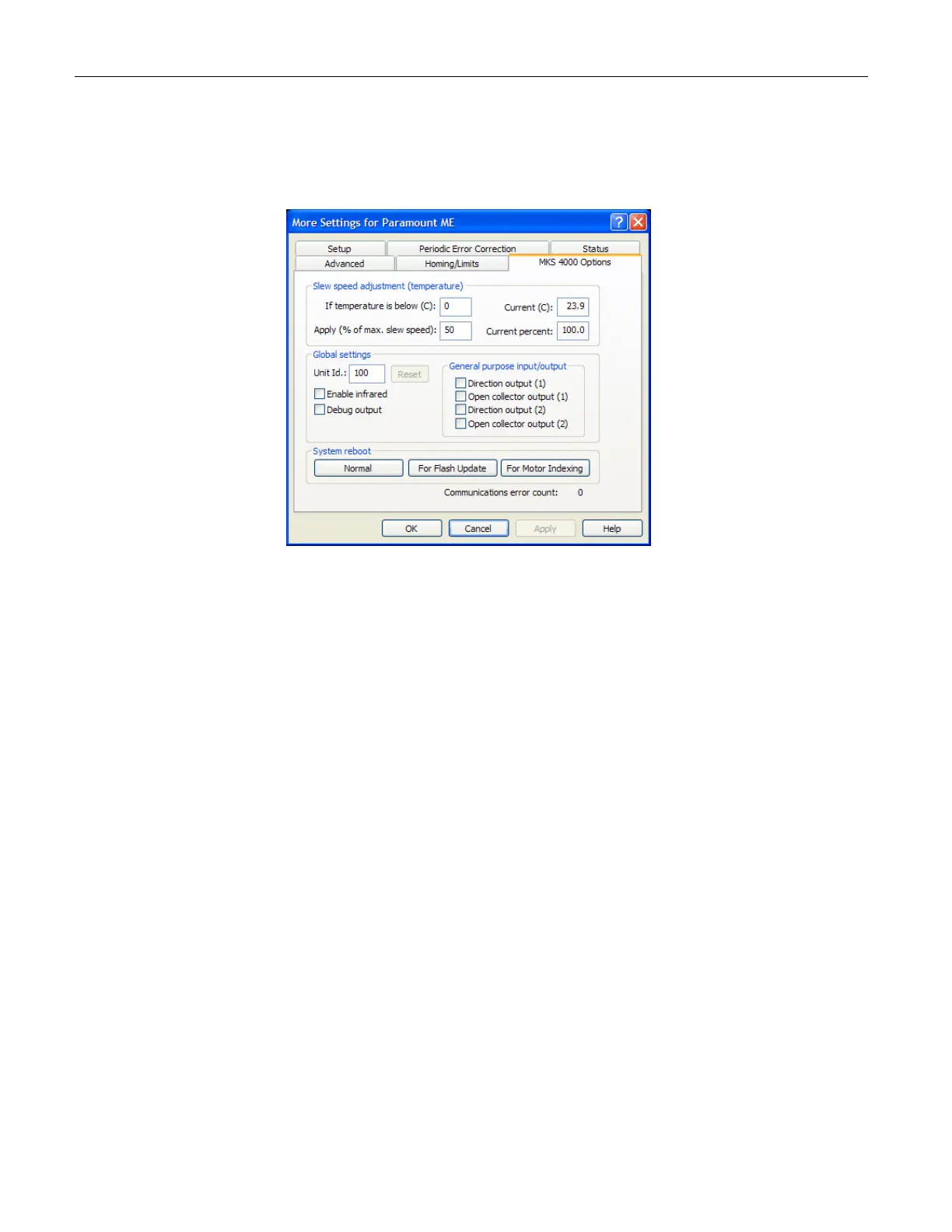
MKS 4000 Options Tab
Figure 47: MKS 4000 Options tab.
Click Telescope > Options > More Settings, and then click the MKS 4000 Options tab to
access these options. These options apply to the MKS 4000 model control system only. All
Paramount ME’s shipped prior to July 2004 use the MKS 3200 control system, and these
options do not apply. The MKS 4000, Software Bisque’s third-generation control system,
has several new features including USB support, built in thermometer and soft reboot
capability.
Slew Speed Adjustment (Temperature) Group
Use these entries to automatically adjust the slew speed of the mount when the
temperature drops. In very cold environments, this is recommended to eliminate the
possibility of mount stalls due to the added torque required to overcome less viscous
grease in the numerous bearings in the system.
If Degrees C is Below
Enter the temperature in degrees Celsius below which the slower slew speed will take
effect. For example, enter 5 to cause the mount to slew at the slower maximum speed
when the ambient temperature drops below 5º C.
Current (C)
This text box displays the temperature, in degrees Celsius, measured by a thermometer on
the MKS 4000 control board. The thermometer sensor was placed close to one of the
mounting holes on the MKS 4000 board so the reported temperature should be close to the
ambient temperature. There may be a lag between the actual and reported temperature
due to rapid changes in ambient temperature.



 To Next Page