Paramount ME User’s Guide
18
Dimensions: 23 x
30 x 8 cm (9 x 12
x 3 in.)
Weight: 1 kg (2
lbs.)
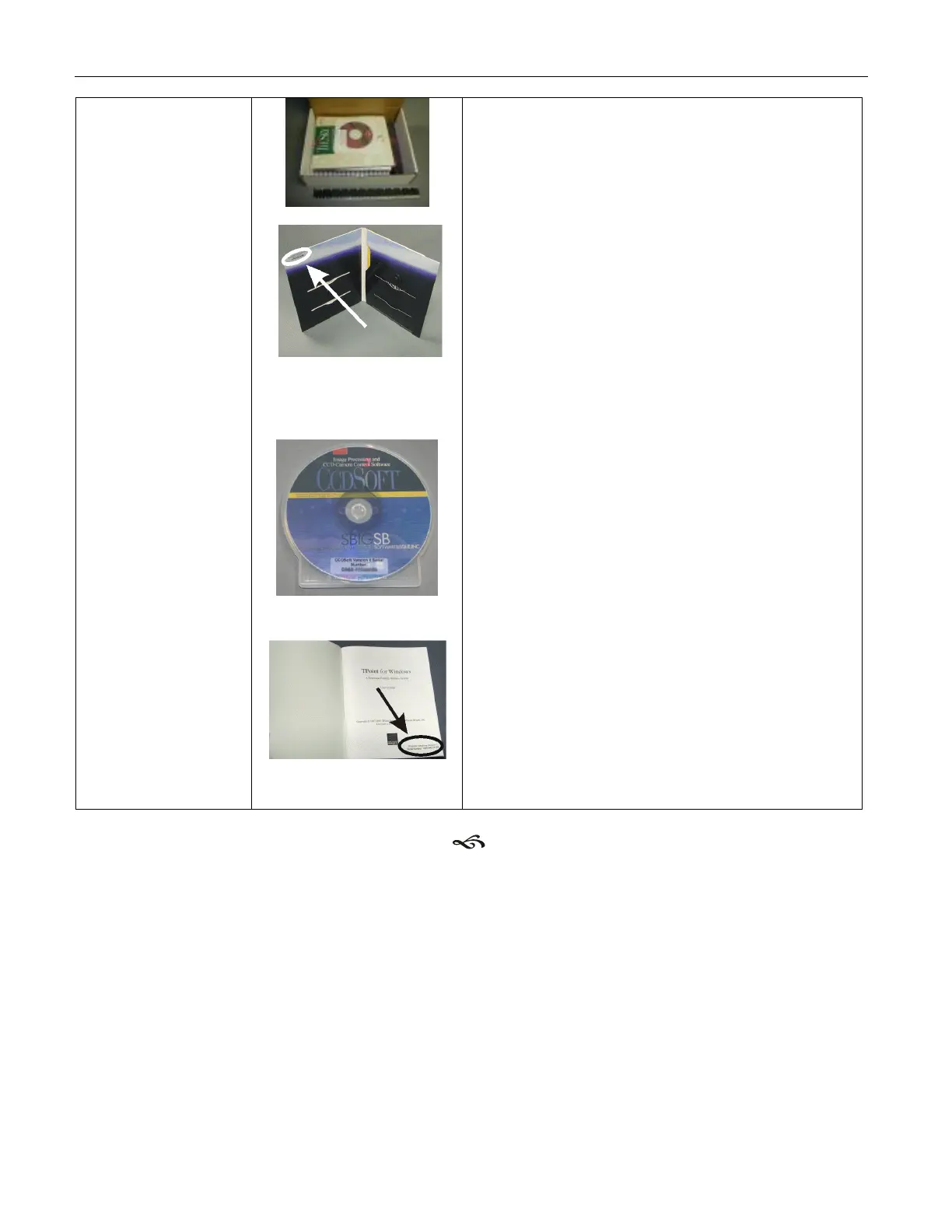
Location of TheSky6
Professional Edition serial
number.
Location of the CCDSoft
version 5 serial number.
Location of the TPoint
version 1 serial number.
One Paramount ME User’s Guide
One TheSky6 Professional Edition on CD-
ROM and DVD.
One CCDSoft version 5 CD-ROM.
One TPoint version 1 User’s Manual.
One Paramount ME System CD-ROM that
includes installation software for TheSky6
update, USB driver installation, CCDSoft
version 5, TPoint Telescope Pointing
Analysis Software, Orchestrate, IAClient
and IAServer software and documentation
in Portable Document Format (PDF).
Note:
TheSky6 Professional Edition serial
number is located on the inside flap of
TheSky6 Professional Edition box.
The CCDSoft serial number is affixed to
the CCDSoft CD-ROM case.
The TPoint serial number is affixed to the
title page of the TPoint manual.
Removing Paramount ME from Shipping Box
Please carefully read the following before attempting to remove Paramount ME from the
shipping box. In order to prevent damage, the right ascension and declination worms are
disengaged from the gears during shipment.
You must manually and properly engage the worm and gear in each axis before
removing the Paramount ME from the box!
Proper Worm/Gear Engagement Procedure
Engage the right ascension axis worm and gear by turning the right ascension balance
knob counterclockwise with one hand while gently wiggling the bottom of the declination



 To Next Page