Paramount ME User’s Guide
68
3. Finish Recording – Wait until the red status line has crossed the entire graph
(about two and one-half minutes) and the Abort text reverts to Record. Once this is
complete, the recorded table is displayed.
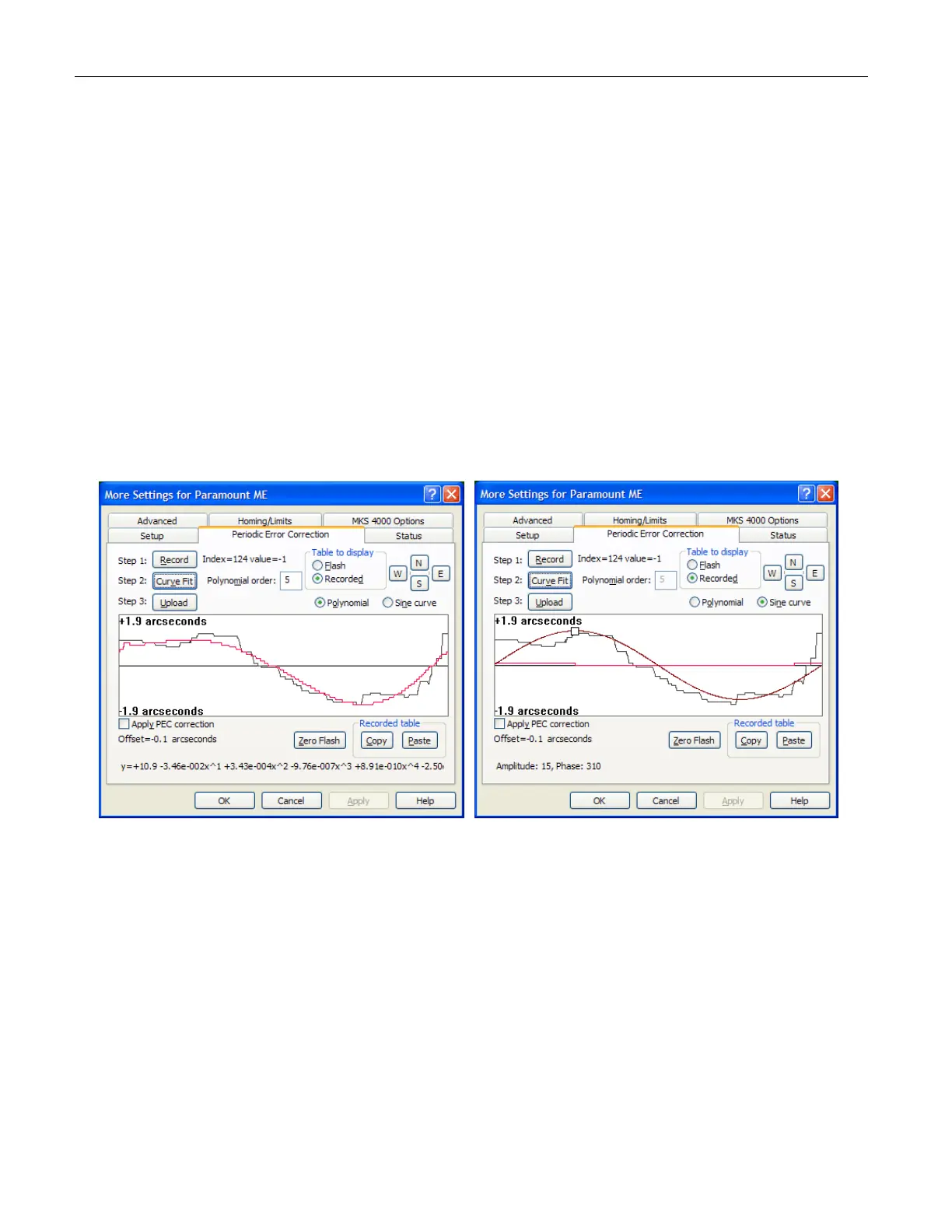
4. Smooth Recorded Table – Mark the Polynomial or Sine Curve option. If you’ve
selected the Polynomial option, enter a number between 2 and 8 into the
Polynomial Order text box. Orders of 5-7 seem to provide the best fit. The Sine
Curve option allows you to adjust the amplitude and phase of the curve by dragging
the small white square on the sine curve line. Next, click Curve Fit to generate a
smooth PEC curve.
5. Upload the PEC Table to the More Settings – Click Upload to copy the smoothed
table from the dialog box into the More Settings.
6. Turn the Paramount ME Off, then On – The power on the Paramount ME must be
cycled before the new periodic error corrections take effect.
Note that the recording phase of the PEC training only records the periodic error. It does
not automatically transfer the recorded table to the MKS 4000 flash or activate PEC
adjustments. To be sure PEC is enabled, don’t forget to click the Upload button to transfer
the table to the telescope control system, and mark the Apply PEC Correction option.
Figure 42: The Periodic Error Correction tab's graph of raw periodic error data with smoothed
polynomial and sine curve (TheSky6 Professional Edition).
Curve Fit: Smoothing the PEC Table
Please read the Important Note in the “XPeriodic Error Correction (PEC)X” section on page X65X
before continuing.
Unless the seeing is extremely stable and the autoguiding settings are optimal, the
recorded PEC values will contain a considerable amount of noise and therefore must be
smoothed before uploading the recorded table into the PEC flash memory on the MKS
4000.



 To Next Page