Paramount ME User’s Guide
79
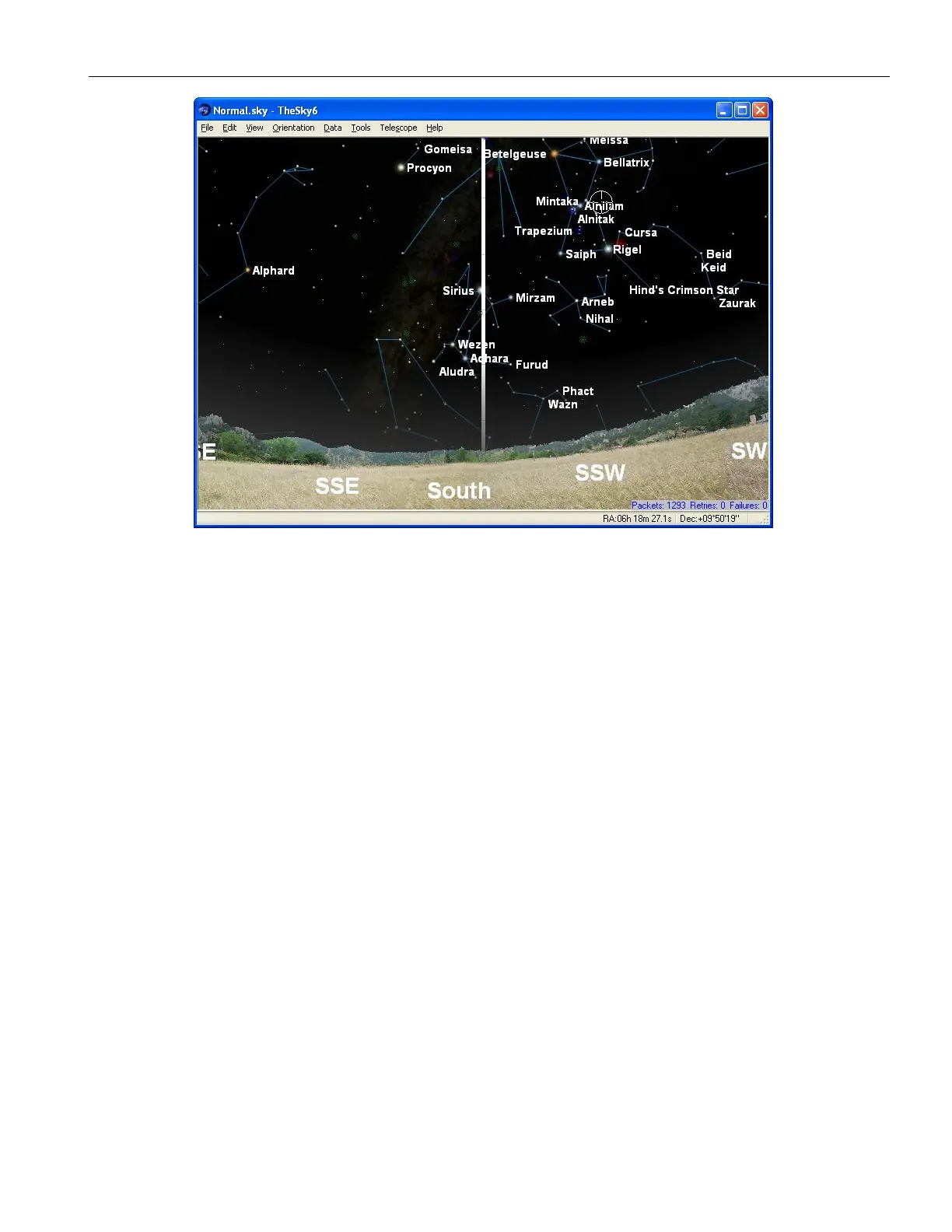
Figure 50: TheSky6 Professional Edition looking south with the meridian turned on.
The white line in Figure 50 is the local meridian. When the Paramount ME is:
in the northern hemisphere, and
the Versa Plate is in the “standard orientation” (page 29), and
Paramount ME at the home position
then the telescope must be pointing to the west side of the meridian, near hour angle 2
and declination 0 (see “What Is AutoHoming?” on page 37 for details about the home
position).
If the optical tube assembly is not pointing to a location on the west side of the meridian,
or if the telescope cross hairs in the TheSky6 Professional Edition indicate that the home
position is elsewhere, then either the Versa-Plate is mounted in the wide configuration
(Figure 12 on page 30), or the Versa-Plate is mounted 180 degrees off or TheSky6’s is not
configured correctly for your location. Check to make sure that TheSky6’s location, date,
time, time zone and Daylight Saving option settings are correct, and that the Versa-Plate is
mounted in the wrong orientation before proceeding.
Best Synchronization Practices
Avoid Syncing Near the Meridian – Try to avoid syncing the mount on a star that
is within five degrees of the meridian. If you are not sure if the mount is near the
meridian, then look at the mount and make sure that the counterweight shaft is not
horizontal. When the counterweight shaft is horizontal, the OTA is pointing at the
meridian.
Avoid Syncing Near the Celestial Pole – The celestial pole represents a point of
“singularity” on the celestial sphere. Do not sync on Polaris (northern hemisphere)
or any star above 75 degrees declination or so.



 To Next Page