Paramount ME User’s Guide
63
will be set in both right ascension and declination. To set the tracking rates back to
normal sidereal, simply click on a star and click Set Tracking Rates.
Guider Speed
This option adjusts the speed at which guider corrections move the motors. The units are
fraction of sidereal rate so 0.50 is half of the sidereal rate.
Track Rate
This input allows you to alter the tracking speed from the sidereal speed. A value of 100
percent causes the mount to track at the sidereal rate.
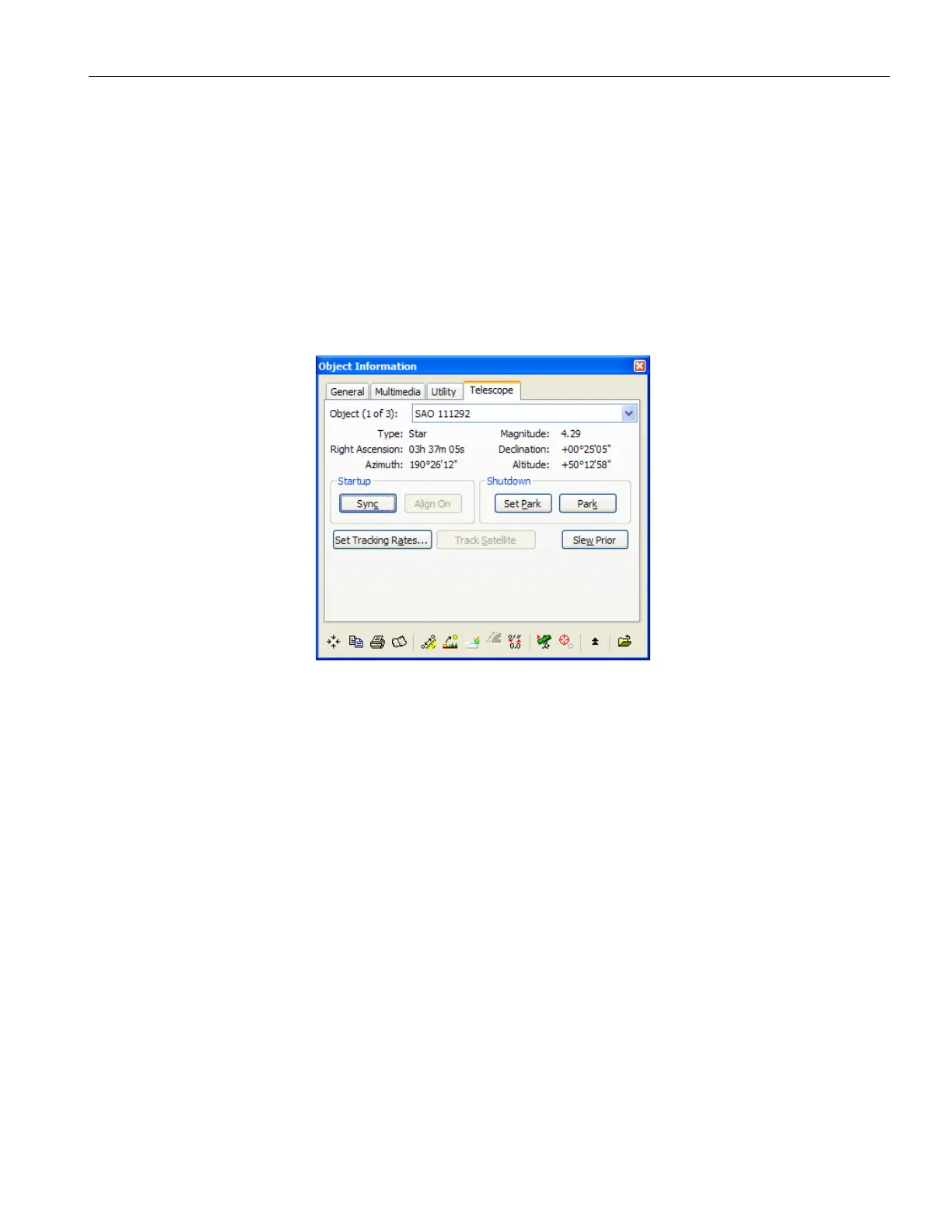
Figure 39: Click the Set Tracking Rates button to track on minor planets, planets and comets.
Home After Link
When selected, this option automatically homes the mount if it is not yet been homed.
Focus Pulse
These inputs are used to alter the duration of the DC pulses send to the focuser for the
“Slow” focus mode and the “Fast” focus mode.
Home Sensor Hour Angle and Sensor Declination
When the Sync button is clicked, the hour angle and declination of the home position are
computed and stored in the flash memory of the control system. For the Paramount ME,
these values are approximately hour angle 2 and declination 0 degrees for a mount that is
leveled and polar aligned.
Make sure that the telescope is pointing to the correct star. If you click Sync when the
telescope is pointed to a star other than the one shown in the Object Information dialog,
then the hour angle and declination will be incorrect for the geometry of the Paramount
ME, and the mount will not slew accurately.



 To Next Page