Paramount ME User’s Guide
114
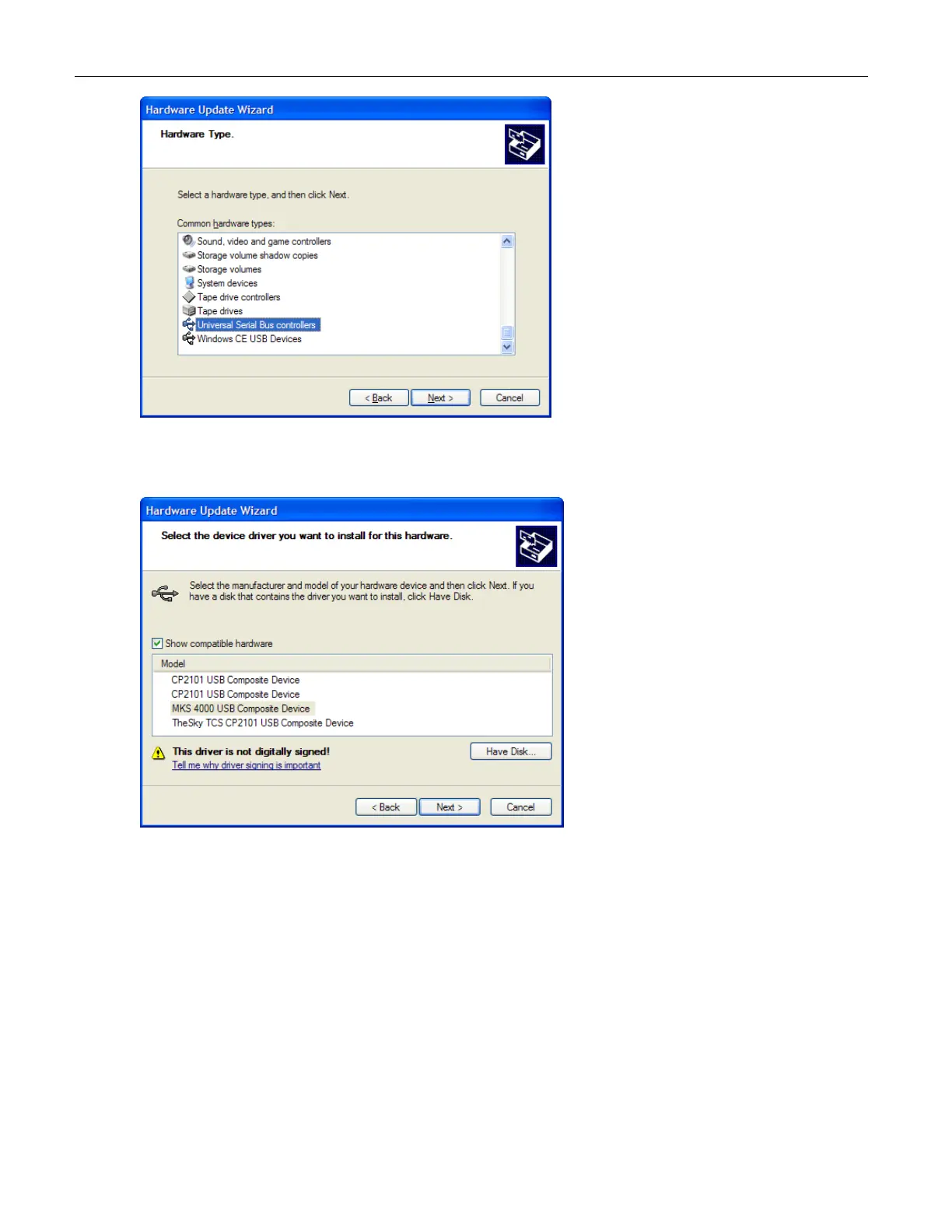
13. Select the Universal Serial Bus Controller from the Common Hardware Types list
and then click Next.
14. Click the Show Compatible Hardware option, then select the MKS 4000 USB
Composite Device from the list, and then click Next. You’ll be prompted to verify
the installation of the USB drivers. Click Continue Anyway twice to complete the
installation.



 To Next Page