Paramount ME User’s Guide
92
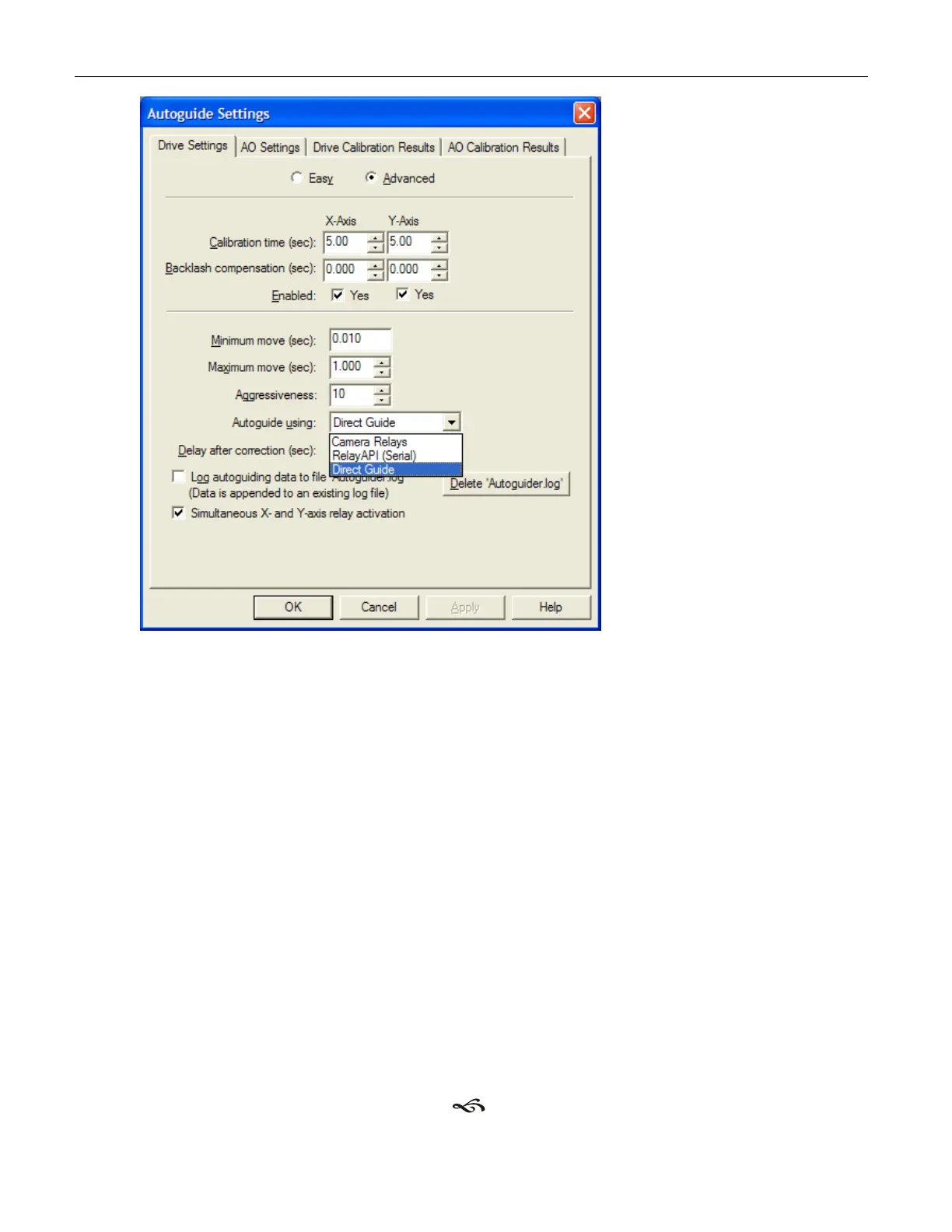
Figure 60: Select Direct Guide from the Drive Setting tab of CCDSoft's Autoguide Settings dialog box.
8. Click OK.
9. Important! CCDSoft's Advanced Drive Settings must be changed when using Direct
Guide. That is, the “units” for “calibration time” when using Direct Guide are more
closely related to arcseconds (angular distance), and not the length of time to close
the autoguider relays.
Below are the “typical” Direct Guide settings for the Paramount ME.
Calibration Time X = 100-200
Calibration Time Y = 100-200
Minimum Move = 0.01
Maximum Move = 1-10
Backlash X = 0
Backlash Y = 0
10. Unplug the autoguider cables from the Paramount ME.
11. Autoguide as usual.
CCDSoft will now send autoguider corrections directly to the Paramount ME (via TheSky6
Professional Edition). You now have one less cable to worry about!



 To Next Page