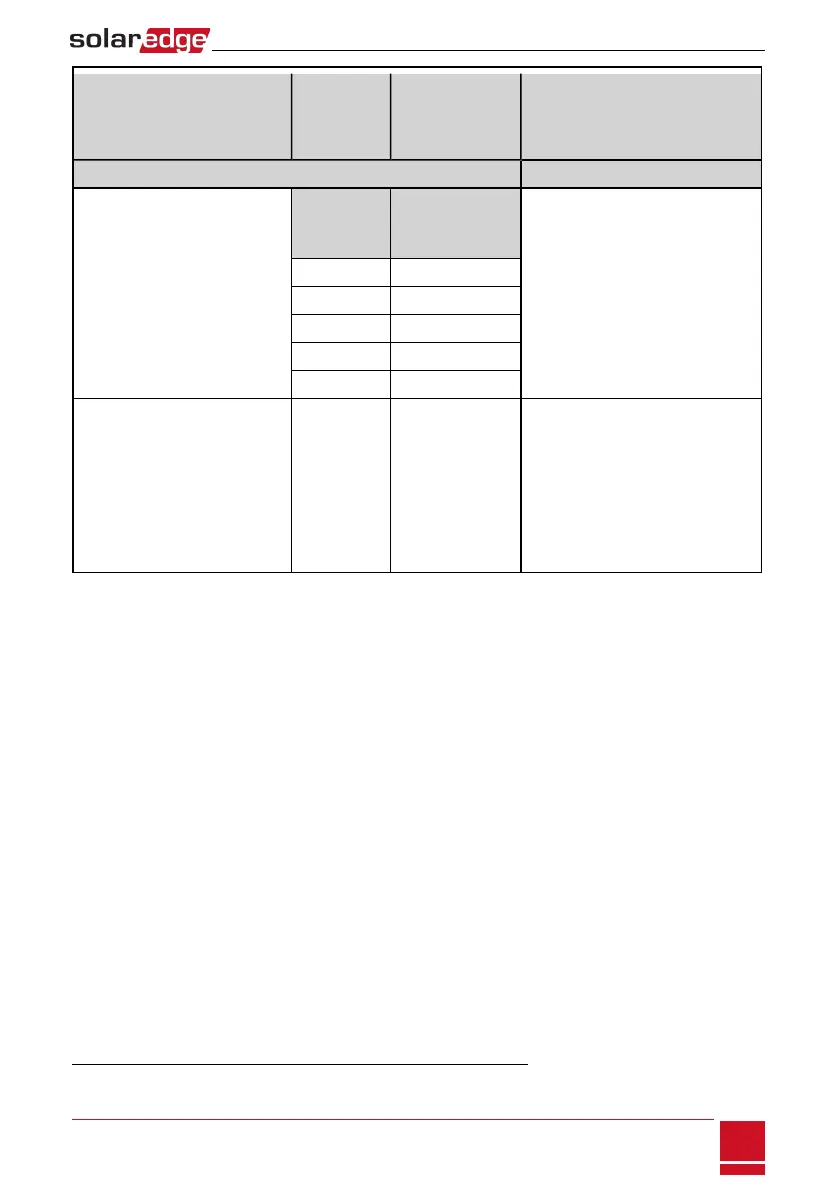
Recommended cable type
(min-max AWG)
StorEdge
Connection
Unit
connection
Tesla battery
connection
Connection method
Control and monitoring
5-wire shielded twisted pair cable
24 AWG (16-24AWG), 600V
insulated.
A CAT5 600V insulated can also be
used.
5-pin
communication
terminal block:
communication port
1 (located closer to
the DIP switches):
Press the protrusion at the top of the
terminal block to open the connection
hole, insert the wire and release to
spring back and clamp the wire.
En (Enable) ENABLE
V+ LOGIC +
G (RS485) LOGIC -
B- (RS485)
1
COM LO
2
A+ (RS485)
1
COM HI
2
Modbus DIP switch
setting:
o
S2, S6: Left
o
S1, S5: DOWN
o
S3, S4: UP
ID DIP switch
setting: All (1,2,3) to
the right (0 position)
Refer to Figure 19 and Figure 20.
1
Must be twisted pair
2
Must be twisted pair
Chapter 6: StorEdge Inverter Connections
SolarEdge-StorEdge Installation Guide MAN-01-00262-1.0
31






 To Next Page