Chapter 10: Setting Up Communication to the
Monitoring Portal
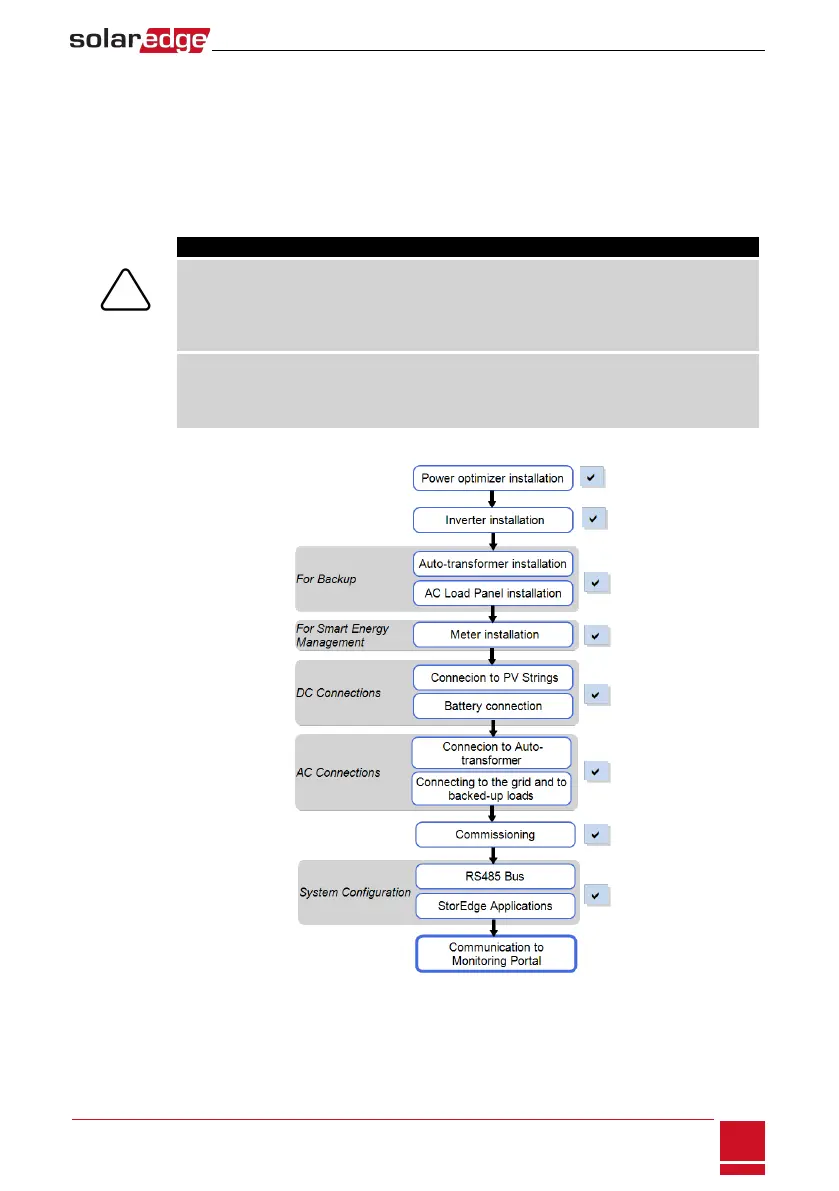
PoweroptimizerssendinformationtotheinverterviatheDCpowerlines(thePVoutputcircuit).The
informationissentfromtheinvertertotheSolarEdgemonitoringportalthroughtheInternet.Inorder
tosendthedatafromtheinverter,acommunicationconnectionmustbesetup,asdescribedinthis
chapter.
CAUTION!
When connecting the communication cables, make sure that the ON/OFF switch at the bottom
of the inverter is turned OFF, and the AC is turned OFF.
When configuring the communication parameters, make sure that the ON/OFF switch is OFF,
and the AC is turned ON.
Lors de la connexion des câbles de communication, assurez-vous que l'interrupteur
MARCHE/ARRÊT à la base de l'onduleur soit en position ARRÊT, et le CA est en position
ARRÊT. Lors de la configuration des paramètres de communication, assurez-vous que
l'interrupteur MARCHE/ARRÊT soit en position ARRÊT, et le CA est en position MARCHE.
Chapter 10: Setting Up Communication to the Monitoring Portal
SolarEdge-StorEdge Installation Guide MAN-01-00262-1.0
71






 To Next Page