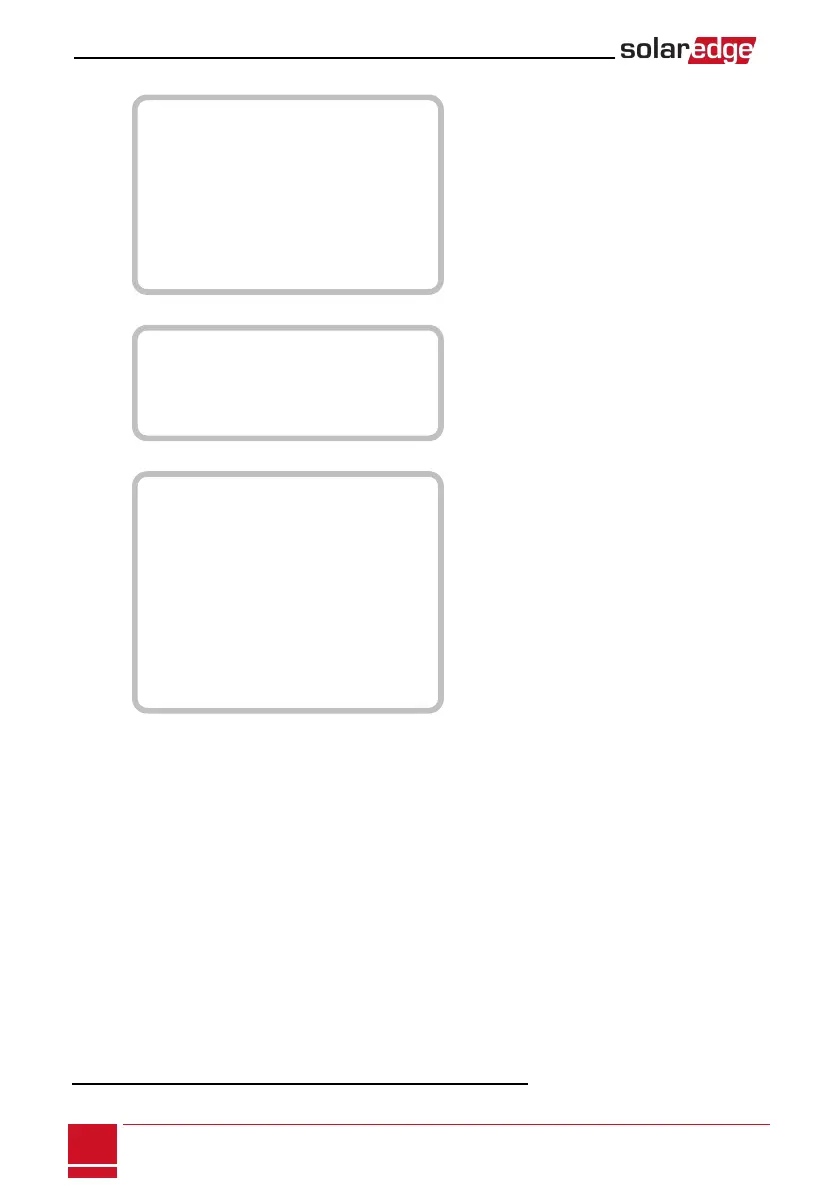
Communication
1
:
S e r v e r < L A N >
L A N C o n f
R S 4 8 5 – 1 C o n f < S >
Z i g B e e C o n f < S >
W i - F i C o n f < N / A >
G P I O C o n f < M T R >
R S 2 3 2 C o n f
C e l l u l a r C o n f
E x i t
Information:
V e r s i o n s
E r r o r L o g
W a r n i n g l o g
H W I D s
E x i t
Maintenance:
D a t e a n d T i m e
R e s e t C o u n t e r s
F a c t o r y R e s e t
S W U p g r a d e S D - C a r d
A F C I < E n >
M a n u a l A F C I T e s t
D i a g n o s t i c s
S t a n d b y M o d e
O p t i m i z e r C o n f .
G r i d P r o t e c t i o n
E x i t
Theoptionspresentedinthesemenusaredescribedinthenextsection.
1
If Wi-Fi is connected, the ZigBee Conf menu is not displayed, and vice versa.
SolarEdge-StorEdge Installation Guide MAN-01-00262-1.0
44
Configuring the Inverter Using the LCD Light Button






 To Next Page