128
Electrical Connection
7.2.5 Monitoring Connection (UPGRADE/ Port)
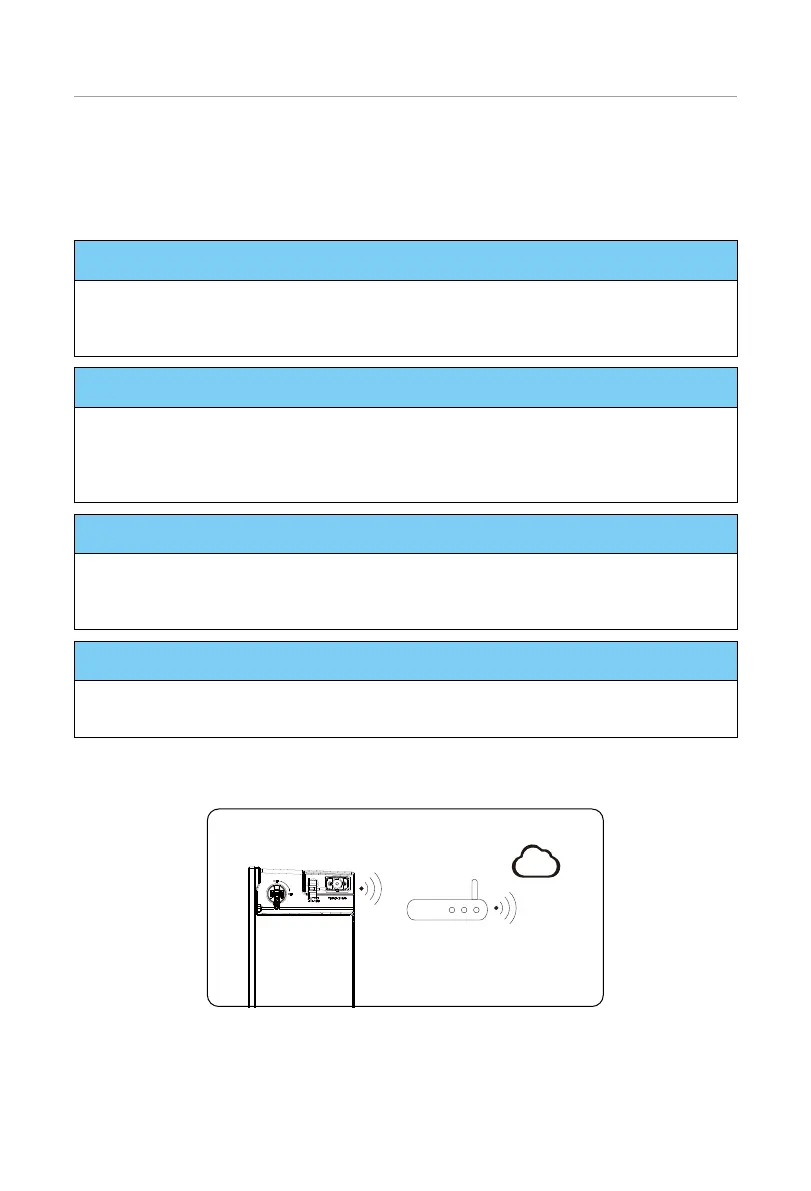
The inverter provides a DONGLE terminal, which can transmit data of the inverter to the
monitoring website via the WiFi+LAN dongle or WiFi+4G (optional). The WiFi+Lan dongle
is equipped with 2 kinds of communication modes (WiFi mode or LAN mode).
NOTICE!
WiFi dongle
• Harness the power of WiFi with WiFi dongle, connect to a local network within 50m
of the installation to enable access to the Cloud monitoring platform.
NOTICE!
LAN dongle
• If WiFi isn’t suitable for your situation, the LAN dongle enables you to connect to your
network via an ethernet cable. Ethernet allows for a much more stable connection
with less interference.
NOTICE!
4G
• 4G allows you to use a 4G connection to monitor your system without the option of
connecting to a local network. (This product is not available in the UK.)
NOTICE!
• Ensure the DONGLE port is sealed with the dustproof cover when no device is
plugged in. Otherwise, it may cause inverter damage.
Monitoring connection diagram
Router
Cloud
Figure 7-66 WiFi mode connection diagram



 To Next Page
 Loading...







