5-4 Installation
Installing the Control Software
Installing the USB Driver
This section describes how to install the USB driver software. This driver must be
installed before connecting the USB cable between the laser head and the control
computer.
1. Place the USB flash drive into a spare USB port.
2. Browse to the INSIGHTX3 GUI/MANUAL(90082279_1) folder on the USB drive and
open it.
3. Double-click the Preinstaller icon.
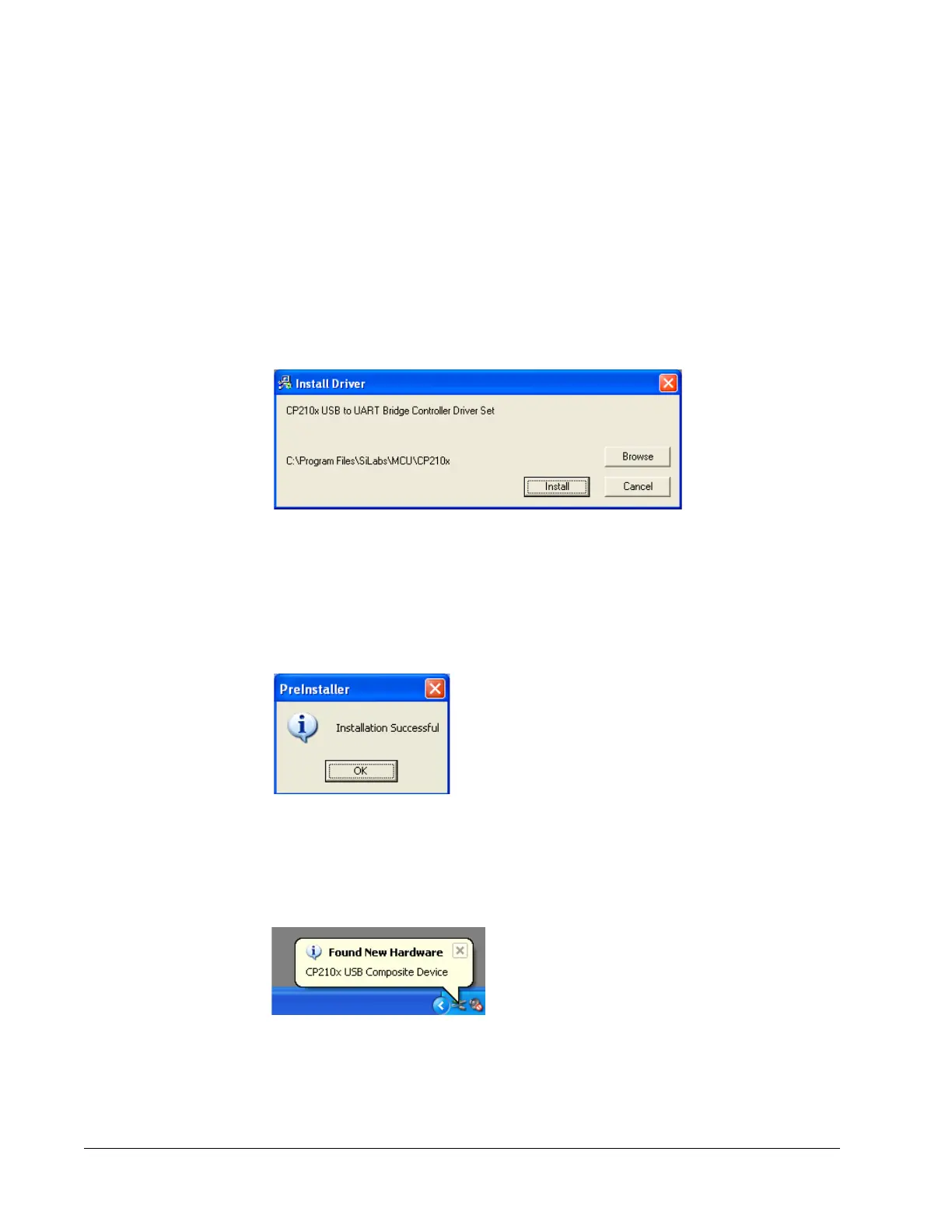
The following window opens:
Figure 5-2 Install screen
4. Click Install.
5. Click through any other screens that might come up and accept the default
installation directory.
6. When the following screen appears, click OK.
Figure 5-3 Installation Successful message
7. Attach the USB cable between the laser head and the control computer, then turn on
the chiller and the power supply AC power switch. Various messages in the task bar
similar to the one shown in
Figure 5-4 appear.
Figure 5-4 Found New Hardware message
Wait for the message that says, Device Successfully Installed.
8. Turn off the power supply.



 To Next Page