6-18 Operation
Operating the System Using the GUI Control Software
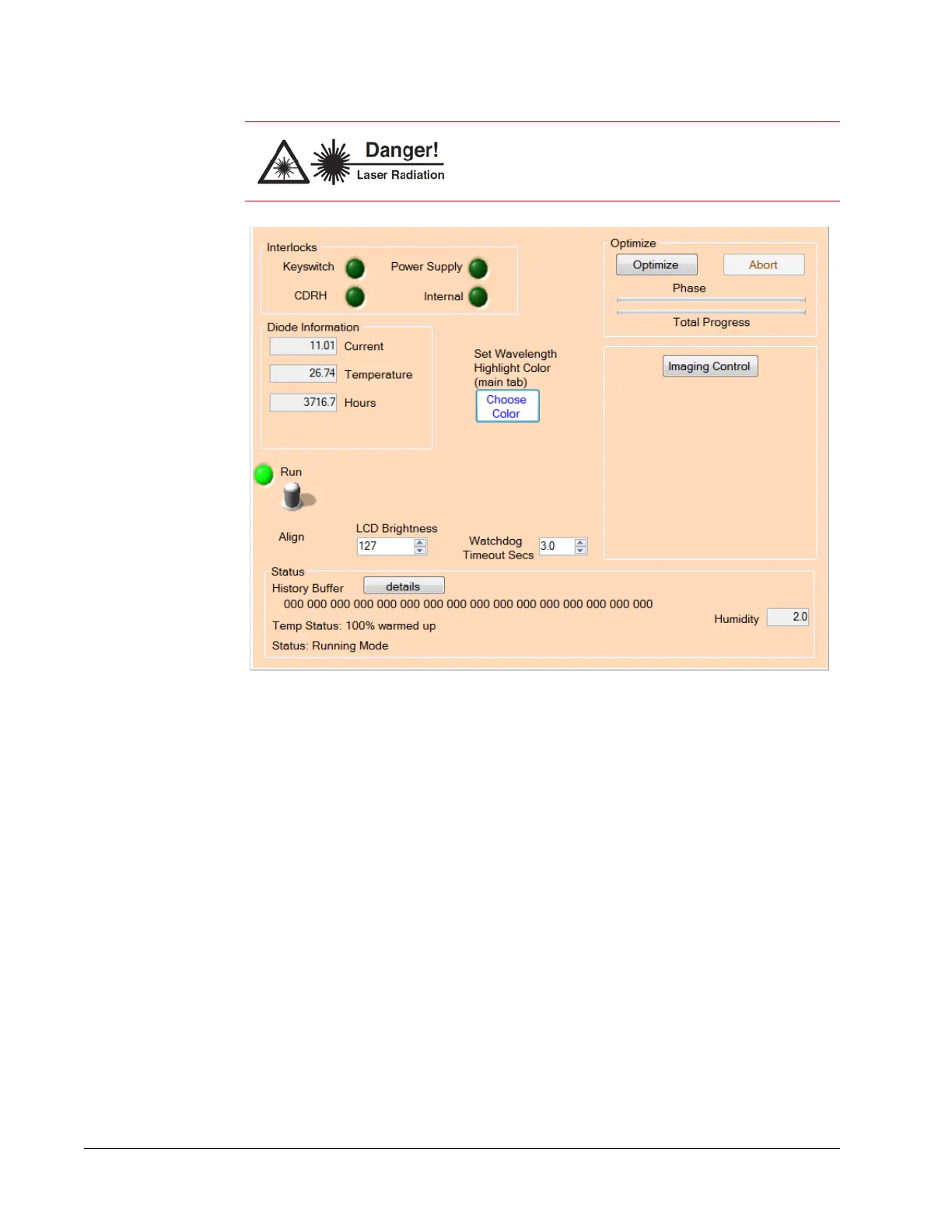
Figure 6-13 Diagnostics tab
Interlocks
Keyswitch indicator (LED)—When red, indicates that the key is turned to the off
(horizontal) position.
CDRH indicator (LED)—When red, indicates that the user safety interlock on the
back of the laser head is open.
Power Supply indicator (LED)—When red, indicates that the power control cable
from the power supply to laser head is loose or disconnected.
Internal indicator (LED)—When red, indicates that an internal interlock is open.
Call your Spectra-Physics service representative.
Optimize
Optimize button—Begins a multi-phase optimization routine when pressed. Use
this routine if the laser power drops off from the nominal value.
This routine takes several minutes to complete. During the operation, the button is
grayed out and progress is indicated by the green bars below the button. When
finished, both bars are green and Optimize Complete appears above the bars.
Although the output power of the laser is reduced in
Align mode (to about 200 mW), the beam is NOT safe
for your eyes! Always wear proper eye protection!



 To Next Page