Operating the System Using the GUI Control Software
Operation 6-15
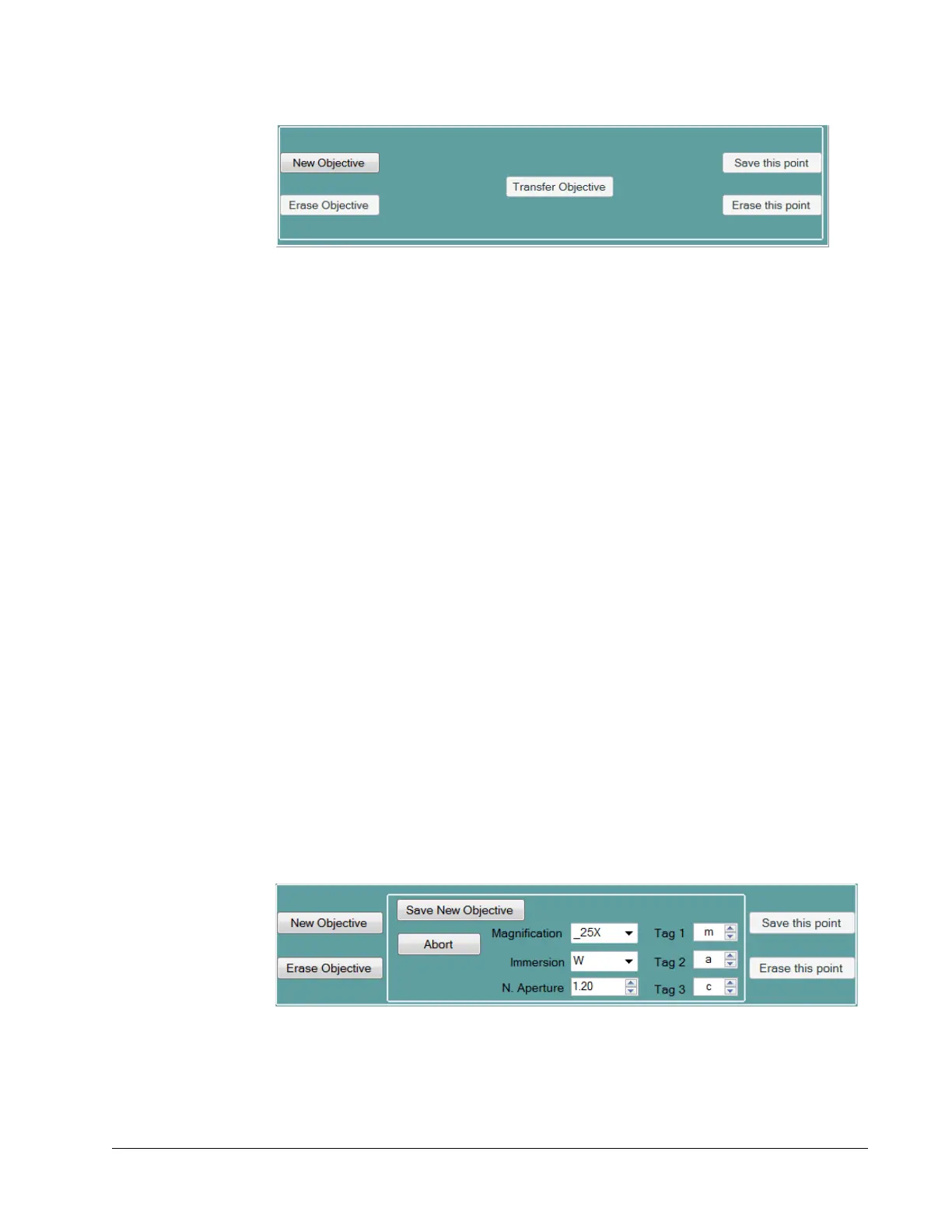
Figure 6-10 Default lower section display of Objectives tab
The following text describes each of the controls on this panel. The fields can be updated
using the up/down arrows to the right of the field or by typing directly into the field
itself. When typing, any number entered outside the permitted range is ignored.
New Objective button—When pressed, opens the center panel, which is used to enter
information to describe a new objective table (refer to
Figure 6-11 on page 6-15).
Pressing this button causes a template objective with a temporary name to open, and all
controls for the objective and the name construction are presented.
Erase Objective button—When pressed, causes the Erase Objective Now button to
pop up for further confirmation. Pressing the latter button deletes the current objective
table and archives the objective list. During the time an objective is deleted and the
record is updated, the Select Objective button is disabled.
Transfer Objective button—When pressed, allows the operator to transfer a file from
InSight
X3 to the control computer and vice versa. Contact your service representative
for more information.
Save this point button—When pressed, saves a point on the graph created by moving
the motor to the new desired location. This is indicated by the red cross hair. It also
archives the table with the change(s) just made and updates the plot with a new
interpolation.
Erase this point button—When pressed, deletes the current point on the graph and the
plot is updated with a new interpolation. Note that there must be at least 3 points in a
table. When only two points are detected, this button is disabled.
New Objective Lower Panel
When the New Objective button is pressed on the default lower panel, the panel
changes to the one shown in
Figure 6-11.
Figure 6-11 New Objective panel
Save New Objective button—Saves the objective table just created and closes the new
objective panel. It also scans the entry fields to evaluate whether the new name already
exists in the objective list. The objective name is composed of the value for



 To Next Page