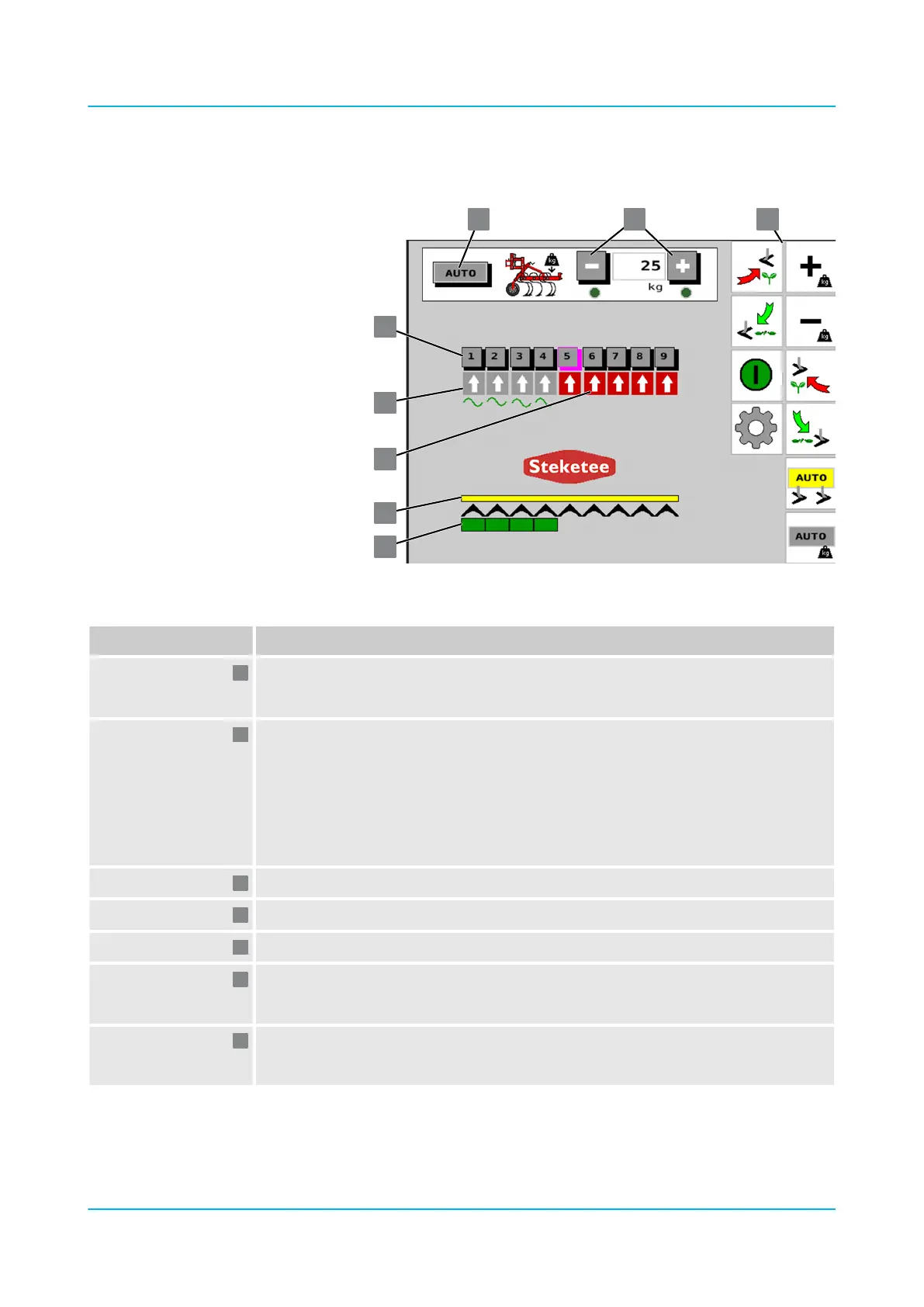
The operating menu features the following displays and buttons:
Position / Button Meaning
Green eld: Hoeing element is in the ground.
Missing green eld: Hoeing element has been lifted.
Coloured bar: Display of the various operating modes
n Grey: GPS not active (as with the "AUTO" button for GPS)
n Yellow: GPS switched on but without signal (as with the "AUTO" button for GPS).
n Green: GPS active (as with the "AUTO" button for GPS)
Hoeing elements are controlled via GPS.
n Red: Section Control Switched o (as with the "On/O" button for Section Control)
Hoeing element has been lifted.
Hoeing element is in oat position in the ground.
Buttons for lifting the individual hoeing elements.
Grey eld: Automatic pressure adjustment is deactivated.
Green eld: Automatic pressure adjustment is activated.
+/–, green eld: Entry of the pressure for lowering in kilogram steps.
The input range is 5...50 kg.
Operating menu
Design and description
en-GB | Item no. 17513597 | BA 02/05-2022 40



 To Next Page