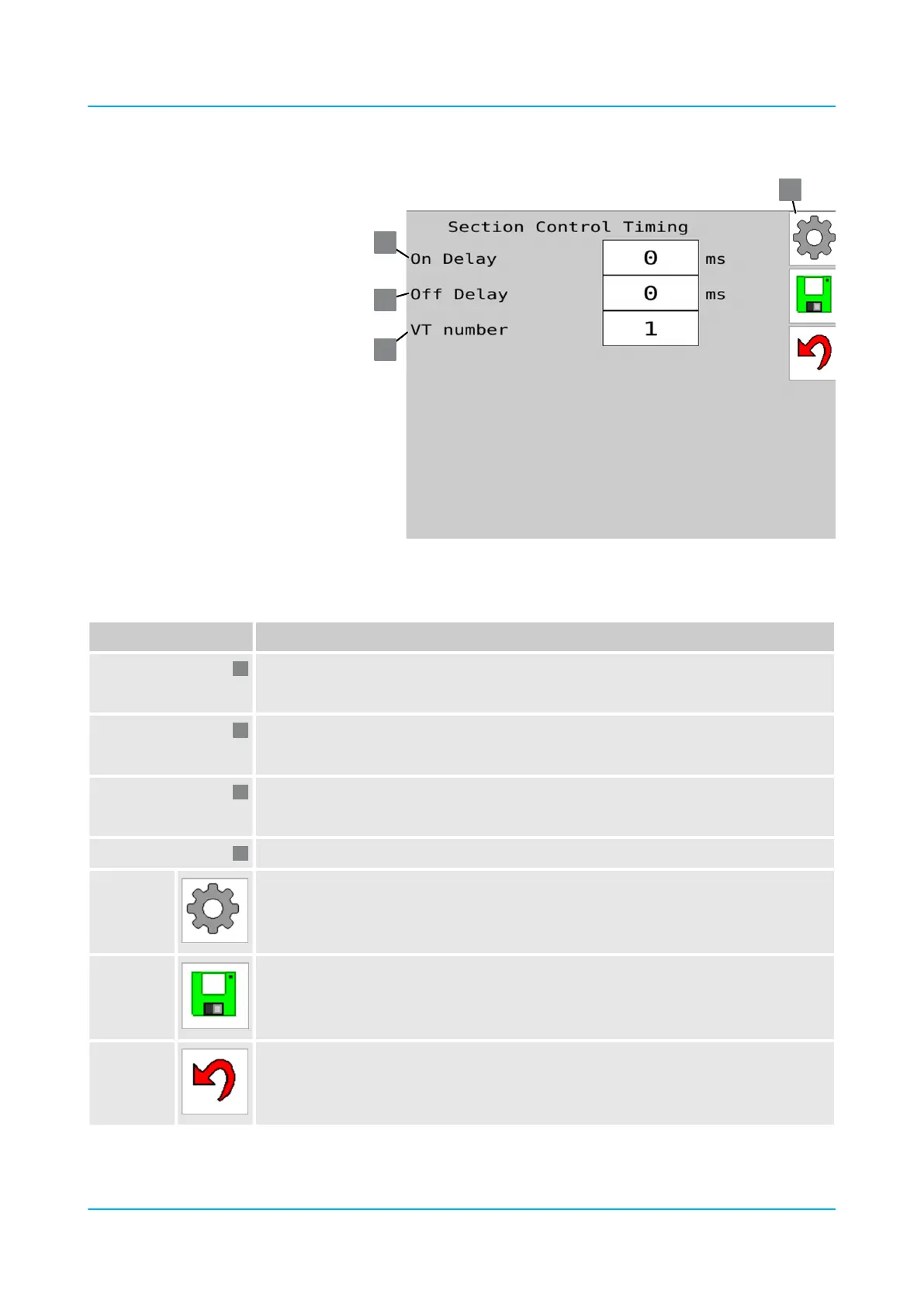
‘Section Control Timing’ menu
Position / Button Meaning
‘On Delay’ : Delay when lowering
Sets the delay (-10,000 ... +10,000 ms) of the elements when lowering via GPS.
‘O Delay’ : Delay when lifting
Sets the delay (-10,000 ... +10,000 ms) of the elements when lifting via GPS.
‘VT Number’ : Virtual terminal
Sets on which virtual terminal (1...5) the machine is shown.
Buttons:
Open the ‘Settings’ menu.
Save values.
Back to main menu
‘Section Control Timing’ menu
Operation
en-GB | Item no. 17513597 | BA 02/05-2022 91



 To Next Page