Objet260 User Guide 6 Operating and Maintaining the Objet260 3DPrinter
DOC-37004 Rev.E 6-43
RuntheHeadOptimizationwizardwhenevertheconditionofprintheads
isnegativelyaffectingthequalityofprintedmodels,orifyoususpectthat
thereisaproblemwithoneormoreoftheprintheads.
Note: Allowatleast40-50minutespermodeforperformingthisprocedure
(notincludingtimerequiredforreplacingfaultyprintheads).Toaccurately
testandcalibrateprintheads,theymustbeclean.Ifnecessary,runtheHead
Cleaningwizardbeforebeginningthisprocedure.
Totestandcalibratetheprintheads:
1. Prepare—
❒ disposablecleaninggloves(anyclean,powder-freeprotectivegloves)
❒ pinkpaper
❒ theMissingNozzlesruler
❒ thescalesuppliedforuseintheHeadOptimizationwizard
Important: Ensurethatthescaleiscalibratedandchargedbefore
beginningthisprocedure.Itishighlyrecommendedtoconnectthescale
tothewallpowersocketwhenrunningthiswizard.
2. CheckthatthereisamaterialcartridgeloadedintheM3slot.Ifnecessary,
insertacartridgethatcontainsdifferentmaterialthanisloadedinthe
otherslots,orinsertacleansercartridge.
Note: TheHeadOptimizationwizardwillnotoperateiftheM3cartridge
slotisempty.
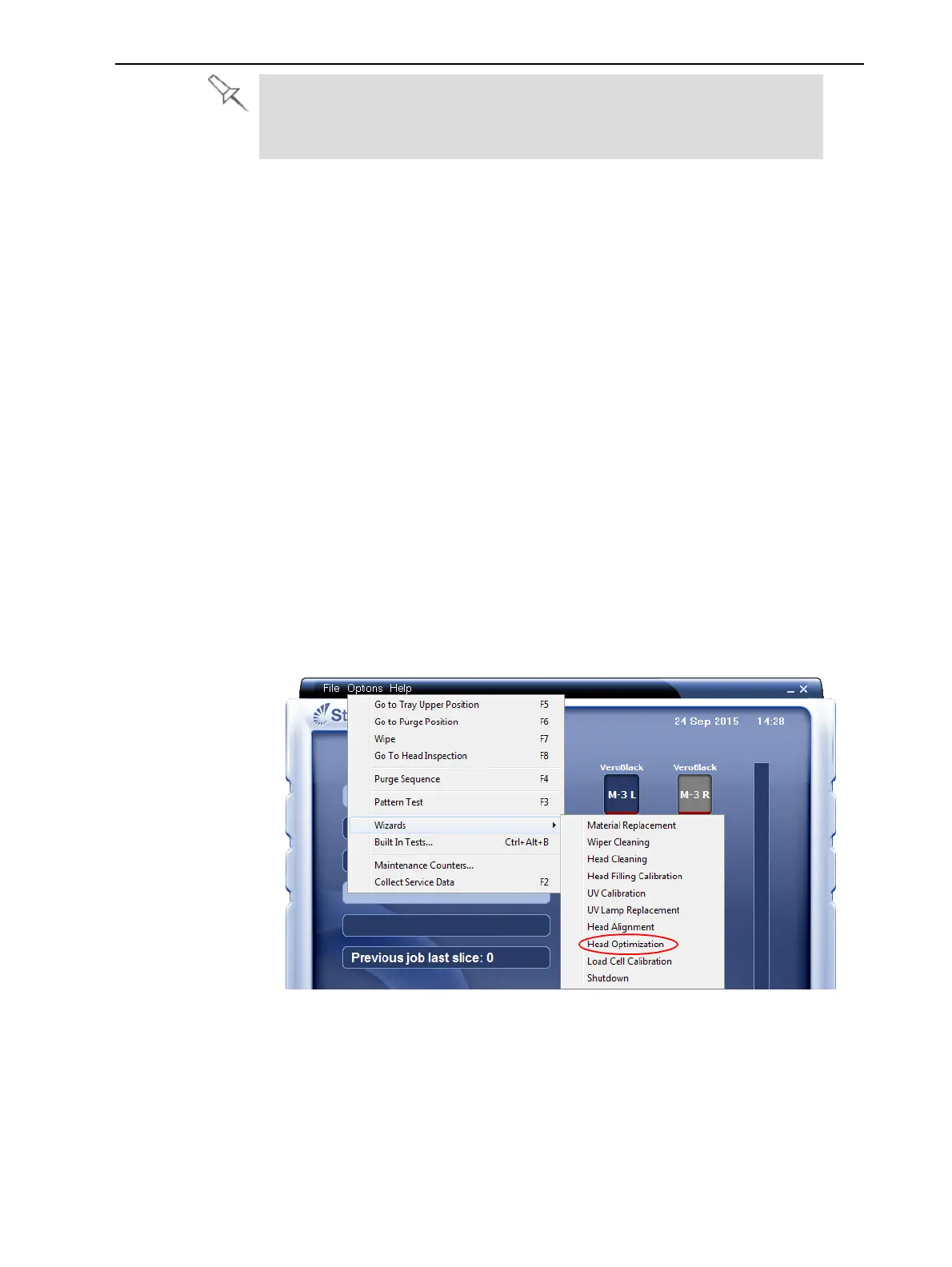
3. StarttheHeadOptimizationwizardfromtheOptionsmenu.
Figure6-55StartingtheHeadOptimizationwizard
4. Intheopeningwizardscreen,clickNexttobegin.
TheWizard Conditionsscreenappears.
5. Readtheconditions,selectI AgreeandclickNext.













 To Next Page