Objet260 User Guide 5 Using Objet Studio
DOC-37004 Rev.E 5-37
Using a Grid to
Position
Objects
Displayingagridontheimageofthebuildtraycanbeusefulwhen
positioningobjects.Tousethegridfeatures,selectthefollowingmenu
options.
Menu Option Result
Tools>Grid Displaysagridonthebuildtray.
Tools>Snaptogrid Whenmovingtheobject,italignswiththenearestgridline.
Tools>Options>Grid Enablesyoutochangethegridorigin
(X-andY-axismeetingpoint)andappearance.
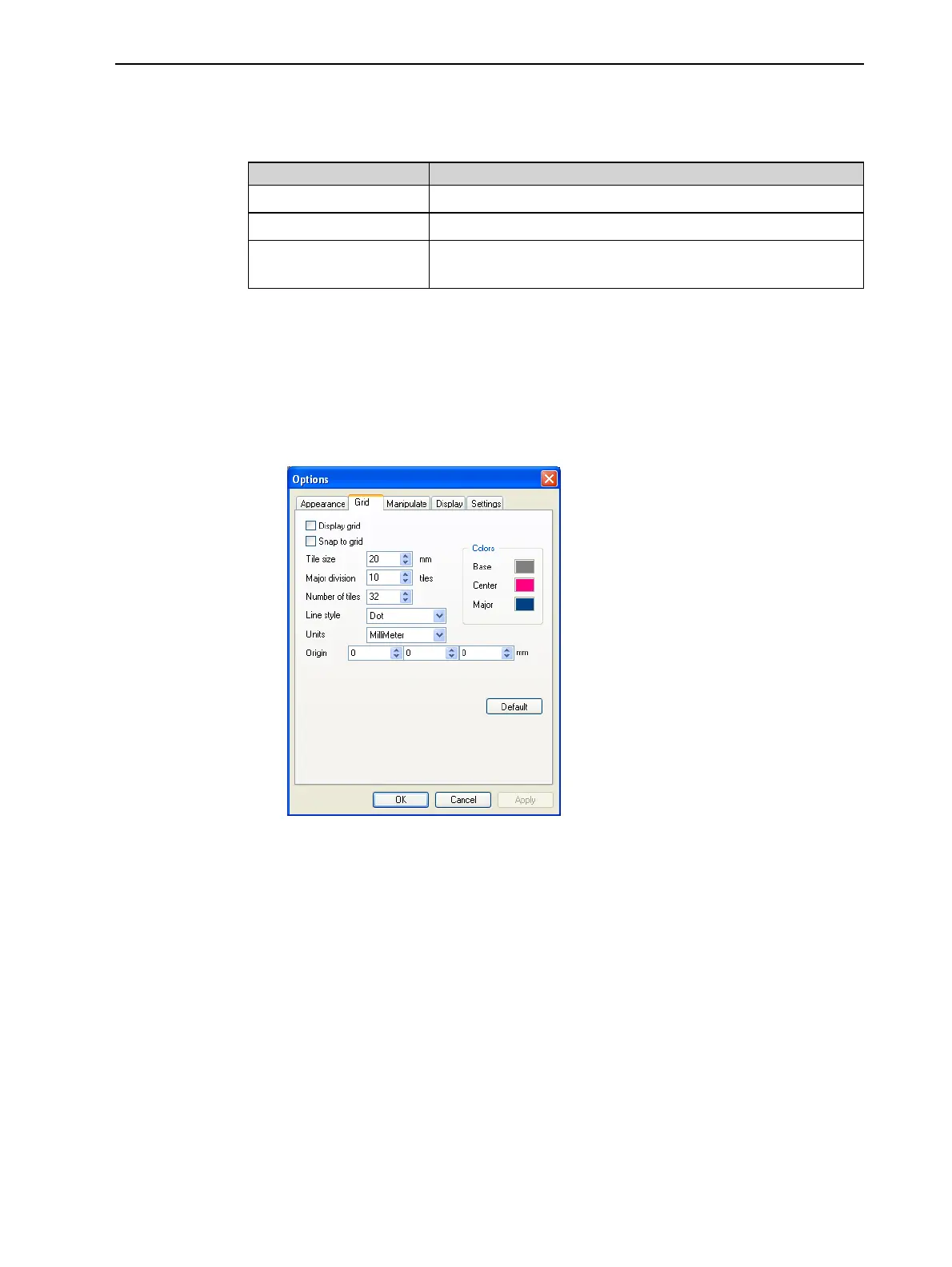
Youcanreviewandconfiguregridsettings—andapplythem—fromthe
Optionsdialogbox.
Toviewandchangegridsettings:
1. FromtheToolsmenu,selectOptions,anddisplaytheGridtab.
Thecurrentgridsettingsaredisplayed.
Figure5-40Optionsdialogbox,Gridtab
2. Asrequired,changethesettings,andselectorclearthecheckboxes.
3. ClickApplyorOK.













 To Next Page