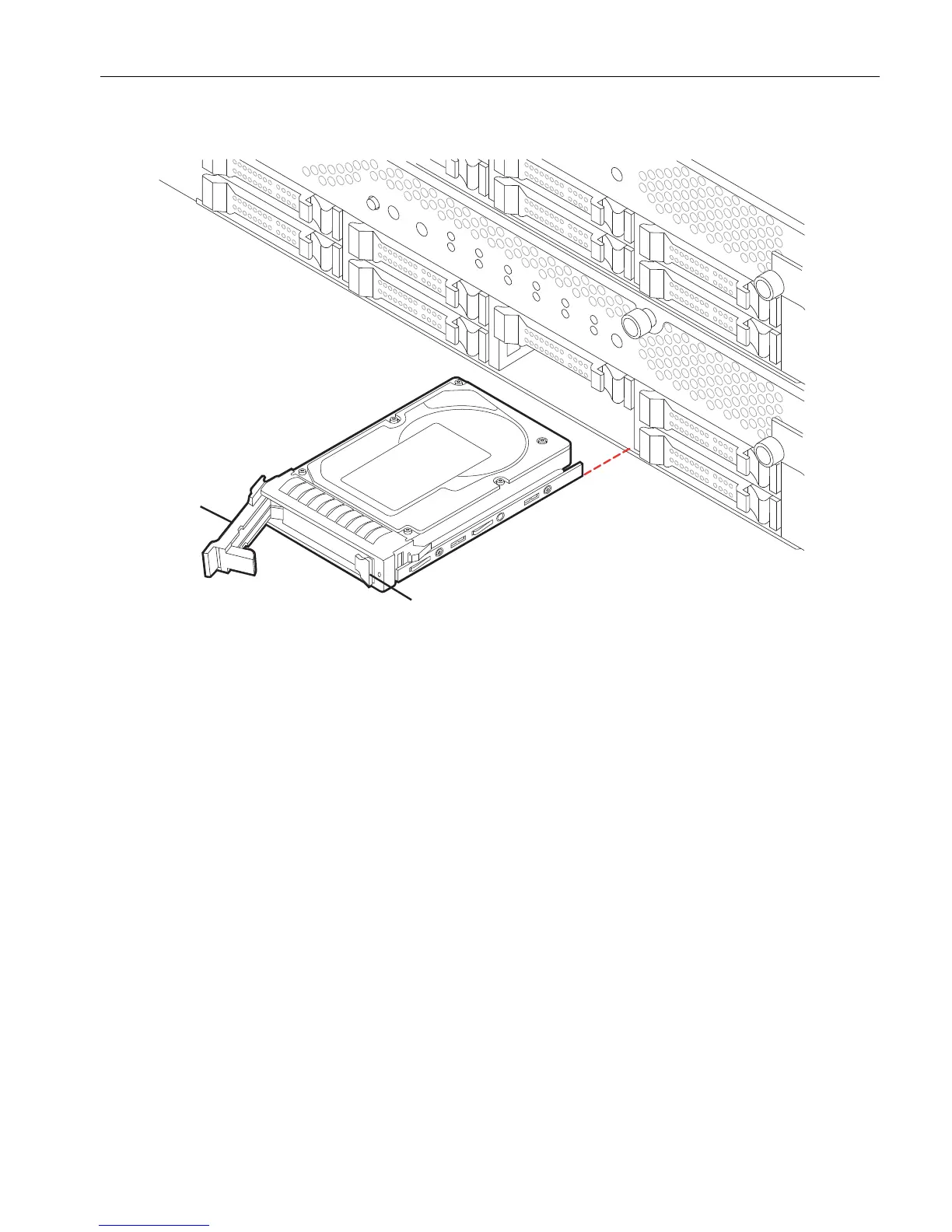
Removing and Inserting an Internal Hard Disk Drive
Installing and Replacing System Components
5-45
Figure 5-25. Replacing a Disk Drive
If you are replacing a damaged disk drive, set it aside for repacking. See “Repacking
CRUs” on page 4-3.
Replacing an Internal Hard Disk Drive
With the disk drive lever in the open position, slide the replacement disk drive into
the system until it stops. Then, push on the latch until the drive locks into place. The
latch should snap closed.
The new disk drive automatically resynchronizes with its partner if the companion
disk drive is part of a mirrored disk pair. For more information about disk mirroring,
see your system administration guide.
1 Release button
2Latch



 To Next Page