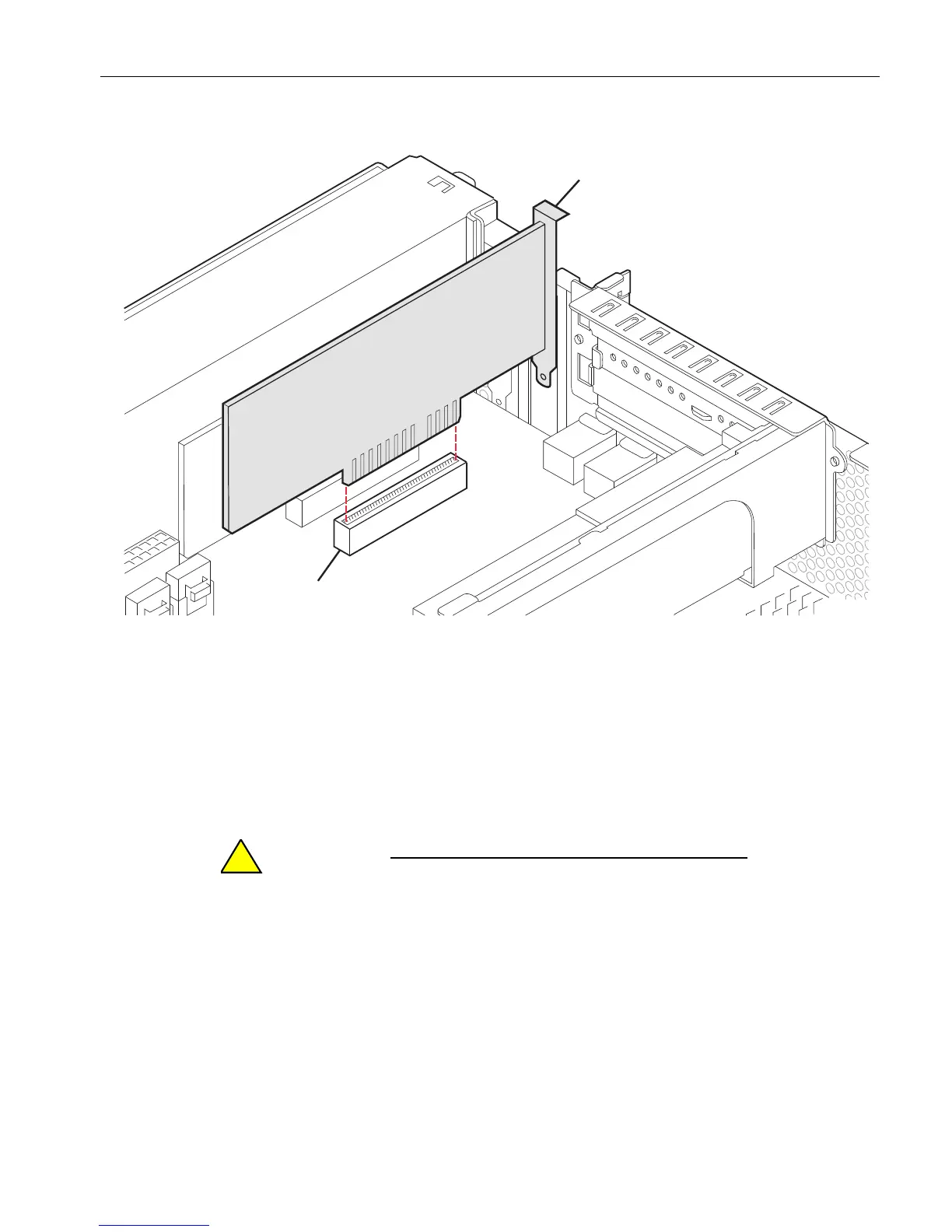
Removing and Installing a Low-Profile PCI Adapter
Installing and Replacing System Components
5-37
Figure 5-19. Removing the PCI Adapter from the PCI Slot
If you are replacing a defective PCI adapter, set it aside for repacking. See “Repacking
CRUs” on page 4-3.
Installing a Low-Profile PCI Adapter
When handling the PCI adapters, hold them securely by
their edges. Do not touch their electronic elements.
1. Install the PCI adapter firmly into its connector.
2. Reattach the screw and bracket (numbers 1 and 2 in Figure 5-18) to the top of the
low-profile PCI adapter cage.
Place the bracket’s two lower tabs into the slots in the top of the low-profile adapter
cage, as shown in Figure 5-18.
1 PCI adapter
2 PCI adapter connector



 To Next Page