Removing the Bezel
Installing and Replacing System Components
5-5
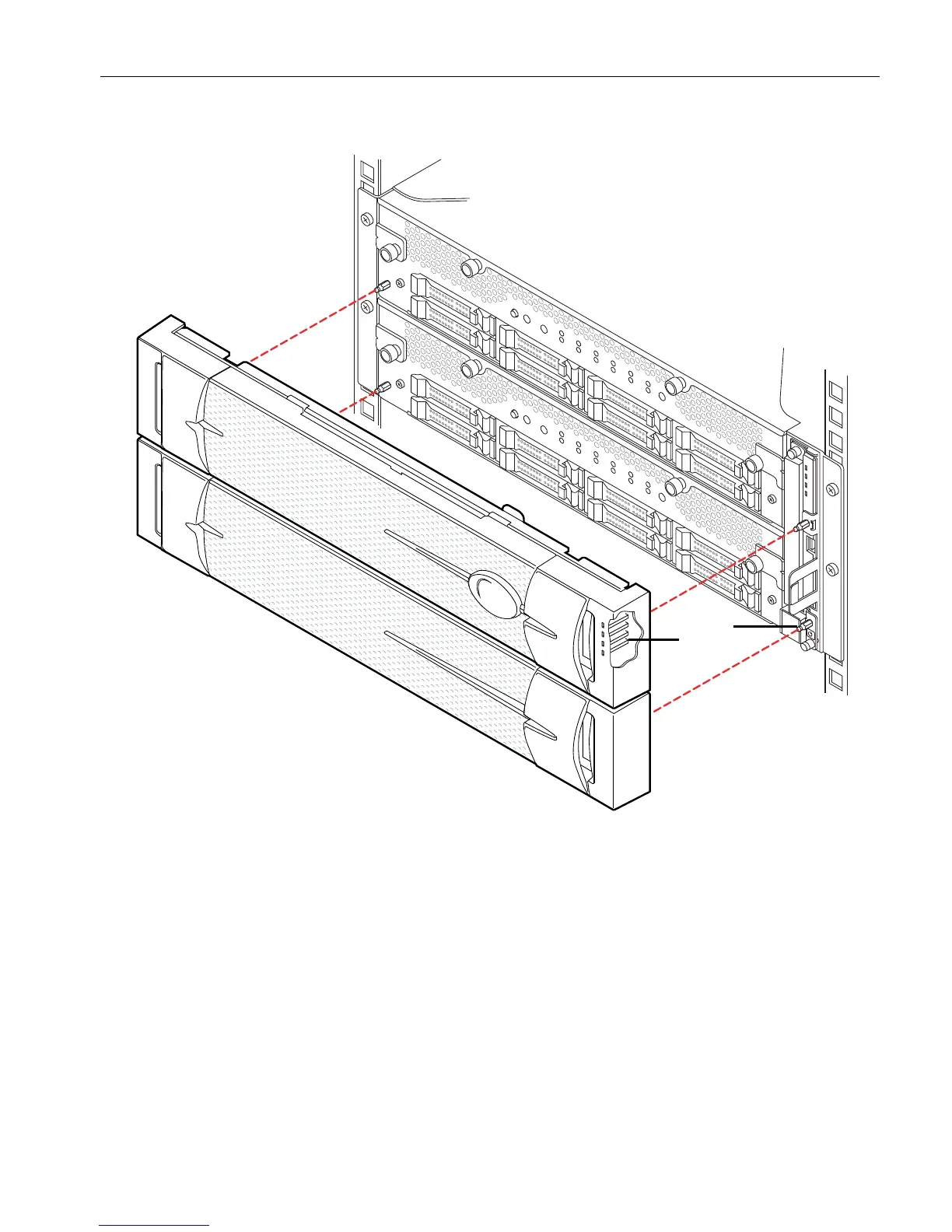
Figure 5-1. Replacing the System Bezel
Replacing the Bezel
1. At the front of the system, align the bezel with its location on the system frame.
Align the LED light pipes inside the bezel (shown through a cut-away view at
number 1 in Figure 5-1) with the right side of the system.
2. Press the U-shaped openings on the inside of the bezel into the ball studs
(number 2) on the mounting rails until the bezel snaps into place.
1 Light pipes (4)
2 Ball studs (4)



 To Next Page