Removing and Replacing a CPU-I/O Enclosure Cover
Installing and Replacing System Components
5-17
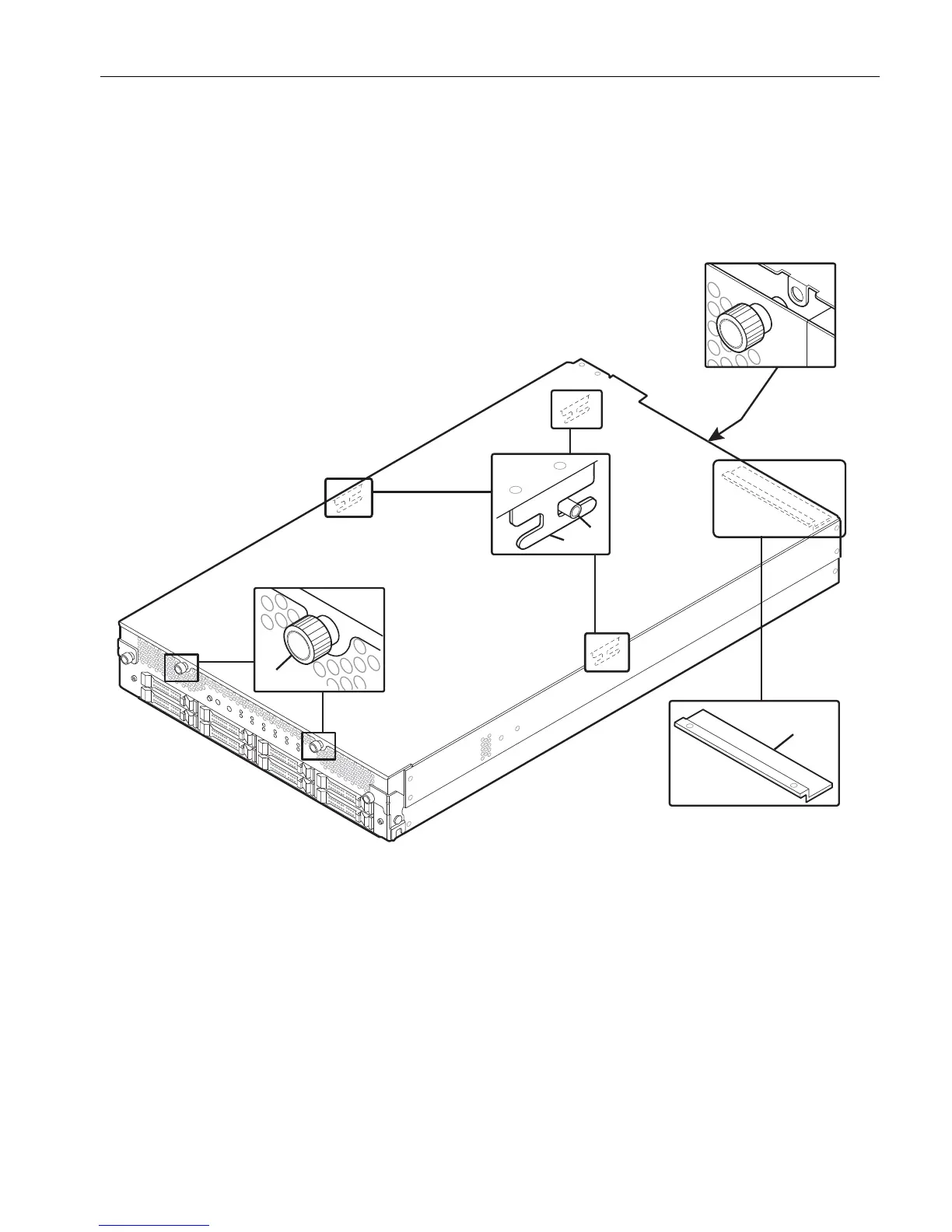
2. Slide the right and left edges of the cover inside the edges of the enclosure, lining
up the tabs on the bottom of the cover (number 2) with the guide pins (number 3)
located at the sides of the enclosure interior.
Figure 5-9. Replacing an Enclosure Cover
3. Slide the cover toward the rear of the enclosure, while guiding the tabs over the
guide pins.
4. Guide the cover so that its raised slot (number 4) sandwiches the returning edge
of the rear of the enclosure for a tight fit.
If necessary, press down on the cover near the rear of the enclosure as you push
the cover firmly into place.
1 Thumbscrews (2 on front, 1
on back)
3 Guide pins (2)
2 Tabs (2) 4 Raised slot (1)



 To Next Page