Removing and Replacing a PDU
5-52
Stratus ftServer 2600, 4500, and 6300 Systems: Operation and Maintenance Guide
(R639)
from service if you are removing only one of a system’s
PDUs. If you are removing both of a system’s PDUs, then
you must shut down the entire system before performing
the procedure.
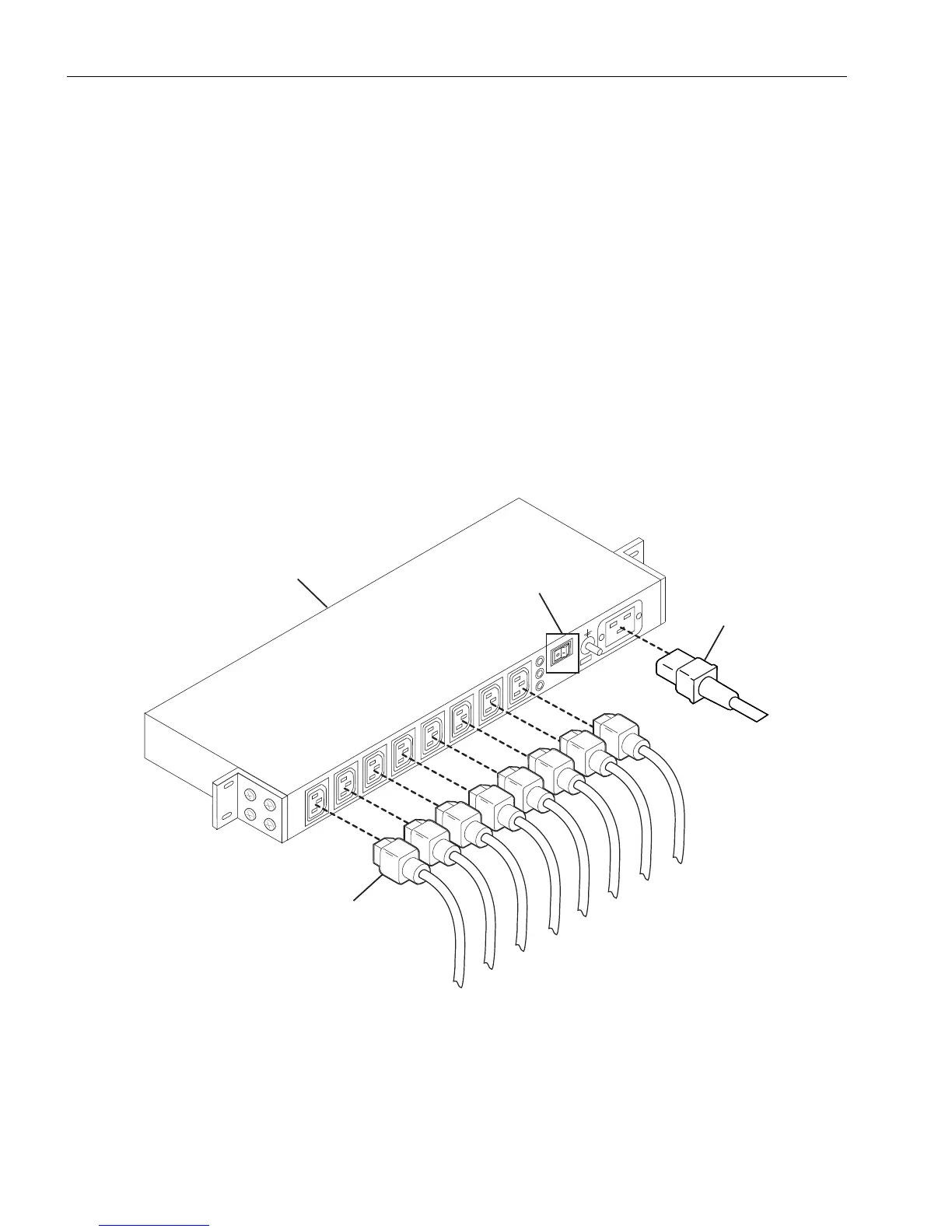
1. Turn off the circuit breaker switch (number 1 in Figure 5-29).
2. Disconnect the PDU power-input cord (number 2) from the AC input connector
socket and disconnect all power-jumper cords (number 3) from the PDU.
3. Support the PDU with one hand and remove the mounting-rail screws with the
other.
If you are replacing a defective PDU, set it aside for repacking. See “Repacking CRUs”
on page 4-3.
Figure 5-29. Replacing a PDU
1 Circuit breaker switch 3 Power-jumper cords
2 Power-input cord 4 Blank side of PDU



 To Next Page