Replacing a PCI Riser Assembly and Its Adapters
5-40
Stratus ftServer 2600, 4500, and 6300 Systems: Operation and Maintenance Guide
(R639)
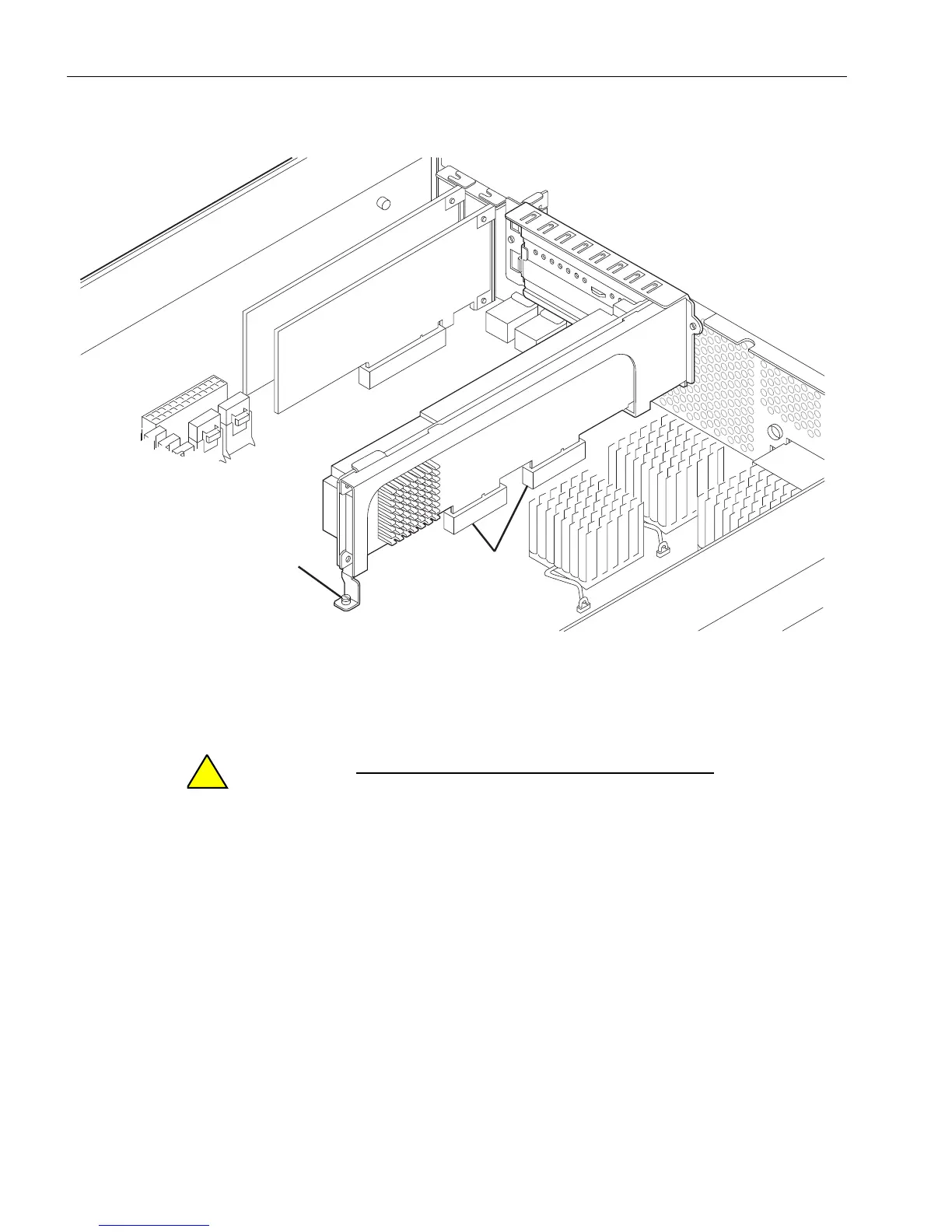
Figure 5-21. Loosening the Captive Screw on the Motherboard
When handling the PCI riser assembly or PCI adapters,
hold them securely by their edges. Do not touch their
electronic elements.
7. Remove the PCI riser assembly from its connectors (number 2). Use a lifting and,
if necessary, slightly rocking motion to free the assembly from its connectors.
Removing a Full-Height PCI Adapter
1. Hold the riser assembly as shown in Figure 5-22, and remove the screw
(number 2) that secures the bracket (number 1) at the top of the PCI riser
assembly.
1 Captive screw on motherboard
2 PCI riser assembly connectors



 To Next Page