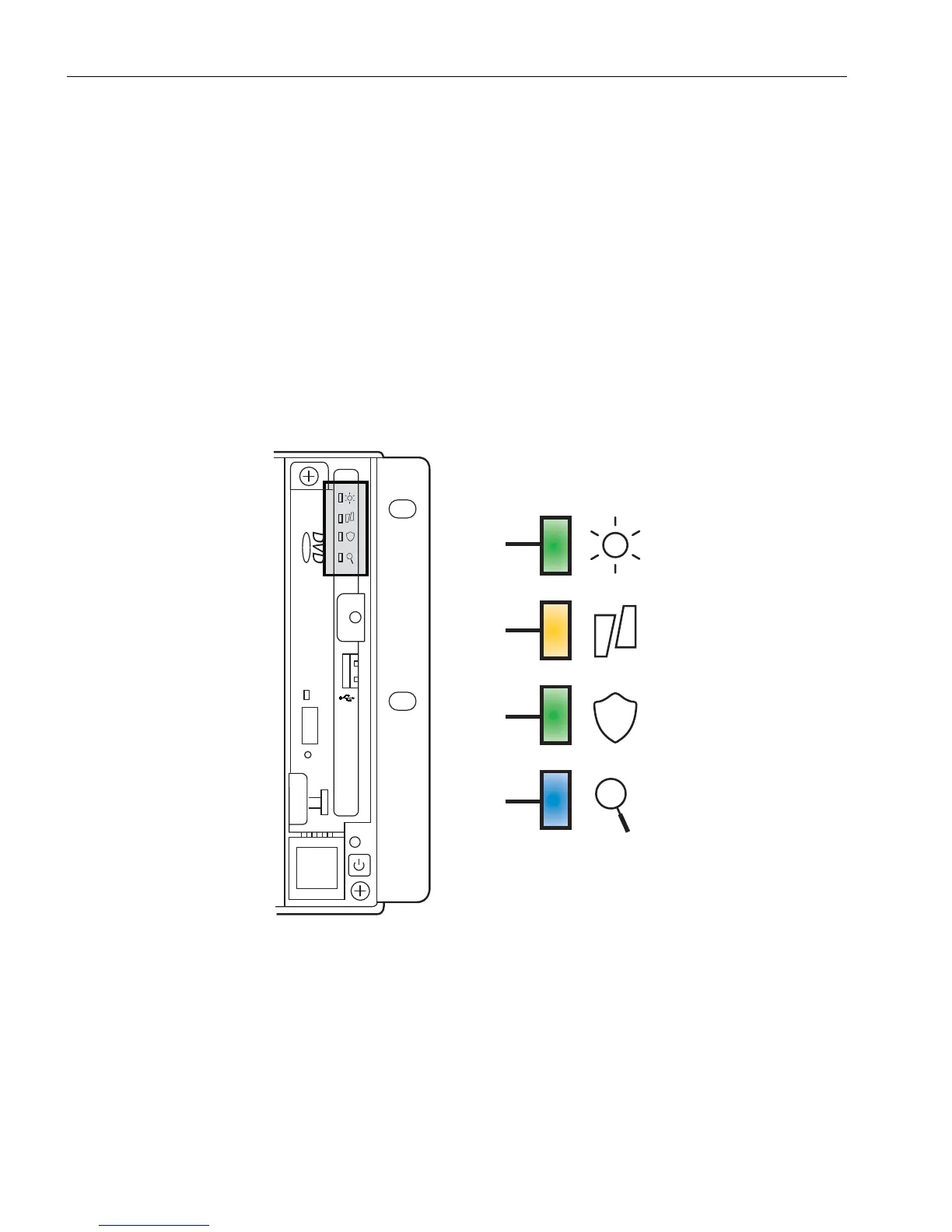
Status LEDs and System Buttons
3-4
Stratus ftServer 2600, 4500, and 6300 Systems: Operation and Maintenance Guide
(R639)
System Front Panel LEDs
Each ftServer 2600, 4500, and 6300 system has a system front panel that includes the
LEDs shown in Figure 3-1. Light pipes on the system bezel provide a view of these
LEDs.
The system front panel LEDs summarize the overall status of the system and provide
all of the most-significant status information you need to maintain a running ftServer
2600, 4500, or 6300 system. Another set LEDs, located on the CPU-I/O enclosure
behind the bezel, provides similar information on a more-detailed level. See “CPU-I/O
Enclosure Status LEDs” on page 3-5.
Figure 3-1. System Front Panel LEDs
Ta bl e 3- 1 describes the system front panel LEDs.
dco049
1
2
3
4



 To Next Page