Removing and Replacing a CPU-I/O Enclosure Cover
5-16
Stratus ftServer 2600, 4500, and 6300 Systems: Operation and Maintenance Guide
(R639)
Removing an Enclosure Cover
1. Remove the bezel.
2. Remove the CPU-I⁄O enclosure and place it on a flat, stable surface.
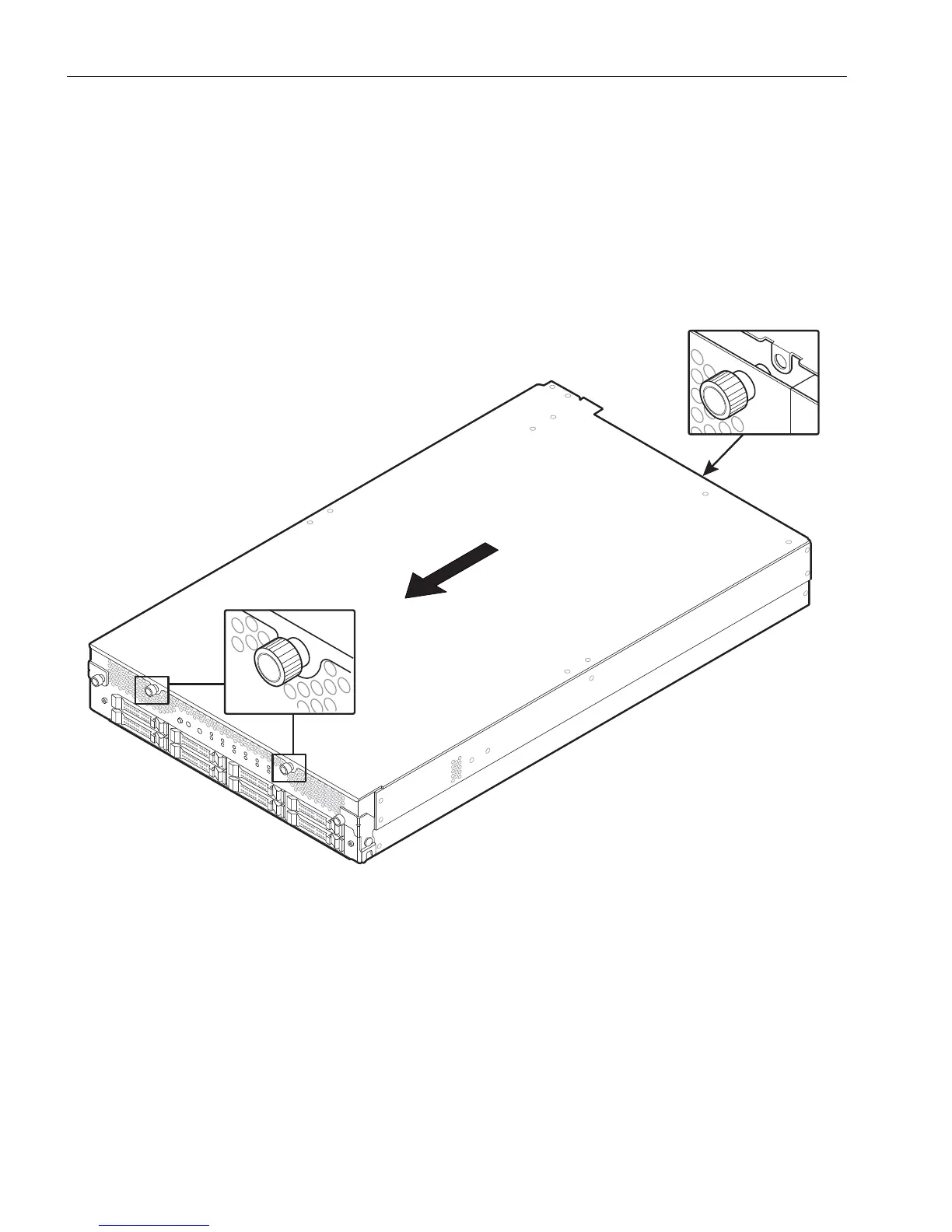
3. Loosen the two thumbscrews at the front and the single thumbscrew at the rear of
the cover (see highlighted areas of Figure 5-8).
Figure 5-8. Removing an Enclosure Cover
4. Slide the cover toward the front of the enclosure slightly, pulling on the
thumbscrews and placing a finger in the opening at the rear of the cover for added
grip, if necessary.
5. Lift the cover straight upwards to remove it.
Replacing an Enclosure Cover
1. Place the cover on top of the enclosure, with about 0.5 in. (1.3 cm) of the cover
overhanging the front of the enclosure.
Make sure that the cover’s thumbscrews (number 1 in Figure 5-9) are toward the
front of the enclosure, and that the side with the tabs (number 2) is on the bottom.



 To Next Page