Status LEDs and System Buttons
3-6
Stratus ftServer 2600, 4500, and 6300 Systems: Operation and Maintenance Guide
(R639)
For example, if a processor in a CPU-I/O enclosure reaches a temperature threshold
and does not return to normal, the system removes the enclosure from service, and its
TEMP LED remains on. If the processor cools down to beneath the temperature
threshold, the TEMP LED goes off. What happens subsequently depends on factors
related to the system’s modular configuration and the outcome of its attempts to restart.
When a CPU-I/O enclosure is taken offline, its partner enclosure continues to operate,
in simplex mode. If the partner also overheats, an orderly shutdown or (if an orderly
shutdown is not possible) an abrupt shutdown will be performed automatically.
In ftServer 2600, 4500, and 6300 systems running simplexed and at high temperature,
all fans operate at maximum speed and continue to operate, unless the thermal
threshold is reached, which causes an abrupt power shutdown.
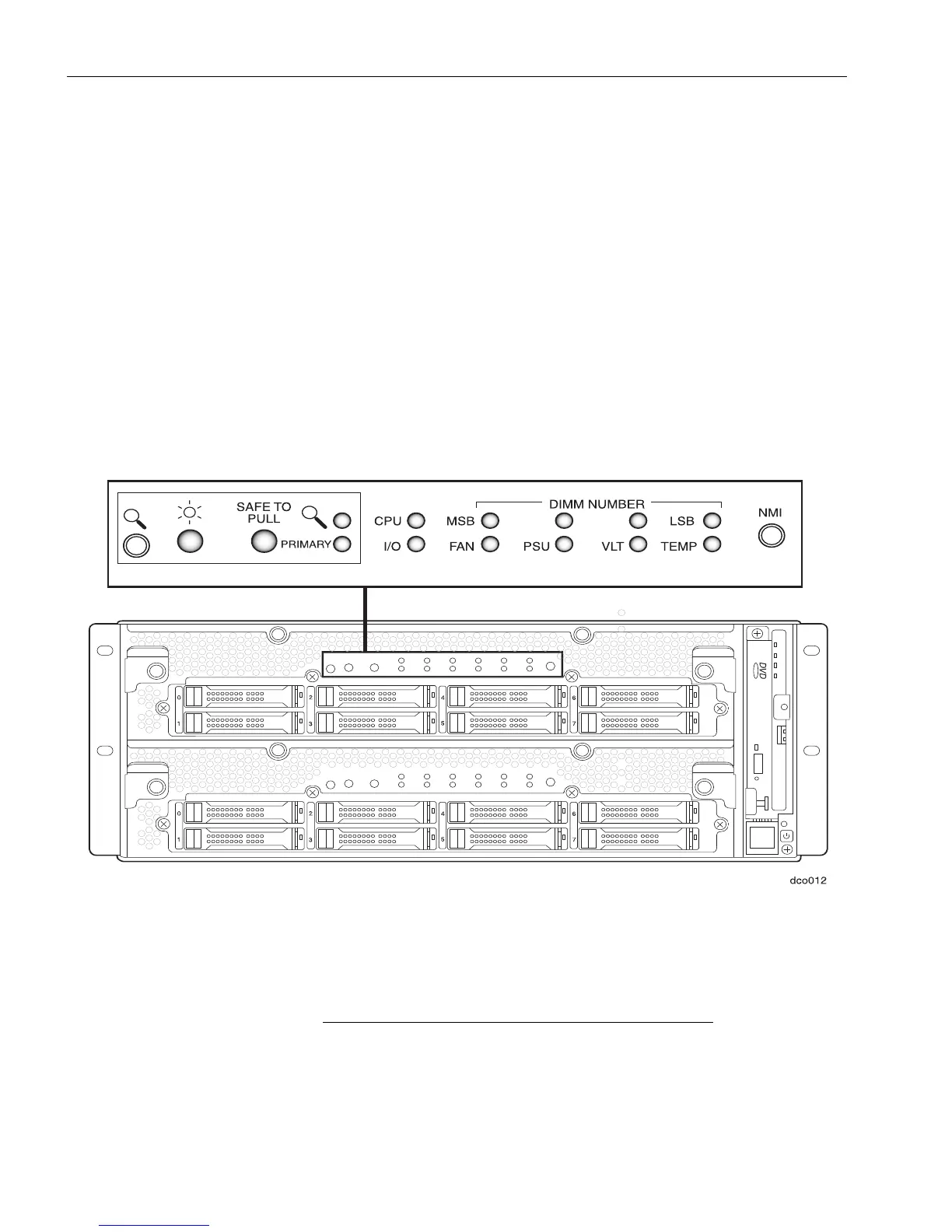
Figure 3-2. CPU-I/O Enclosure LEDs and Buttons (Bezel Removed)
Ta bl e 3- 2 lists (from left to right) the LEDs and describes their status. (In Figure 3-2, the
magnifying glass icon on the far left and NMI label on the far right identify buttons, not
LEDs. See “Buttons on the CPU-I/O Enclosure” on page 3-8.)
1. The SAFE TO PULL LED indicates whether an
enclosure is fault-tolerant, that is, duplexed and safe
to remove. An enclosure is safe to remove when all



 To Next Page