54
3. Once the YYeess button has been pressed, the SSttaarrtt button in Step 2 will become
active. Press it to commence the timeout.
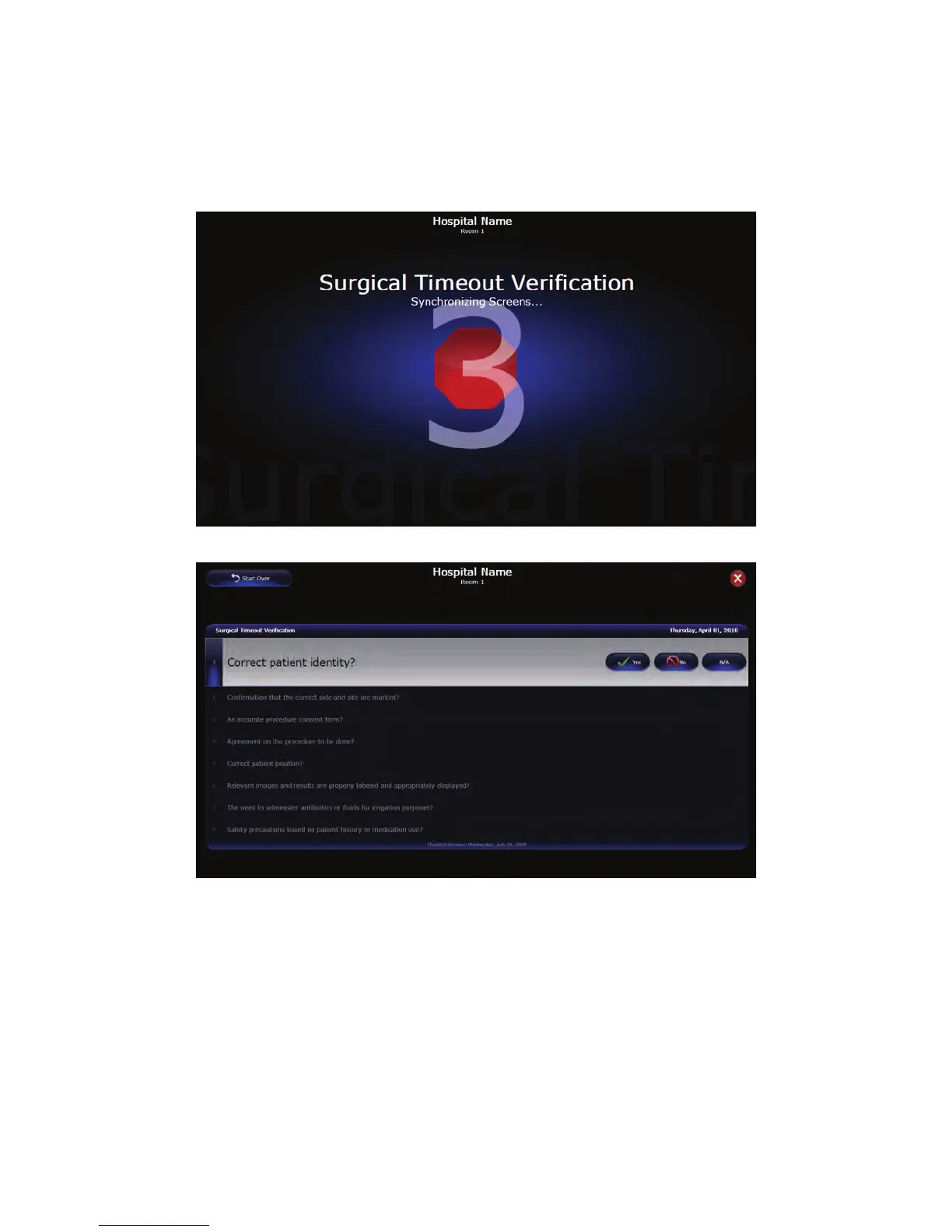
All of the active displays in the OR will display the count down screen, which will
count down from three before displaying the Verification Screen. The room will
automatically be set to “Private” during the timeout.
FFiigguurree 3322.. SSuurrggiiccaall TTiimmeeoouutt CCoouunntt DDoowwnn
FFiigguurree 3333.. SSuurrggiiccaall TTiimmeeoouutt VVeerriiffiiccaattiioonn SSccrreeeenn
4. The Surgical Timeout Verification screen will run the user through the OR’s specific
checklist before being able to begin any surgical procedure. For each step, select
either the YYeess, NNoo, or NN//AA button to proceed to the next question. Once a response
has been selected, it will be marked with a timestamp.



 To Next Page