68
19
Room Lights
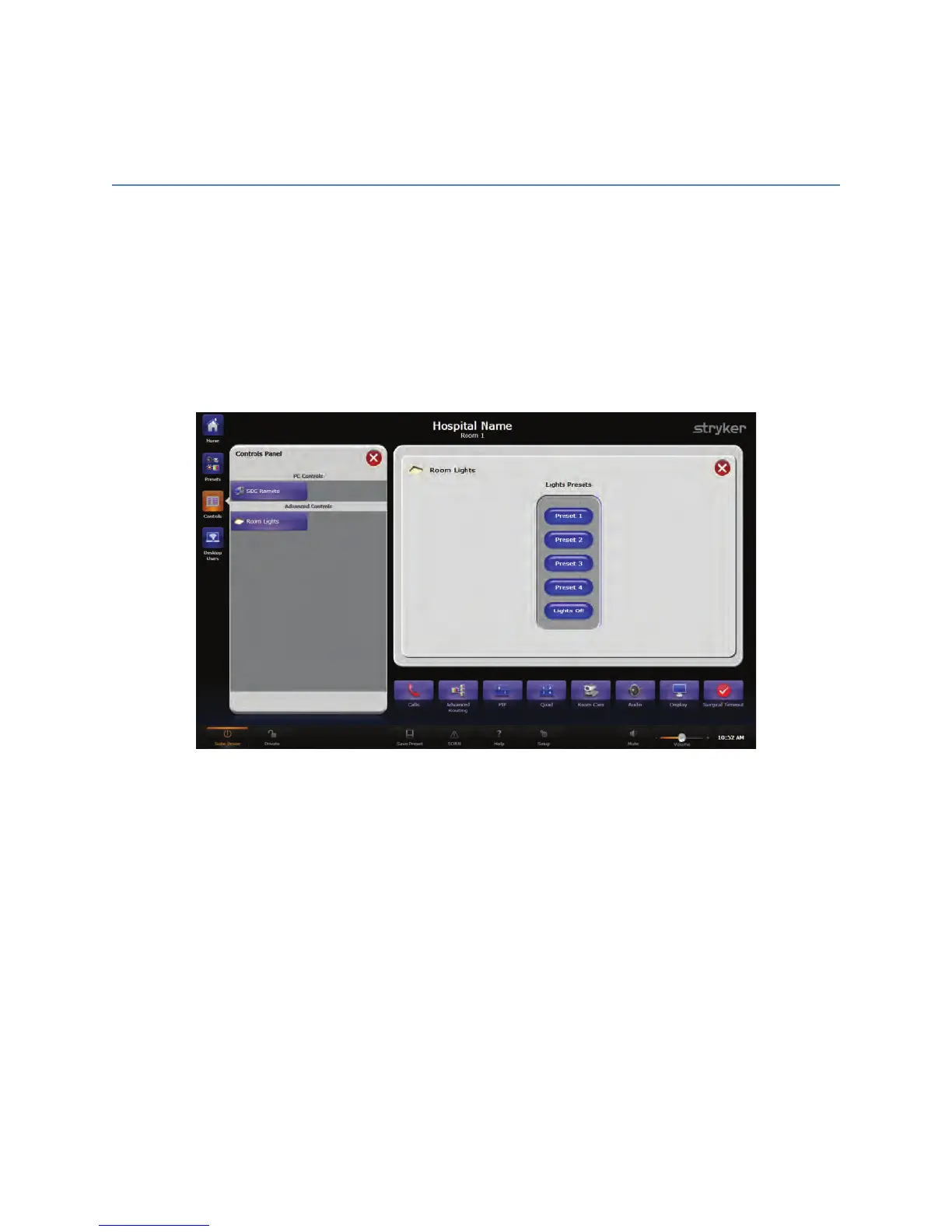
The Room Lights screen directs the operation of the Lutron Lights control. To access this
screen press the RRoooomm LLiigghhttss button under the Advanced Controls section of the
Controls Screen.
The Room Lights screen contains four buttons to trigger the four pre-programmed
presets on the Room Lights Controller, as well as one button to turn off all lights. When a
button is pressed, the room lights will adjust to the correct level for that preset.
FFiigguurree 4466.. RRoooomm LLiigghhttss SSccrreeeenn
Any of the five presets can be saved in a preset on the Presets page; however, the Room
Lights presets themselves are not configurable.
NNoottee:: TThhee RRoooomm LLiigghhtt CCoonnttrroolllleerr WWaallll PPaanneell sshhoouulldd nnoott bbee uusseedd ttoo cchhaannggee rroooomm
lliigghhttiinngg iiff tthhiiss ooppttiioonn iiss iinnssttaalllleedd..



 To Next Page