71
21
Setting the Date and Time
To set the date and time for the system:
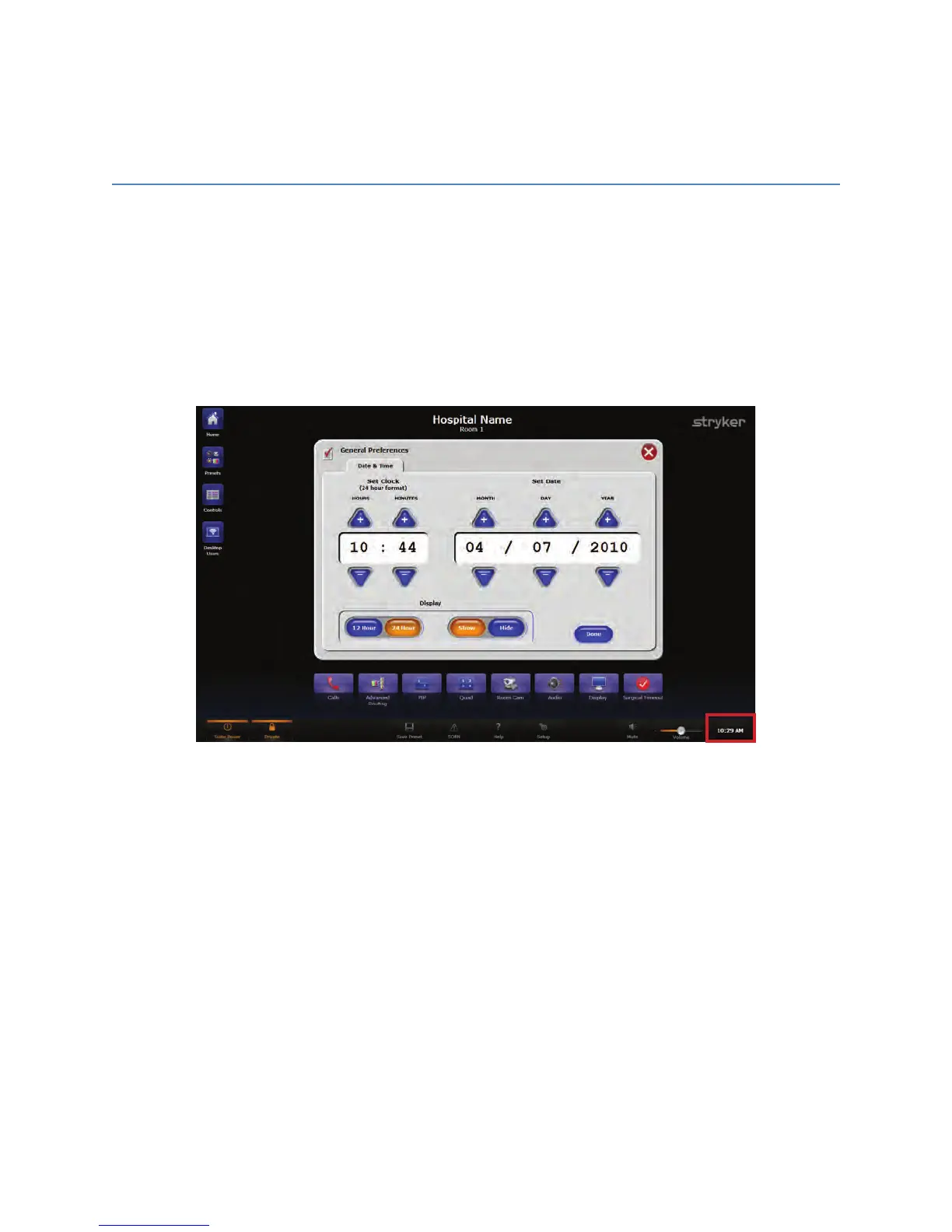
1. Press the clock icon located in the bottom right corner of the screen.
NNoottee:: TThhiiss ssccrreeeenn ccaann aallssoo bbee rreeaacchheedd bbyy pprreessssiinngg tthhee EEddiitt bbuuttttoonn oonn tthhee SSuurrggiiccaall
TTiimmeeoouutt ssccrreeeenn..
1. The Date & Time setup screen will open.
FFiigguurree 4499.. DDaattee && TTiimmee SSeettuupp SSccrreeeenn
2. Modify the date and time by using the “++” and “--” keys to increase or decrease the
numbers, respectively.
3. Use the 1122 HHoouurr and 2244 HHoouurr buttons to select how you would like the time to be
displayed.
4. The SShhooww and HHiiddee buttons determine whether the clock is shown on the Main
Screen or not.
5. When you are finished making changes, press the DDoonnee button.
NNoottee:: IIff tthhee TTiimmee bbuuttttoonn hhaass bbeeeenn hhiiddddeenn aanndd ddooeess nnoott aappppeeaarr iinn tthhee lloowweerr lleefftt
ccoorrnneerr ooff tthhee ssccrreeeenn,, pprreessss tthhee bbuuttttoonn tthhaatt aappppeeaarrss iinn iittss ppllaaccee.. TThhiiss wwiillll ooppeenn tthhee
DDaattee && TTiimmee ssccrreeeenn..



 To Next Page