72
22
SORN Support
SwitchPoint Infinity 3 provides the ability to contact Stryker Communications Technical
Support personnel from the Infinity user interface.
NNoottee:: TThhee ffoolllloowwiinngg aarree rreeqquuiirreedd ffoorr tthhee SSOORRNN SSuuppppoorrtt ffeeaattuurree ttoo wwoorrkk::
11.. SSwwiittcchh PPooiinntt IInnffiinniittyy mmuusstt bbee ccoonnnneecctteedd ttoo tthhee iinntteerrnneett..
22.. SSwwiittcchh PPooiinntt IInnffiinniittyy mmuusstt hhaavvee aa vvaalliidd IIPP aaddddrreessss ccoonnffiigguurreedd..
33.. SSwwiittcchh PPooiinntt IInnffiinniittyy mmuusstt bbee rreeggiisstteerreedd wwiitthh SSOORRNN..
44.. TThhee aaccccoouunntt mmuusshh hhaavvee aann aaccttiivvee sseerrvviiccee ccoonnttrraacctt wwiitthh SSttrryykkeerr
CCoommmmuunniiccaattiioonnss..
IIff tthhee SSOORRNN bbuuttttoonn iiss ddiissaabblleedd,, iitt iiss dduuee ttoo oonnee ooff tthhee rreeaassoonnss mmeennttiioonneedd aabboovvee..
PPlleeaassee ccoonnttaacctt yyoouurr IITT ppeerrssoonnnneell oorr SSttrryykkeerr TTeecchhnniiccaall SSuuppppoorrtt aatt 11--886666--884411--55666633
ffoorr tthhee UU..SS.. aanndd 11--997722--441100--77660011 ffoorr iinntteerrnnaattiioonnaall ((MMoonn--FFrrii;; 66 aamm--66 ppmm CCSSTT))..
PPrreessssiinngg oonn tthhee ddiissaabblleedd SSOORRNN bbuuttttoonn ddiissppllaayyss tthhee mmeessssaaggee,, ““PPlleeaassee eennssuurree tthhaatt
yyoouu aarree ccoonnnneecctteedd ttoo DDMMSS aanndd hhaavvee ppuurrcchhaasseedd aa SSeerrvviiccee CCoonnttrraacctt..””
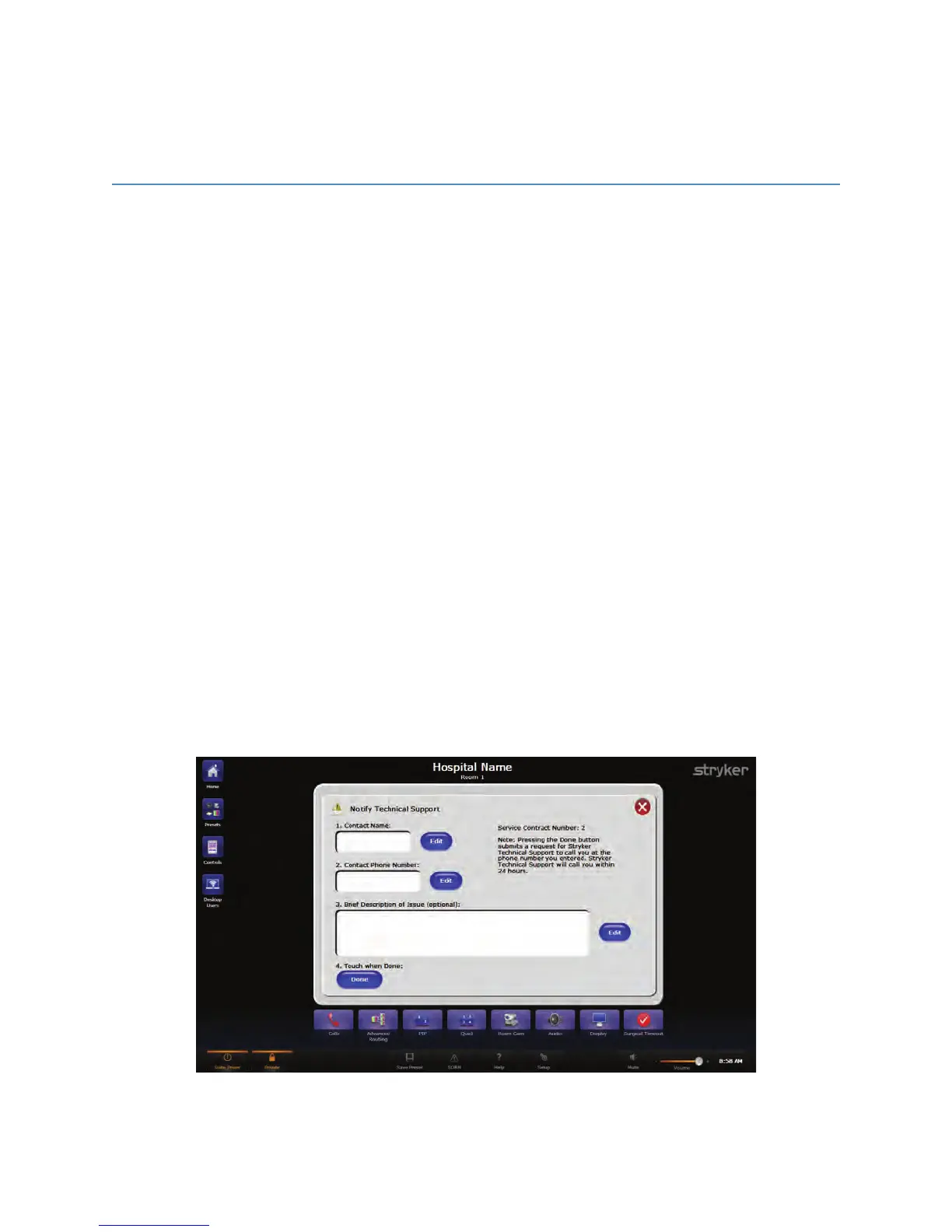
To enter a support issue using SORN Support:
1. Ensure that the Switch Point Infinity device is connected to the network and is
registered to Support. If it is, the SSOORRNN button will be enabled.
2. Press the SSOORRNN button on the task bar. The message, “Note: Pressing the Done
button submits a request for Stryker Technical Global Support to call you at the
phone number you entered. Stryker Technical Support will call you within 24 hours,”
will be displayed on the right side of the screen.
FFiigguurree 5500.. SSOORRNN SSuuppppoorrtt PPaaggee



 To Next Page