CHAPTER THREE - OPERATION
25
SG-System I Operating Manual
3
Top Level Menu
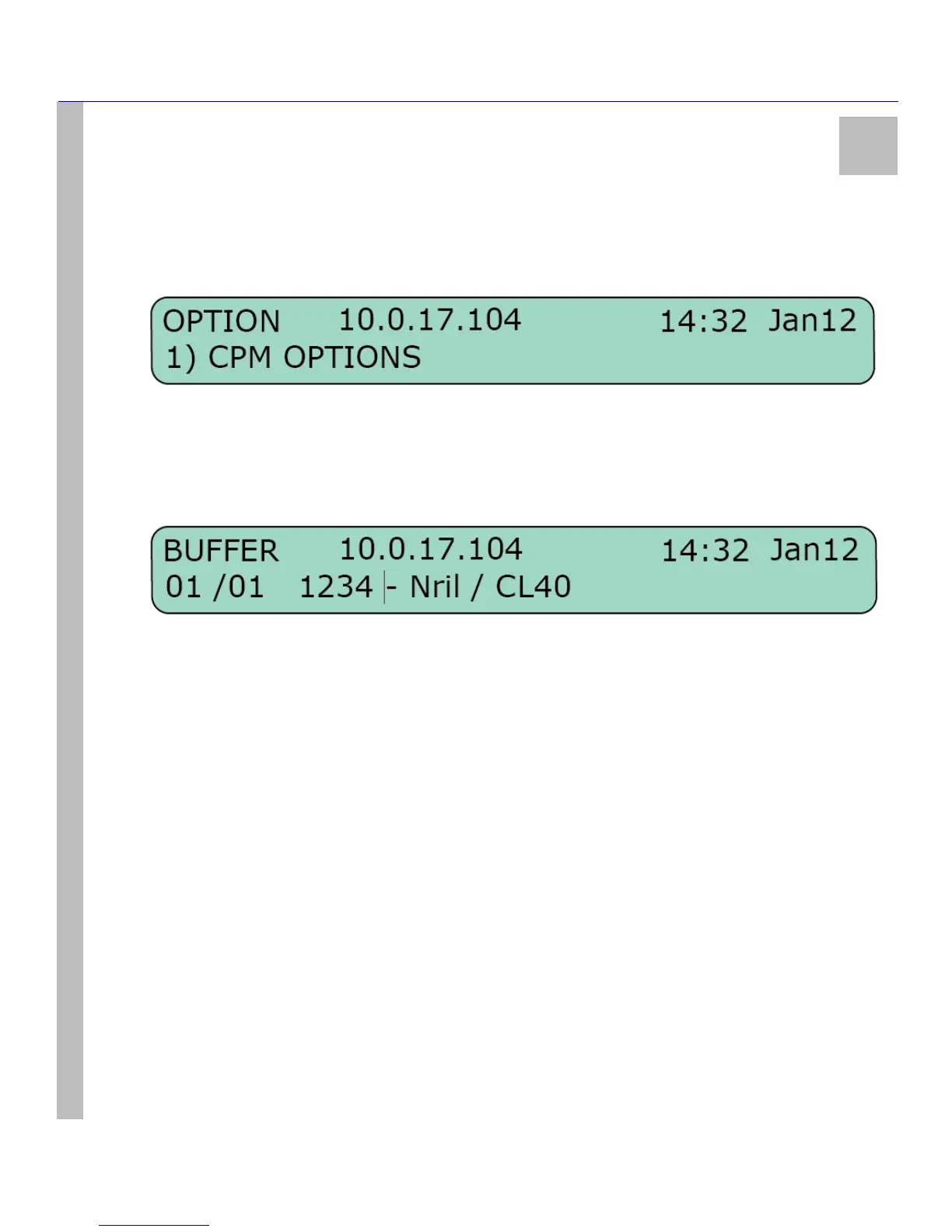
View or Change Options
In View or Change Options, use the Up and Down arrow buttons to locate the configurable option categories. These categories are: CPM
Options / Channel-1 Options / Channel-2 Options / Channel-IP Options / Exit Menu. Please refer to Chapter 4 for a detailed list of the system
options available within each category.
Select the Exit Menu and press the Enter button. You will return to the View or Change Options level. Pressing the Up and Down buttons
simultaneously - regardless of your place within View or Change Options - will take you to the Top Level menu.
View Printer Buffer
The bottom line of the LCD is cleared when View Printer Buffer is entered. The oldest message in the buffer, including those that have been
acknowledged, will be displayed first. Use the Up button to review the older messages and the Down button to review the newer messages.
In the case of a lengthy message, the first 39 characters will be displayed. Press the Enter button to show the remainder of the message. This
view is available only in Manual mode to review acknowledge messages.
Pressing the Up and Down buttons simultaneously to go to the Top Level menu.
System Functions
System Functions provides access to the System Functions Menu, which consists of System Information / Change Date and Time / Default
SG-System I / Reset SG-System I / Visual Indicator Test / Exit Menu.
Exit Programming
Pressing the Enter button while in Exit Programming will take the user back to the Active mode or the Manual mode.
System Functions Menu
System Information
System Information provides a wealth of detail regarding the user’s setup of SG-System I. These details include:
•Version
•ID
• LAN MAC
• LAN IP
• Gateway IP
•SW Checksum
• VHDL Version
• DSP Checksum
• DSP Version
• Manufacture Date
• Country of Manufacture Code
•AHS Table



 To Next Page