CHAPTER FIVE - OPTIONS: CHANNELS 1 and 2
47
SG-System I Operating Manual
5
Option 105: Pre-H.S. Duration
Default (0A)
This option is useful in the case of a system in which the phone line needs time to settle before functioning properly. The default value will in
most circumstances work satisfactorily.
Enter a value for the amount of time the system is to wait before establishing a handshake. When the line card seizes the line, it will wait for
this amount of time before sending the first handshake. The value set for this option (in hexadecimal) will be multiplied by 100 msec. The
minimum value allowed by the system is one second; any entered value less than that will use a one second delay by default.
Option 109: First Ring Length
Default (05)
The value you set for this option is dependent on the country in which the SG-System I is located, and the type of ring - single vs. double -
employed there by that nation’s telephony. The value for this option may be reduced if the system has difficulty catching the call. Set the
value too low, however, and false calls set of by lightning, electrical shorts, etc., may be encountered.
In order for the line card to detect an incoming ring, the ring signal must be on for a minimum amount of time. Use this option to change the
minimum amount of time the ring signal must be on before the receiver will detect a valid ring length. Minimum ring duration is 200 msec,
which corresponds to a value of 02. Values of 00 and 01 give a default ring length of one second. Programmed values are multiplied by 100
msec.
Option 10D: Ring Select
Default (00)
Use this option to enables or disable the double ring detection. If see as 00, the line card will detect a single ring. If set as 01, the line card
will detect the double ring.
Option 10E: Backup Line Option
Default (00)
Use this option to enable or disable each channel’s backup line. If this option’s value is set as ‘00’, the backup is disabled. If the option is set
as ‘01’, the backup is enabled. If a line fault should occur on a primary channel while the option is enabled, the line card will switch over to
the auxiliary line to allow normal operation. If at any time the primary line is restored, the line card will complete its online operation - if it is
communicating with a panel at the time - and afterwards switch back to the primary line.
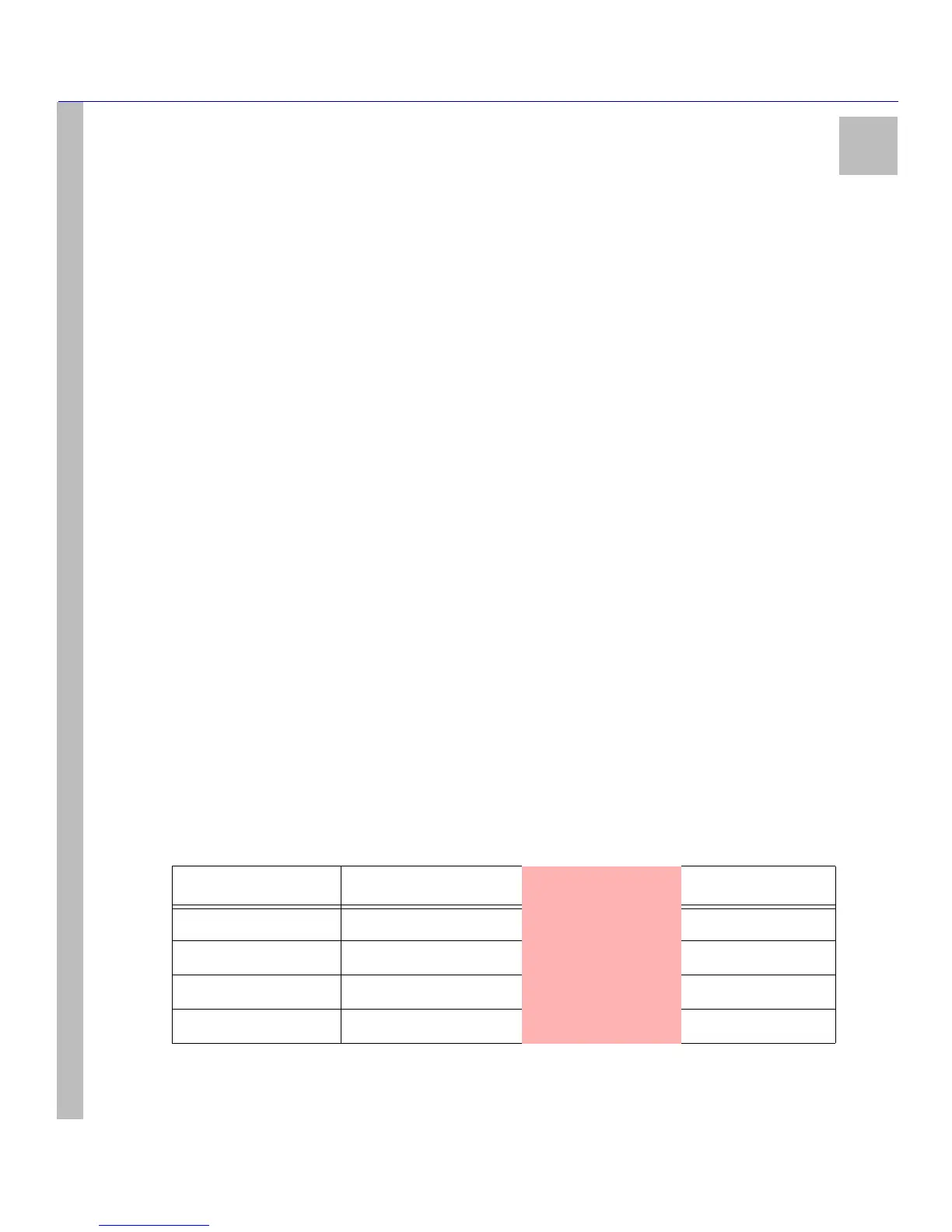
With this option enabled, the LCD line fault messages will change. The table below illustrates how the the LCD messages will appear:
Table 12: Line Fault Messages
Primary Channel Auxiliary Channel Line Fault LCD Active Line
Not in line fault Not in line fault
OFF Primary
Not in line fault In line fault
OFF Primary
In line fault Not in line fault
OFF Auxiliary
In line fault In line fault
ON None



 To Next Page