Operation of the Machine
MA6 / MA8 - 1. Operation of the Machine - Rev.05 07-06
19
1
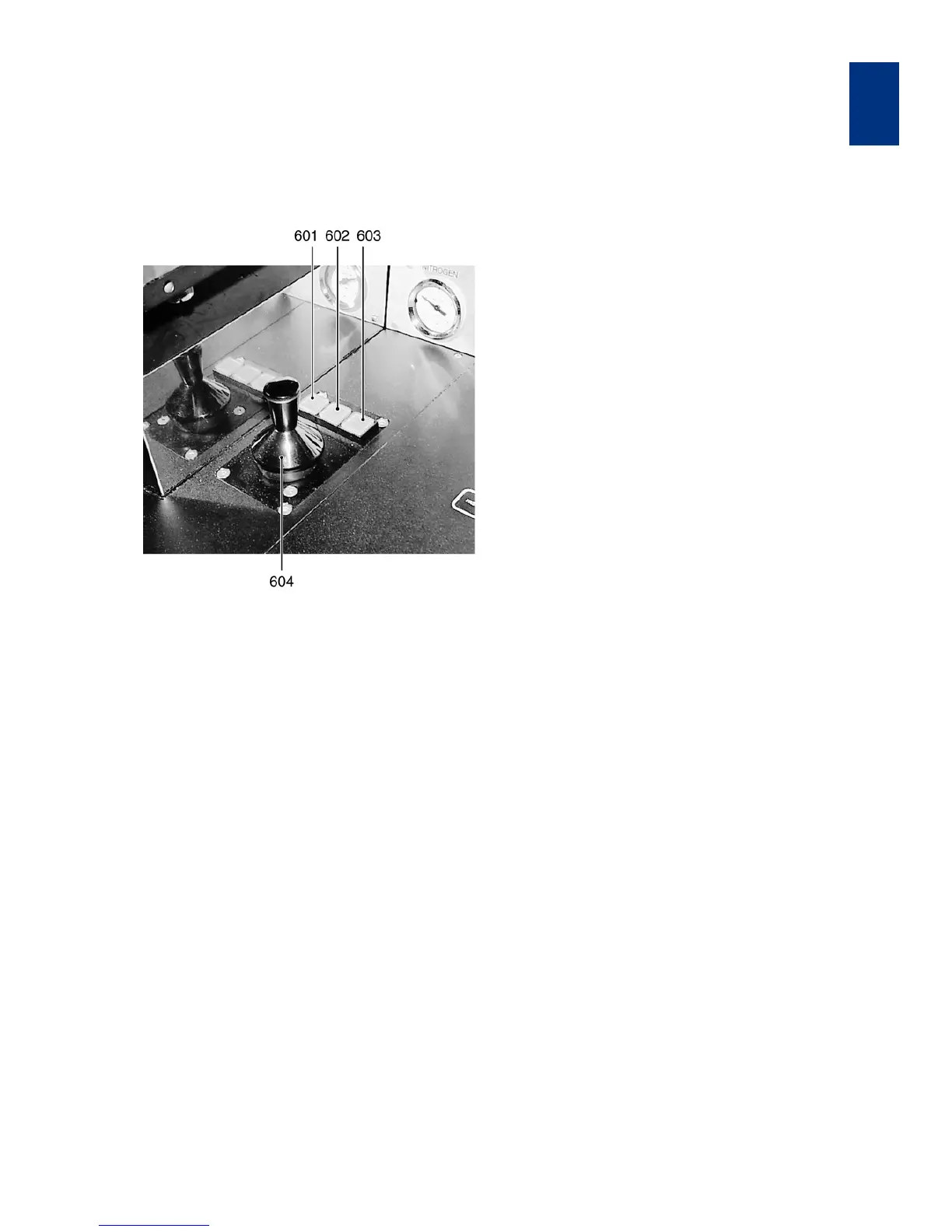
1.2.6 Joystick and Buttons
(motorized stage only)
Joystick keys
601 STG/TSA/BSA button
602 CONT/ALIGN/EXP button
603 SINGLE STEP button
604 X-Y-JOYSTICK
601 STG/TSA/BSA button
• Illuminated:
Joystick and arrow keys controls the alignment
stage motors.
• Dark:
Joystick and arrow keys control the TSA or BSA
motors depending on the status of the BSA MI
-
CROSCOPE key (see 322).
602 CONT/ALIGN/EXP button
The wafer is in alignment position if this button is ac-
tivated, otherwise the wafer is in exposure position.
603 SINGLE STEP button
Every joystick flexure or arrow key depression will
only result in a single step movement in accordance
with the value programmed via the F1 key.
604 X-Y-JOYSTICK
Flexure the joystick located on the right side of the
alignment stage in this direction in which the micro
-
scope/alignment stage should move. Release if final
position is reached. The movement speed increase
by a stronger joystick flexure. Activating FAST key al
-
lows fast movement.
605 Θ-JOYSTICK (alignment stage only)
This joystick is located at the left side of the alignment
stage. Flexure in x-direction rotates the wafer in fast
speed clockwise or back. Flexure in y-direction ro
-
tates the wafer in slow speed clockwise or back.



 To Next Page