Operation of the Machine
MA6 / MA8 - 1. Operation of the Machine - Rev.05 07-06
21
1
2. Load Mask
Watch out for the microscope
movement!
– start mask loading sequence: CHANGE MASK
key
You have to take out the mask holder, flip it 180°
and put it on the tray left. If a mask is loaded,
press ENTER to toggle the mask vacuum off, re
-
tract the mechanical mask clamp and remove the
mask.
– load mask and fix it: ENTER key
Place the mask onto the mask holder against the
stop pins. Toggle the mask vacuum on by press
-
ing the ENTER key. Activate the mechanical mask
clamp by pressing on the leaf spring.
– slide the mask holder back into the machine and
clamp it: CHANGE MASK key
Flip the mask holder 180° back and move it into
the machine. Lock the mask holder slide by
pressing CHANGE MASK key again.
3. Load Wafer
– first pull out transport slide and load wafer: EXPO-
SURE key
The machine instructs: "pull slide and load sub-
strate onto chuck". Pull out the transport slide
completely. Insert the proper chuck and place the
wafer against the prealignment pins. Confirm with
ENTER key. Now the wafer is hold by vacuum.
– move slide in: ENTER key
The machine instructs: "move slide into machine
and confirm with ENTER"
– wedge error compensation
WEC starts automatically after the last action is
completed. The wafer is adjusted parallel to the
mask.
4. Exposure
After WEC the wafer moves automatically in expo-
sure position. Depending on the exposure program
selected all program steps will be performed auto
-
matically. Exposure takes place. After finishing the
wafer chuck moves down to unload the exposed wa
-
fer.
5. Unload Mask: CHANGE MASK key
Hit the CHANGE MASK key and the mask holder will
be released. Pull the mask holder out, flip it by 180°
and store it on the tray to your left. Hit ENTER to
switch the mask vacuum off. Retract the mechanical
clamping and remove the mask.
1.3.3 Top Side Alignment
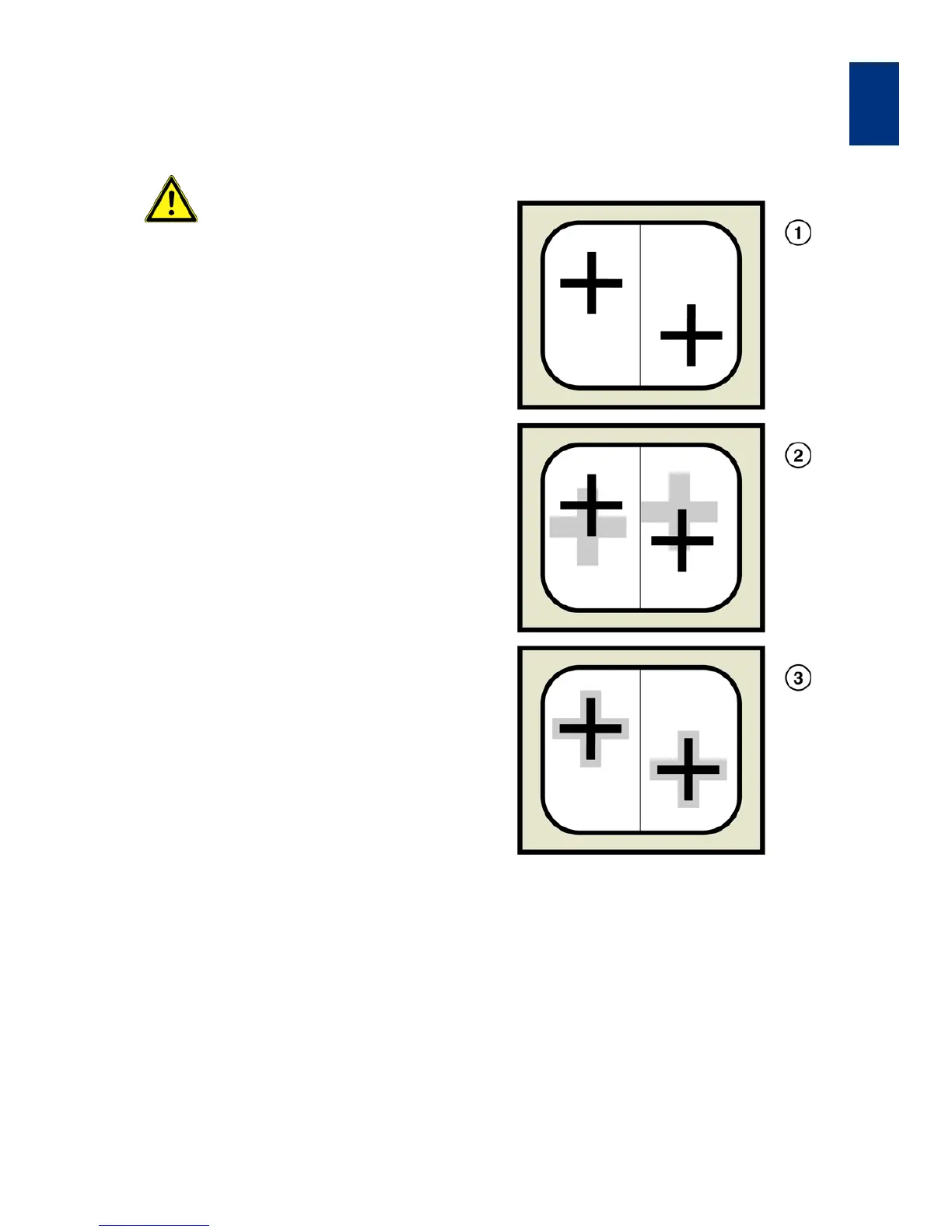
Alignment Procedure
1 Grabbed mask alignment marks
2 Superimposed wafer alignment marks
3 Alignment marks central symmetrical aligned
In this mode the wafer is aligned to the mask using
the topside alignment microscope (TSA). The follow
-
ing example explains the steps to align and expose
with manual mask loading, soft contact print and
WEC-type contact. Starting from the initial state of
the machine these tasks must be performed:



 To Next Page