Using To Do List
Checking off To Do List items
Using Your Zodiac Handheld 109
Checking off To Do List items
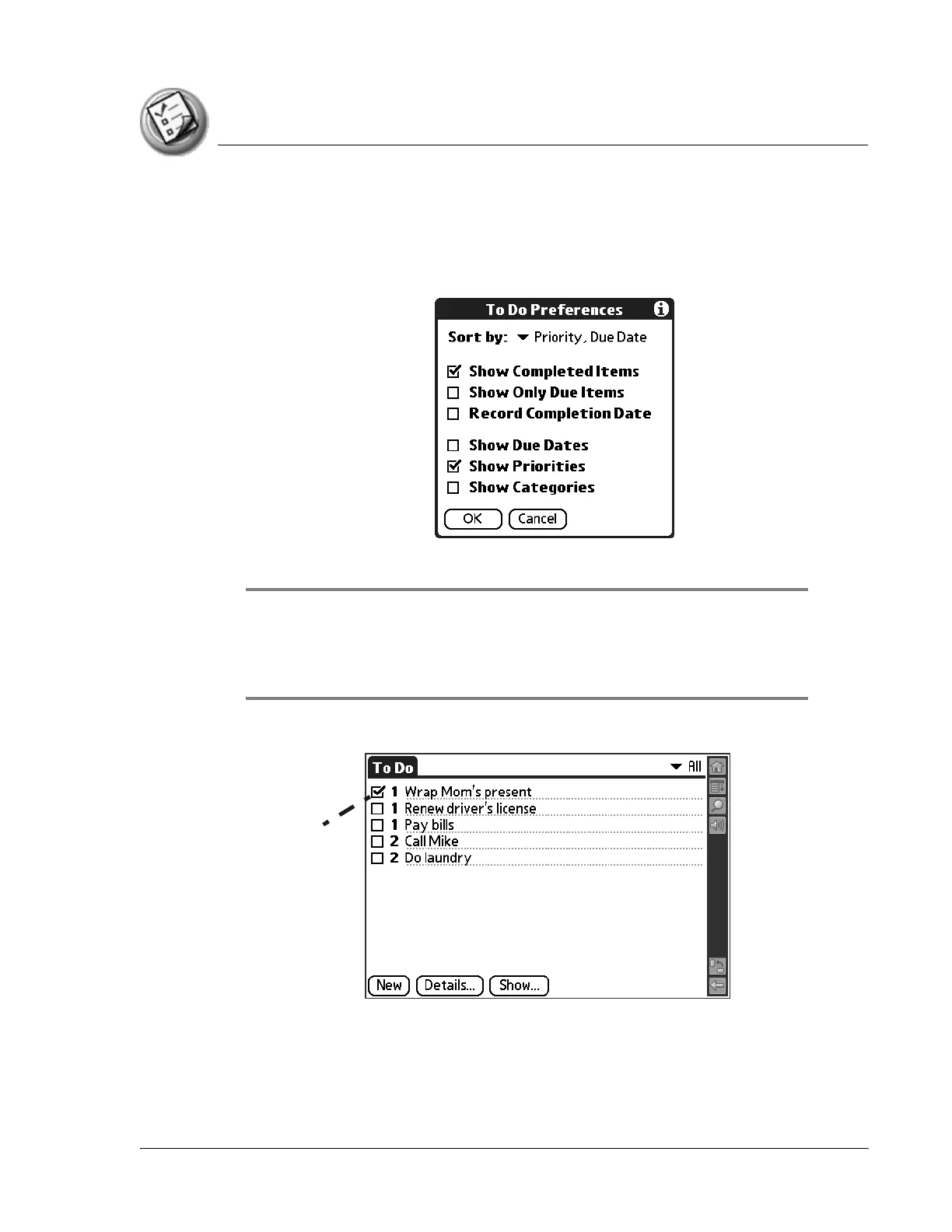
You can check off a To Do List item to indicate that you’ve completed it.
1. In To Do List, tap Show.
2. Check the Show Completed Items box.
NOTE: If you uncheck this setting, your To Do items disappear from the list when you
complete (check) them. Items that no longer appear on the list because Show Completed
Items is turned off have not been deleted. They are still in the memory of your handheld.
You must purge completed items to remove them from memory.
3. Check the box on the left side of the item.
Completed
To Do item



 To Next Page