Introduction to your Zodiac Handheld
Zodiac components
Using Your Zodiac Handheld 19
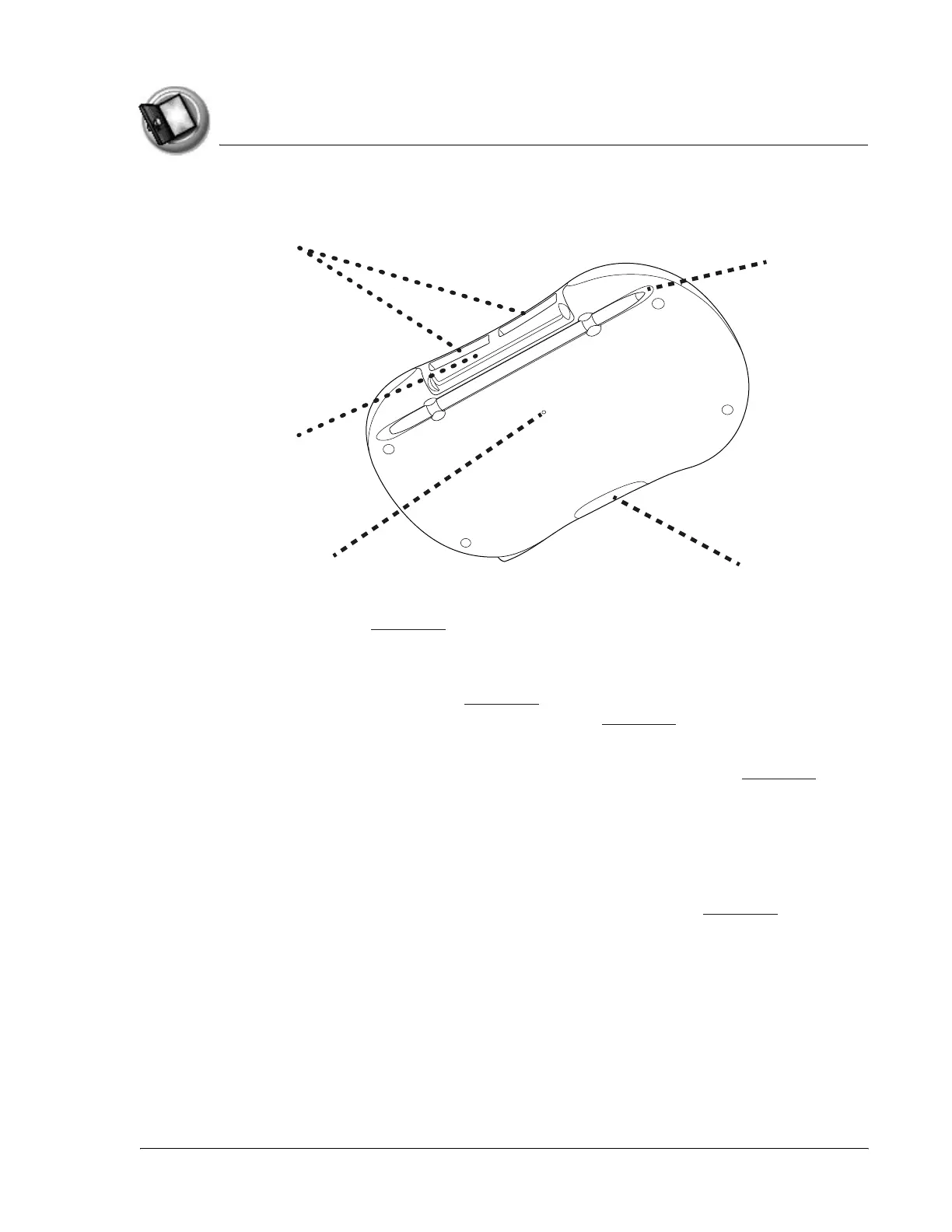
About the back panel
• Reset button. Under normal use, you should not have to use the reset
button. See page 170 for information on when and how to use the
reset button.
• IR port. Uses infrared technology to transmit data to and receive data
from other devices, see page 163 for details. You can also use the IR
port to perform HotSync operations, see page 141 for details.
• Expansion slots. Enables you to expand your handheld’s storage
capacity and capabilities by inserting expansion cards. See page 155 to
learn more about using expansion cards.
• HotSync connector. Connects your handheld to the cable or cradle,
which in turn connects to your computer and the AC adapter. This
allows you to recharge your handheld and to synchronize the
information between your handheld and your computer using
HotSync technology. For more information, see page page 136.
• Stylus channel and stylus. Holds the stylus when you are not using it.
The stylus is the writing instrument you use to enter data on your
handheld.
IR port
Reset button
HotSync connector
Stylus channel
and stylus
Expans
on s
ots



 To Next Page