Performing Common Tasks
Finding records
Using Your Zodiac Handheld 70
TIP: You can move records from multiple categories into a single category by
renaming all discrete categories with a single category name.
• To delete a category, tap it in the list to select it. Tap Delete.
3. Tap OK.
Finding records
Your handheld provides several ways to find information:
• In all applications, starting with the current application, you can use
the Find dialog box to locate the selected text.
• In Date Book, To Do List, and Memo Pad, you can use Phone Lookup to
display the Address List screen and add the information from this list
to a record.
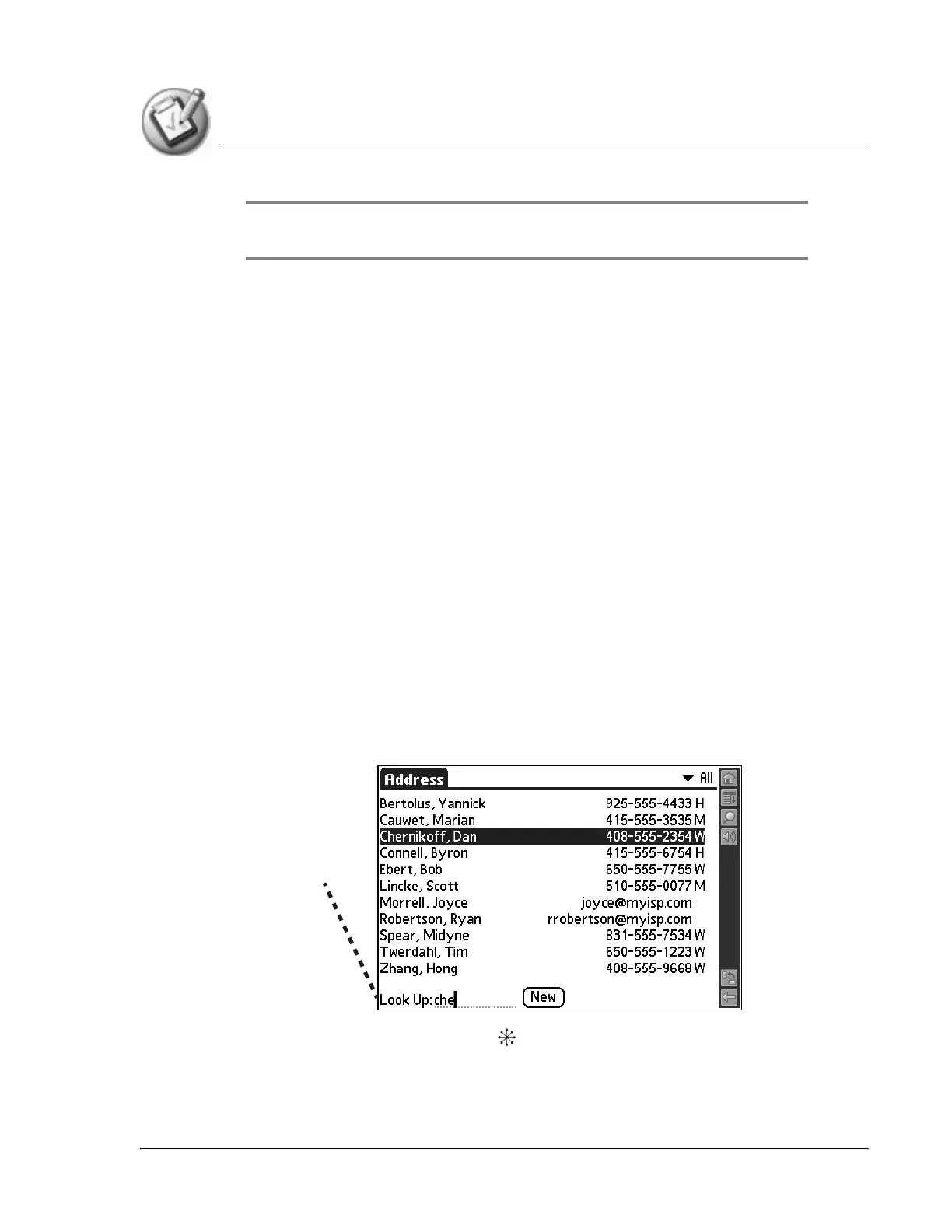
• In Address Book, you can use the Look Up option to enter the first
letters of a name to scroll immediately to that name.
Finding Address Book records
1. Do one of the following:
• From the Address screen, enter the first few letters of the name you
want to locate.
• Move the analog controller to scroll to a name. Holding down the
analog controller accelerates scrolling.
Look Up line



 To Next Page