Setting Preferences
Network
Using Your Zodiac Handheld 127
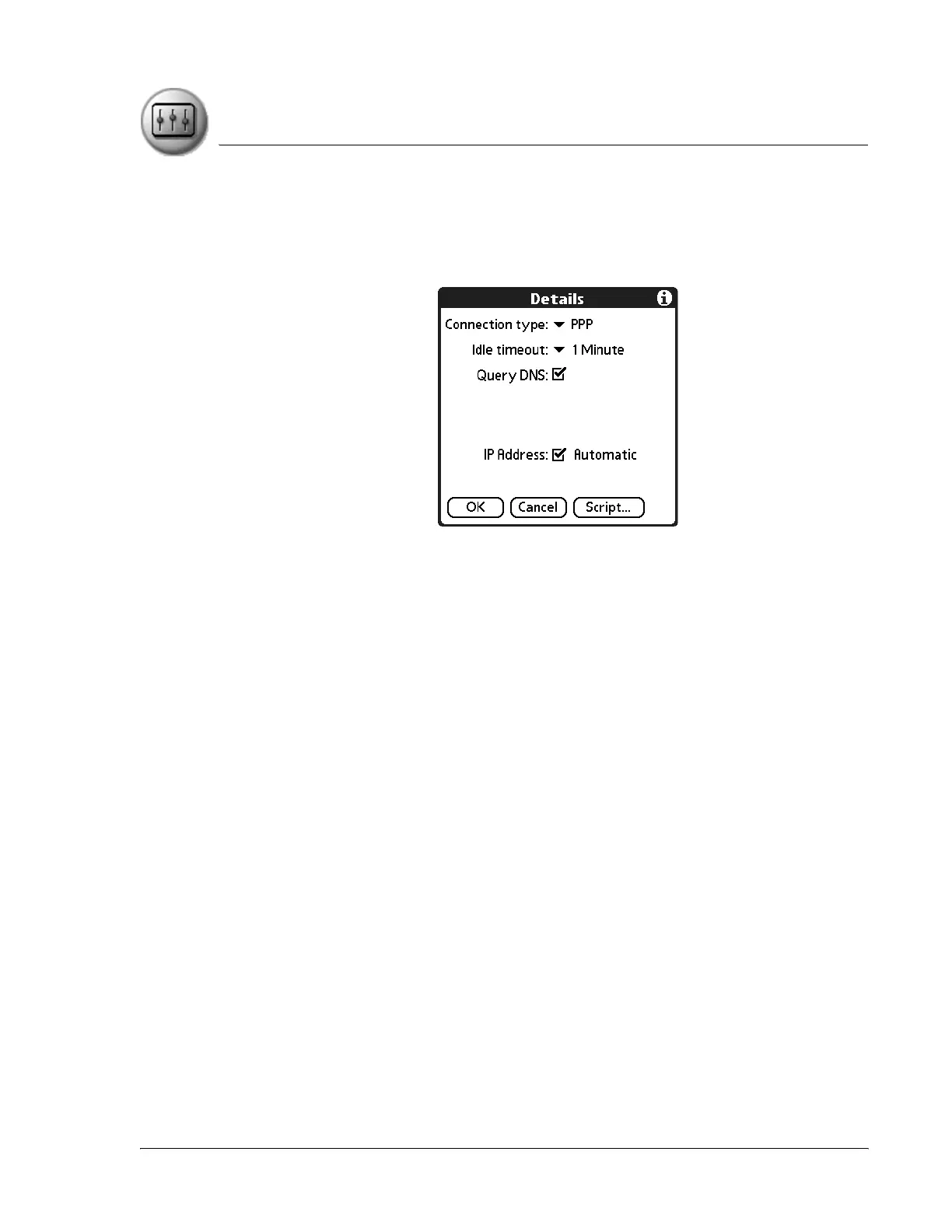
Network Details
The Details dialog box enables you to select TCP/IP settings. When you tap the
Details button, you have the following additional options:
• Connection type. Select the connection protocol you want to use for
this service template:
– PPP for Point-to-Point protocol. Select this type if you’re unsure
which you need. If PPP doesn’t work, ask your ISP or your system
administrator for the correct connection type.
– SLIP. Select this type for Serial Line Internet protocol connections.
– CSLIP. Select this type for Compressed Serial Line Internet protocol
connections.
• Idle timeout. Specify how long your handheld waits to drop your
connection when you exit a TCP/IP application. Options include
Immediate, 1 minute, 2 minutes, 3 minutes, or Never (until the power is
off or your handheld times out).
• Query DNS. Indicate whether a DNS number is required. The Internet
uses the Domain Naming System (DNS) to translate the names of host
computers into IP addresses. A DNS number (or IP address) identifies a
specific server that handles the translation services. Anyone who logs
onto the Internet must have a unique identifier—an IP address. This IP
address can be either temporary—assigned automatically each time
you log on—or permanent. Not all systems require that you enter a
DNS number; check with your system administrator to see if it is
required.



 To Next Page