Using Photos
Setting the slide show interval
Using Your Zodiac Handheld 56
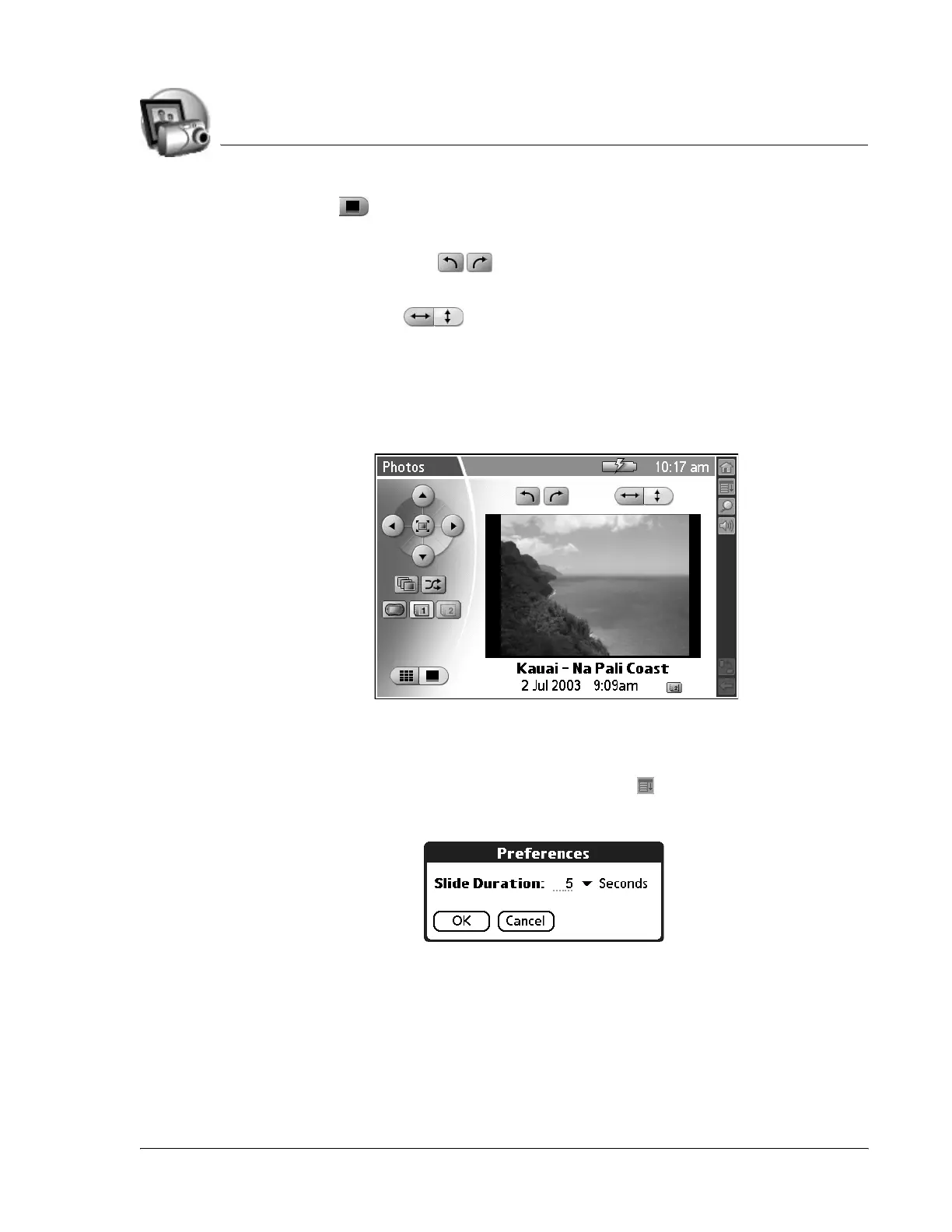
• Details . View the selected picture and the following information
and controls:
– Rotate controls . Rotate the picture in 90 degree
increments.
– Fit controls . Choose how the picture fits on the screen.
– Title. View the name of the picture file.
– Date/Time. View the date and time the picture was taken. This may
be different from the date associated with the picture file.
– Location. View an icon that indicates where the picture is stored.
Setting the slide show interval
1. From the list or detail view, tap the Menu icon .
2. From the Options menu, select Preferences.
3. From the Slide Duration pick list, select the interval unit: Seconds,
Minutes, or Hours.
4. Enter the interval length in the space next to the pick list.
5. Tap OK.



 To Next Page