Using Clock
Opening Clock
Using Your Zodiac Handheld 62
• Analog Clock. View the current time in analog format.
• Date. View the current date.
• Time/Alarm . View the time in digital format and access the
following alarm controls:
– Alarm On. Turn on the alarm and display the alarm controls.
– Alarm Off. Turn off the alarm and hide the alarm controls.
– Time. Set the time when you want the alarm to sound. When you
tap this box, a number pad appears. Tap the numbers to select the
time you want the alarm to sound, and then tap OK.
– Volume. Select the volume level for the alarm sound. The choices
are: Low, Medium, High, and Ascending. The Ascending setting
increases from low to high volume over a period of about 20
seconds.
– Wake To. Select the alarm sound. Options include Music, Alarm,
Alert, Bird, Concerto, Phone, Sci-fi, and Wake Up. If you select Music,
you can select a song from the Music application.
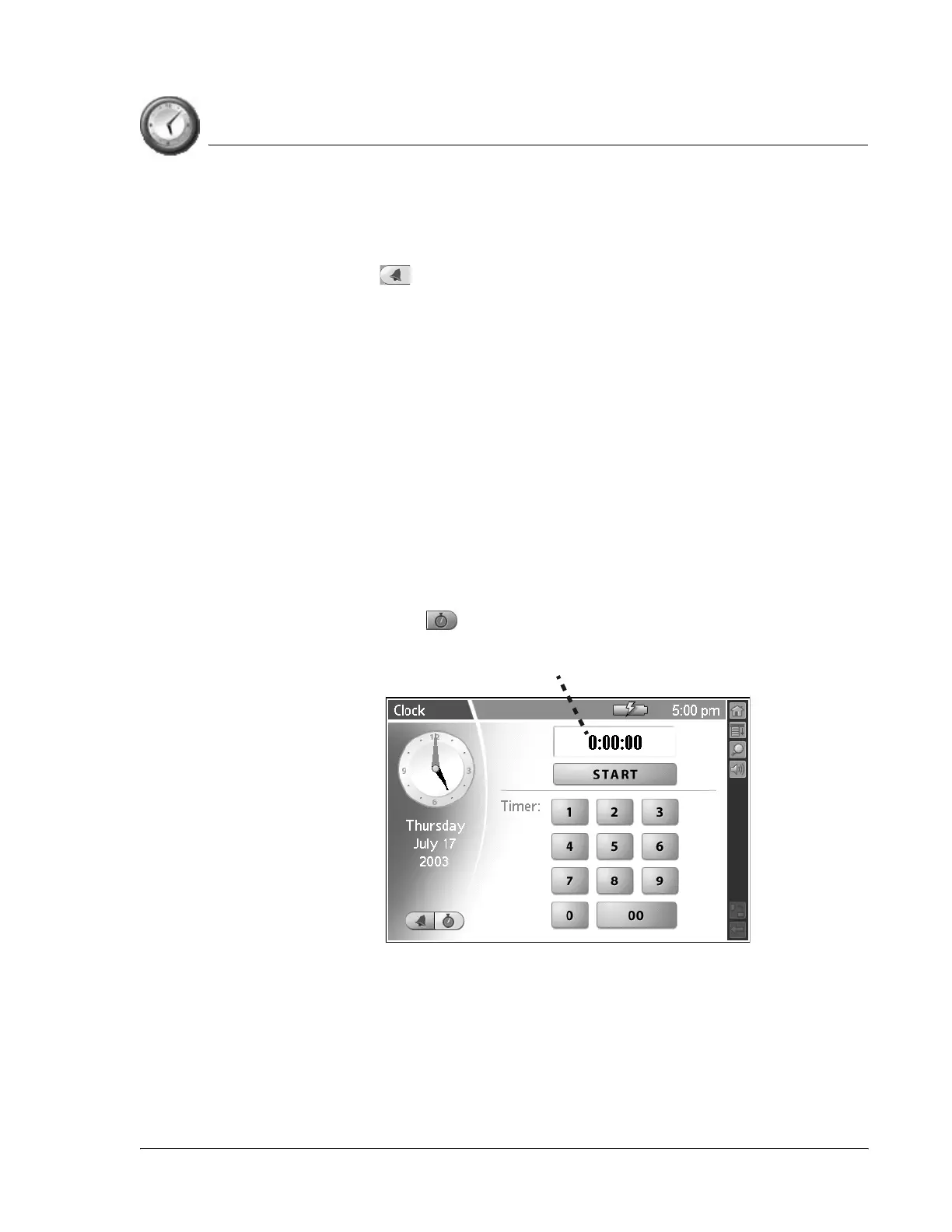
• Timer/Stopwatch . Access the following timer and stopwatch
controls:
– Display. View the time remaining in timer mode, and the elapsed
time in stopwatch mode. The time displays in 1/100th of a second
increments.
– Start. Begin the timer or stopwatch. When you tap this button, it
changes to a Stop button.
Display



 To Next Page