Servicing
Optical Switch Replacement
Thermo Electron Corporation Model 48i Instruction Manual 7-15
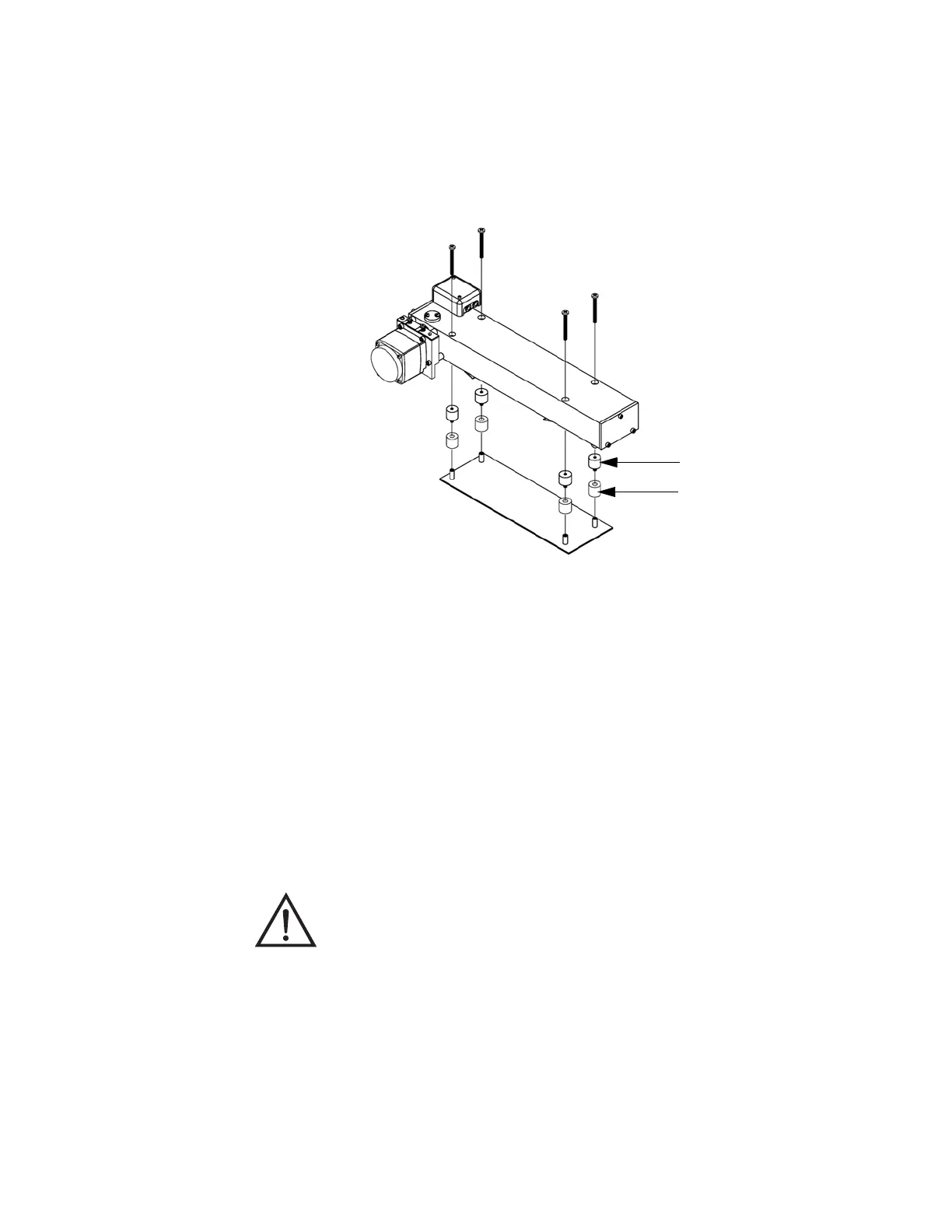
4. Remove the four screws holding the optical bench to the shock mounts
and carefully remove the optical bench.
5. Replace the optical bench by following the previous steps in reverse.
Figure 7-7. Replacing the Optical Bench
Optical Switch
Replacement
Use the following procedure to replace the optical switch (Figure 7-8).
Equipment Required:
Optical switch
Flatblade screwdriver
Philips screwdriver
1. Turn instrument OFF, unplug the power cord, and remove the cover.
2. Remove the optical bench following the “Optical Bench Replacement”
procedure in this chapter.
Shock Mounts (4)
Standoffs (4)
Equipment Damage Some internal components can be damaged by small
amounts of static electricity. A properly grounded antistatic wrist strap must
be worn while handling any internal component.











 To Next Page