Control Box Usage
Topcon AG System Five Operator’s Manual
2-24
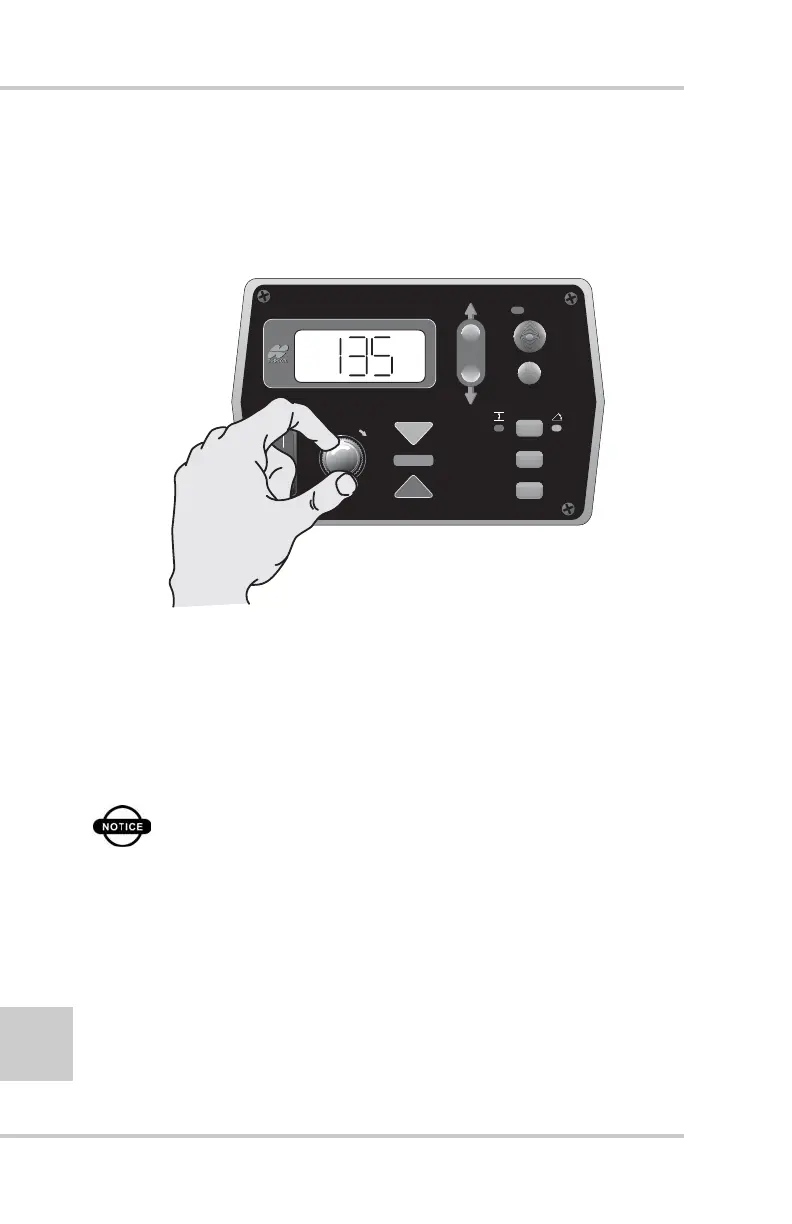
5. Turn the Grade Adjustment Knob counter clockwise
decreasing the Valve Offset value until the hydraulic
cylinder is not moving. Then, slowly rotate the Grade
Adjustment Knob clockwise until the hydraulic cylinder
just begins to lower (Figure 2-26).
Figure 2-26. Changing Valve Lower Offset Value
6. Press the Auto button to store the Lower Offset Value.
7. Press the Auto button to return to the Performance Menu.
8. Rotate the Grade Adjustment Knob to access anther item
on the Performance Menu. Or, press the Set/Menu button
to exit.
NOTICE
The jog raise-lower button is always active
during valve calibration. If a cylinder bottoms
out, you can use the jog button to re-center the
cylinder and continue the valve calibration.
FiveSystem
AUTO
SURVEY
SET
(MENU)



 To Next Page