12
COMPONENTS
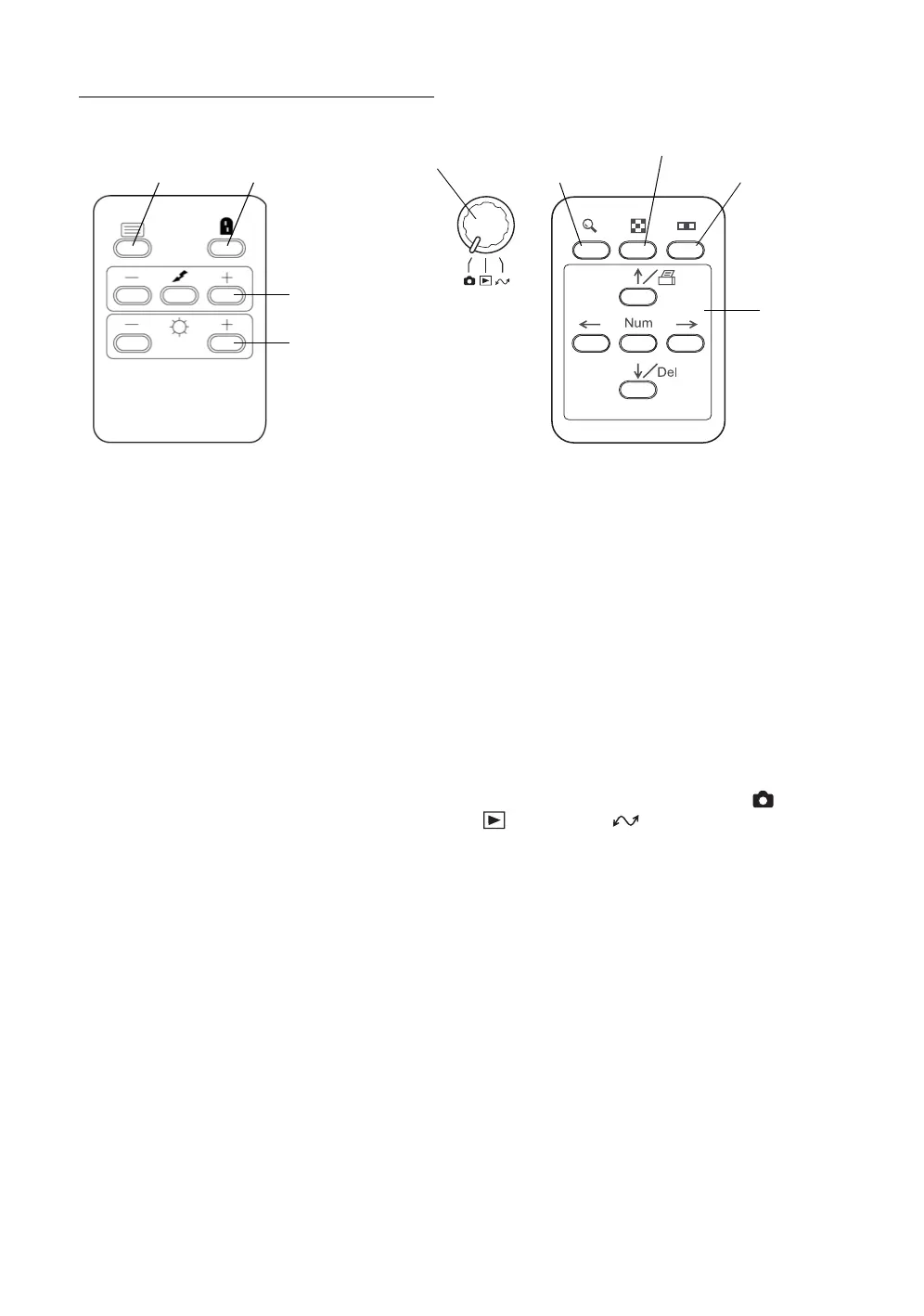
CONTROL PANEL COMPONENTS
Menu switch................................... Displays the Menu screen.
Split switch ..................................... Turns the split lines on/off.
Flash level switch........................... Adjusts the flash level for the patient's eye condition.
Illumination level switch ................. Adjusts the illumination level for the patient's eye
condition.
Picture angle switch....................... Switches the picture angle 45° and the digital zoom.
Thumbnail switch ........................... Displays the photography images in line.
Fixation target selector switch........ Switches the internal fixation target position, the
center (the aged insurance law position) and the
nose side/ear side position.
No. switch........................................ Selects and deletes the optional numeral / ID number
input (patient information) and the photography
image.
Mode selector knob........................ Changes the modes, "photography" ( ), "play-
back" ( ) and "PC" ( ).
Menu switch Split switch
Flash level switch
Illumination level
(-, reset, +)
switch (-, +)
Picture angle switch
Fixation target
No. switch
selector switch
Thumbnail switch
Mode selector knob














 To Next Page