74
BASIC OPERATIONS
COLOR PHOTOGRAPHY (CENTER)
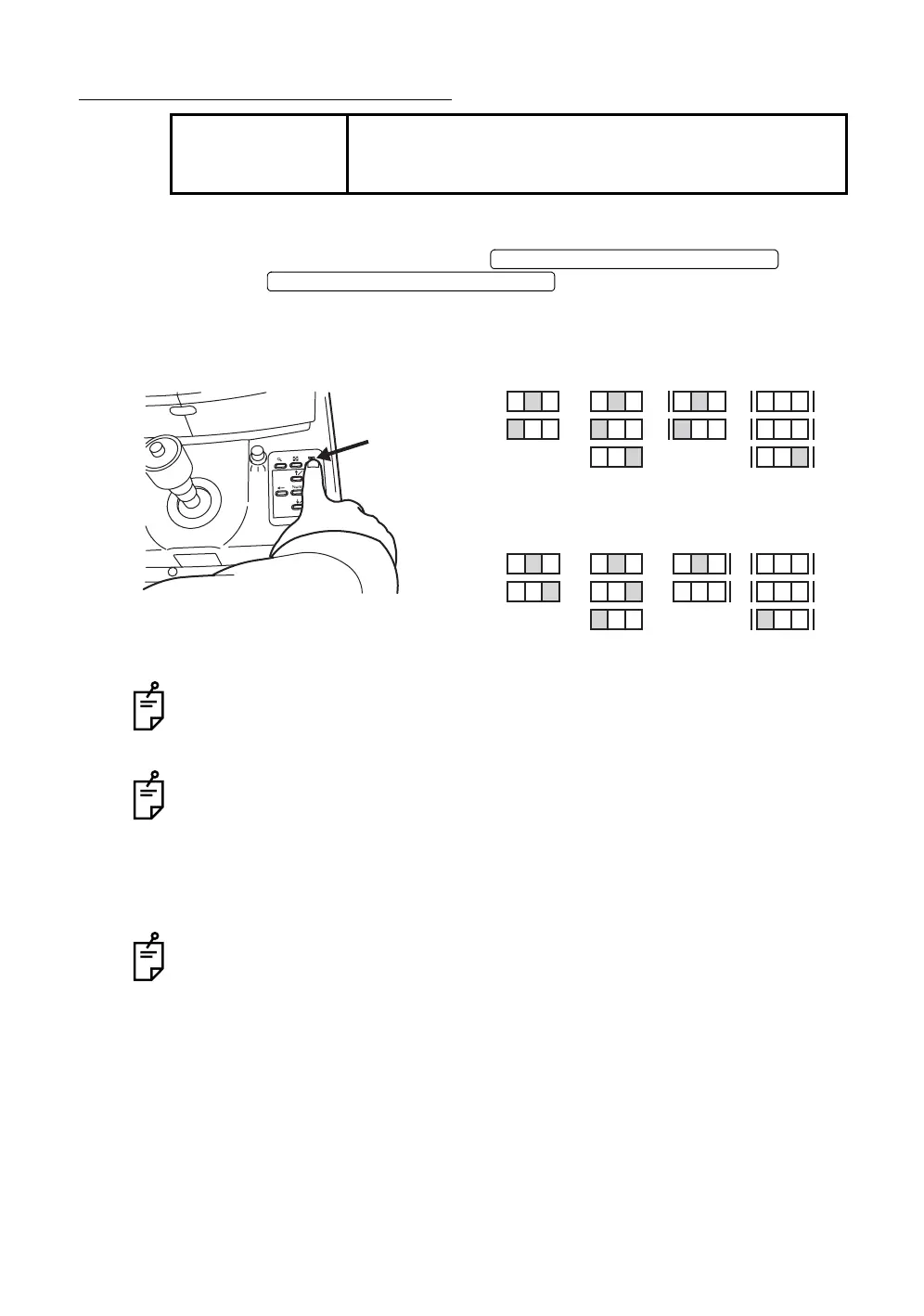
Setting the picture position
Set the photography position with the .
Press the , and the target position is adjusted.
Set the target position display to "C" (center).
You can view the target position on the color video monitor.
When the power is turned on (initial condition), the photography position is set to
"C" (center).
When shipped, the fixation target pattern is set to "P2A".
When the external fixation target (optional accessory) is used, operate the arm to
guide the patient’s fixed eye.
Setting the picture angle
Press the picture angle switch to set the picture angle to 45° or ×2 (approximately
×2 by digital zoom) or ×4 (approximately ×4 by digital zoom).
Even if the picture angle is changed, the picture angle on the color video monitor
does not change. To check the current picture angle, check the picture angle dis-
play (only when ×2 or ×4 is set) on the color video monitor.
NOTE
To ensure correct imaging, adjust the table height so the
patient can relax with his/her chin placed centrally on the
chinrest.
FIXATION TARGET SELECTOR SWITCH
FIXATION TARGET SELECTOR SWITCH
NCT
NCT
NCT
P3AP2A
TCN
TCNCN
CN TCN
P3A
NC
NC
P2B
NC
NC
P2B
NCT
NCT
P3B
TCN
TCN
P3BP2A
NC
NC
NCT
TCN
Fixation position display (in the case of the right eye)
Fixation position display (in the case of the left eye)














 To Next Page