85
BASIC OPERATIONS
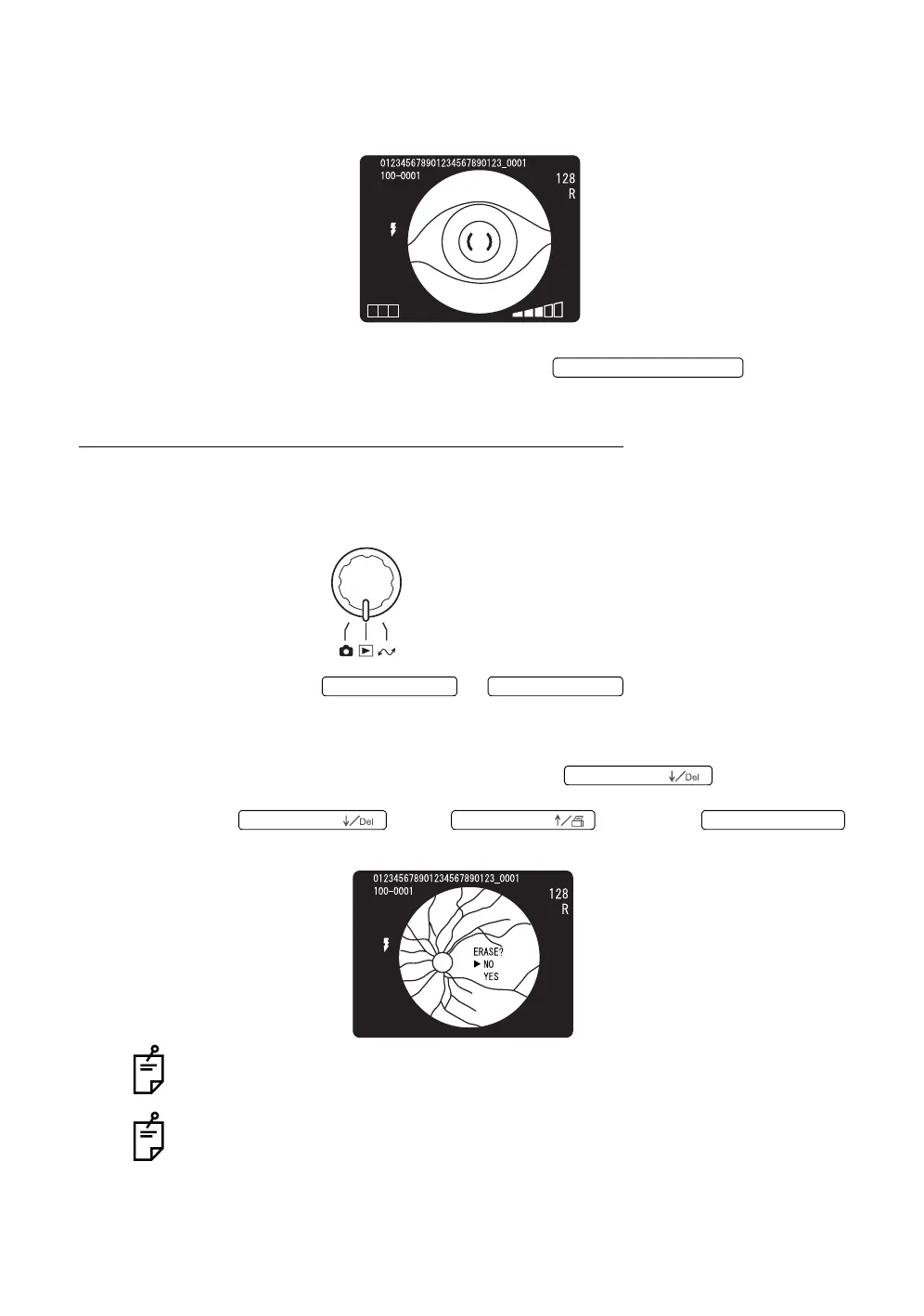
2 Move the instrument body in right and left / up and down directions until the
patient's eye is in the center of the color video monitor.
3 Turn the focusing knob so the anterior segment image is clearly visible on
the color video monitor, and press the .
PLAYBACK AND DELETION OF RECORDED IMAGE
Playback
1 Access the playback mode by turning the mode selector knob.
2 Press the or .
3 The photographed images are displayed in order.
4 To delete a displayed image, press the while an image
is displayed. When "ERASE?" is displayed, select "NO" or "YES" with the
or the . Press the
to decide the selected data.
To delete an image through a computer, contact your dealer.
Use the CompactFlash
®
card specified by TOPCON.
Refer to "OPTIONAL ACCESSORIES" on P.100 for the CompactFlash
®
card
description.
If the image does not appear normally, contact your dealer for assistance.
T CN
PHOTOGRAPHY SWITCH
No. SWITCH ( →
No. SWITCH ( ←
No. SWITCH (
No. SWITCH (
No. SWITCH (
No. SWITCH (Num














 To Next Page