86
BASIC OPERATIONS
Playback zoom
The photography image can be enlarged and displayed.
1 Press the in the playback mode.
2 Each time the is pressed, the magnification is
changed, "1×" to "2×" to "4×".
3 The enlarged image can be moved by the ,
, and .
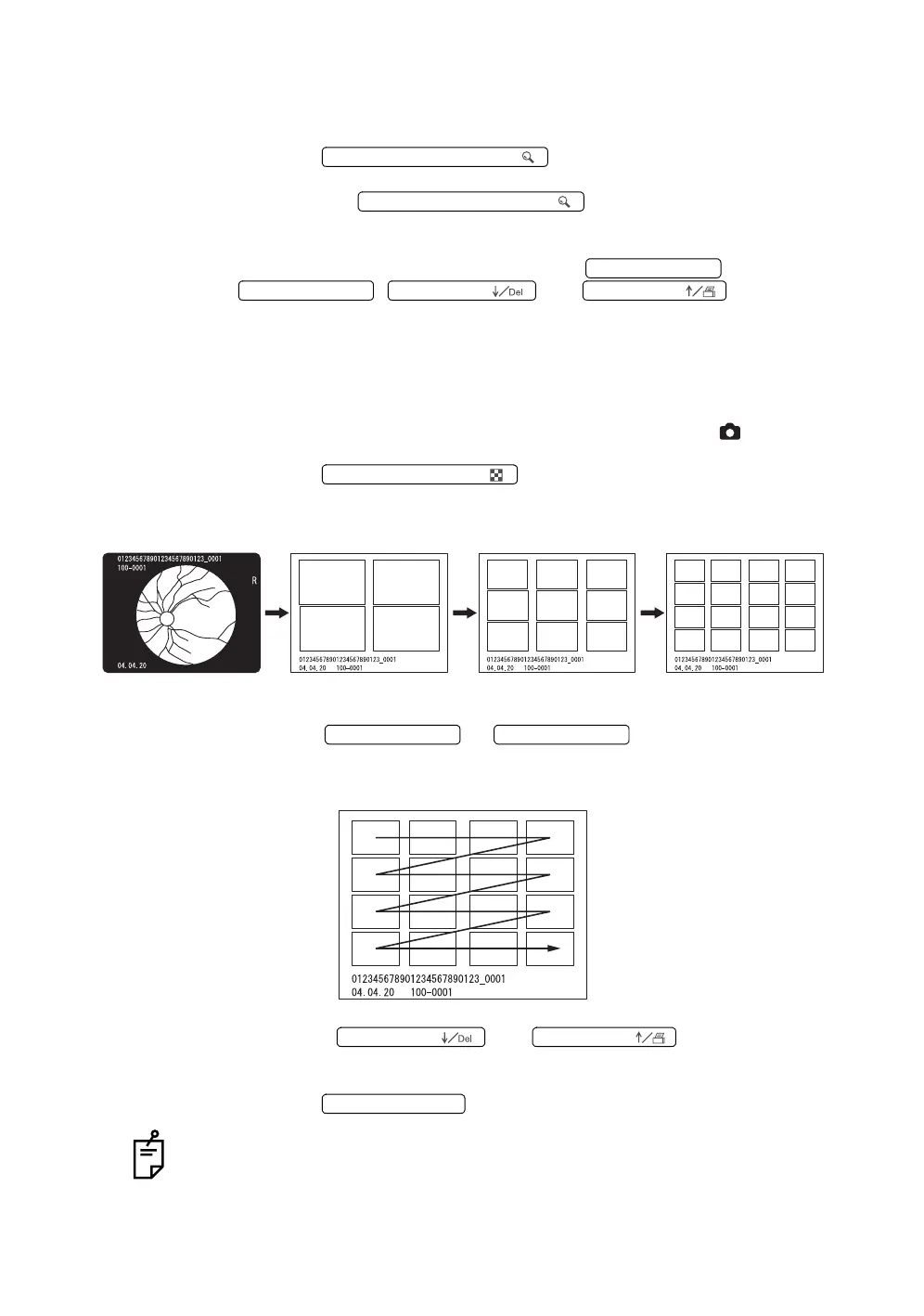
Playback of multi-display
The photography images can be displayed in line.
1 Turn the mode selector knob to set at the playback mode ( ).
2 Press the .
Multi-display (4-piece display playback/9-piece display playback/16-piece
display playback) appears.
3 Press the or , and the selected display
moves sideways as shown below.
After the last display is selected, the next page appears.
4 Press the or , and the page is
changed subsequently.
5 Press the , and you can select a display.
While the multi-display playback is being executed, "deletion of image", "image
protect" and "reservation for printing image" are impossible.
PICTURE ANGLE SWITCH (
PICTURE ANGLE SWITCH (
No. SWITCH ( →
No. SWITCH ( ←
No. SWITCH (
No. SWITCH (
THUMBNAIL SWITCH (
(1-piece display playback) (4-piece display playback) (9-piece display playback) (16-piece display playback
No. SWITCH ( →
No. SWITCH ( ←
No. SWITCH (
No. SWITCH (
No. SWITCH (Num














 To Next Page