24
PREPARATIONS
CONNECTING THE EXTERNAL DEVICE
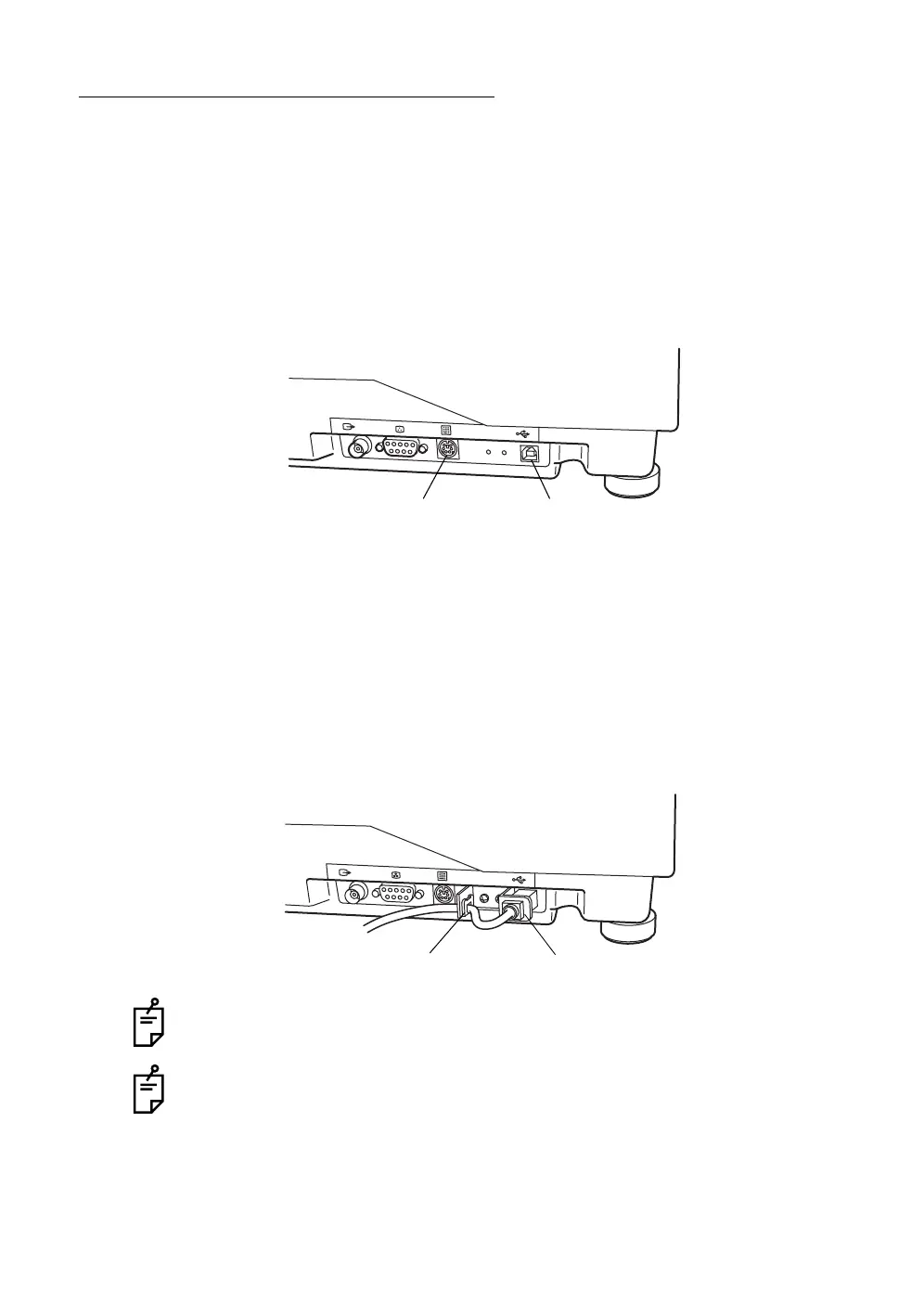
Connection to computer/ten button keypad
This instrument may be connected to the computer/ten button keypad through
the external connection terminal.
1 Connect the USB cable (packed together) from the computer to the serial
terminal 1 of this instrument.
2 Connect the connector of the ten button keypad (optional) to the serial ter-
minal 2 of this instrument.
Installation of the USB cable cord bracket
By installing this cord bracket, you can prevent the USB cable from being acci-
dentally removed from the TRC-NW200.
1 Tighten the attached cord bracket onto the instrument by using the acces-
sory screw.
2 Connect the connector of the USB cable to the opening of the cord bracket.
3 Fit the USB cable into the clamp of the cord bracket.
Use the USB cable specified by TOPCON (accessory).
The USB cable may not connect to all PC's, so please ensure the connection is
correct before attempting to fit the plug. Contact your authorized dealer for any
assistance regarding the USB connection.
Serial terminal 1Serial terminal 2
OpeningClamp














 To Next Page