75
BASIC OPERATIONS
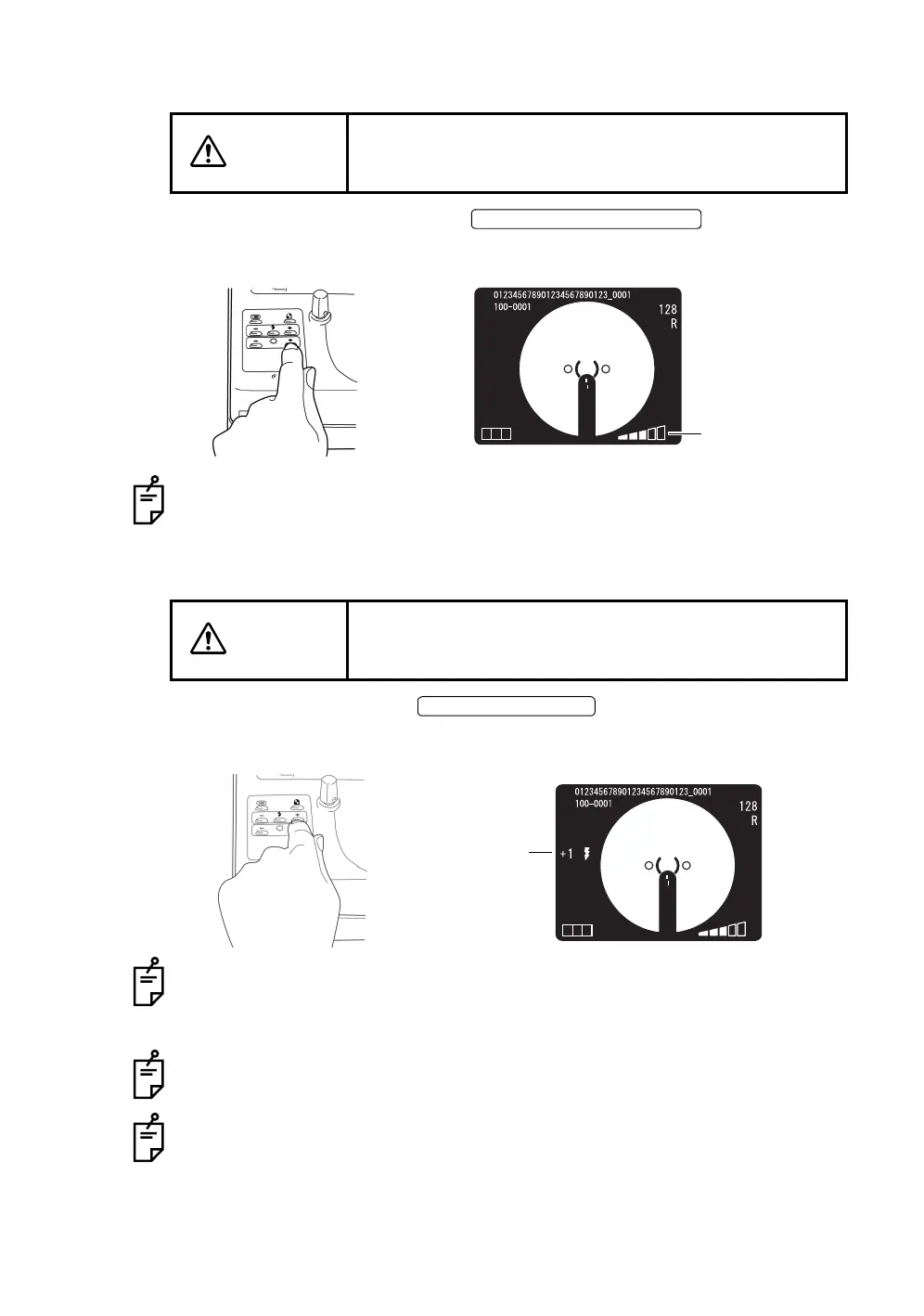
Setting the illumination level
Set the illumination level using the .
You can confirm the current level using the illumination level display on the color
video monitor.
Normally, the illumination level can be set by 5 steps.
When the instrument is first turned on, the illumination level is set to level 3.
Setting the flash level
Set the flash level using the .
The compensation value can be checked by the flash level compensation display
on the color video monitor.
The flash level can be compensated in 4 steps in both the (+) and (-) directions
from the reference value.
When the flash level is the reference value, no compensation value is displayed.
When the instrument is first turned on, the flash level is set to the reference value.
You can adjust the reference value of the flash level by 8 steps in both (+) and (-)
directions. See the "Flash level" on page 30.
The flash level display can also display the light intensity level (unit: WS) in addi-
tion to the compensation value.
For details about the flash level setting, contact your dealer or TOPCON (see the
back cover).
CAUTION
To avoid pain and discomfort to the patient and/or damage
to the patient's eye, do not brighten the monitor lamp
more than necessary.
CAUTION
To avoid pain and discomfort to the patient and/or damage
to the patient's eye, do not brighten the photography light
more than necessary.
ILLUMINATION LEVEL SWITCH
Illumination level
T CN
FLASH LEVEL SWITCH
Flash level
T CN
compensation display














 To Next Page