161
If you’ve tried every method above but still cannot access the internet, please contact
the technical support.
• For Router Mode:
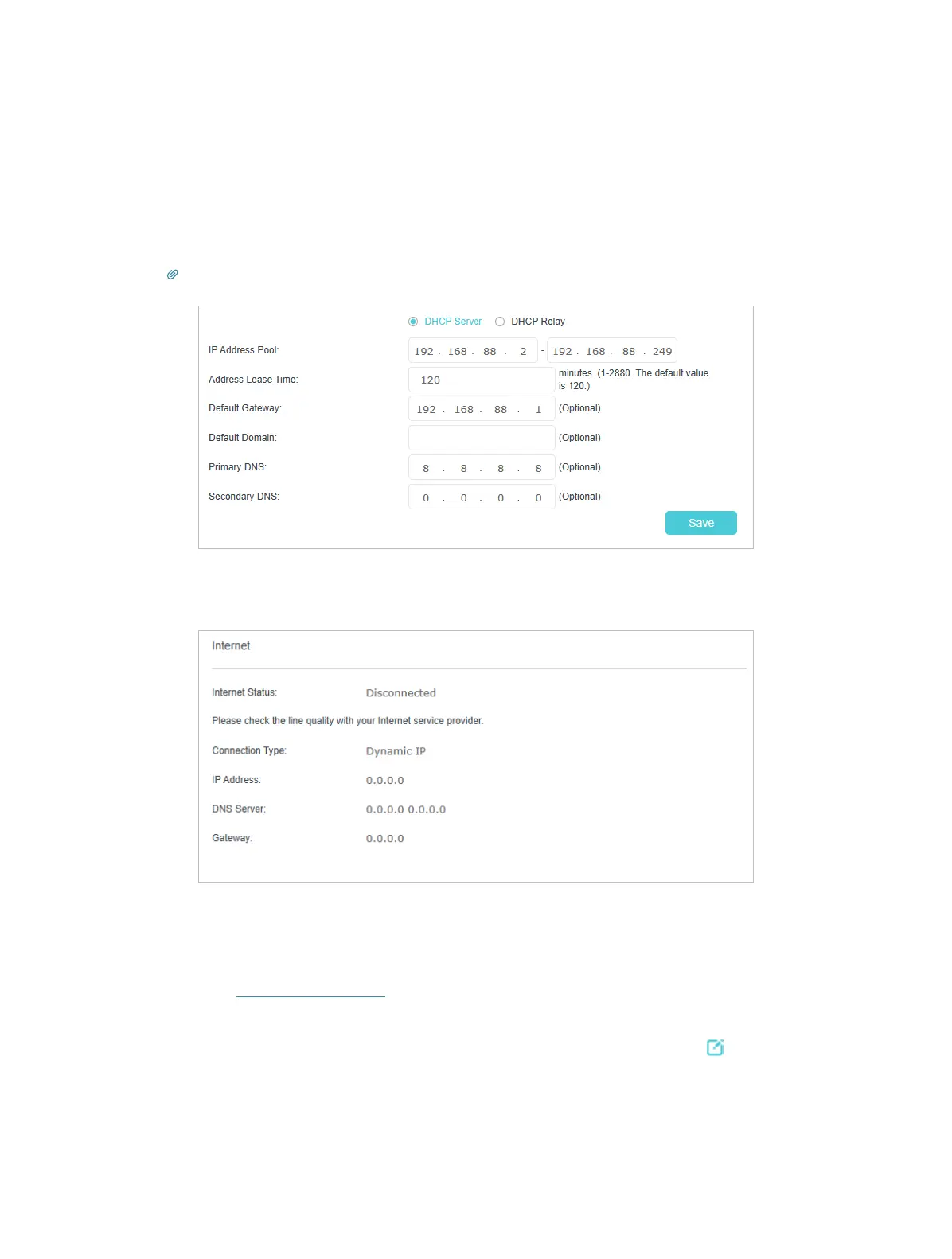
1 ) Go to Advanced > Network > LAN Settings >DHCP Server.
2 ) Enter 8.8.8.8 as Primary DNS, click SAVE .
Tips: 8.8.8.8 is a safe and public DNS server operated by Google.
For Router Mode, as the picture below shows, if the IP Address is 0.0.0.0, please try
the methods below and try again:
• Make sure the physical connection between the mesh device and the modem is
proper.
• Clone the MAC address of your computer.
1 ) Visit http://tplinkwifi.net and log in with your TP-Link ID or the password you set
for the mesh device.
2 ) Go to Advanced > Network > Internet > Internet Setup, and click
to modify.














 To Next Page